 Search Tips
What happens if I click the [Unlink PCI Detail Line] button on a PCI that has already been posted?
Clicking this button will launch a pop-up to unlink qualified PCI detail lines from the associated vendor and contract. Qualified PCI detail lines refer to lines where there are no subcontract change orders issued yet (i.e., both the Subcontract Change Code and Task ID fields are null). For more information, please refer to [Unlink PCI Detail Line] – Button.
How can I get a project role to be able to close/reopen RFIs when they have been already closed or are in any status?
The [Close RFI] button is available for submitted RFI records (which may be hidden with field security).
The [Reopen RFI] button is available for admin users (i.e., users with the 'Admin' box checked for their security role on the Security Roles screen).
NOTE: If the 'Lock Closed RFIs' box is checked on the Locking tab of the Project System Options screen, only users with an admin security role will have the ability to unlock RFIs.
For more information, please refer to Main Toolbar Buttons on the RFI screen.
Can I unpost a Subcontract Change Order (SCO)?
It is not possible to unpost a Subcontract Change Order (SCO) once it has been posted. If a correction is required, the recommended approach is to void the SCO. For more information, please refer to CMiC Field - Voiding Subcontracts & Subcontract Change Orders.
How do I unassign a checklist template from the project?
Checklist templates can be marked inactive or deleted entirely from the project. For more information, please refer to Removing a Checklist Template.
How do I add a photo to the project and set it as the project photo in the Project Maintenance record?
To do this, the user should:
-
Add a new photo to or navigate to an existing photo in the Photos folder in the Documents screen (standard Treeview path: CMiC Field > Document Management > Documents).
-
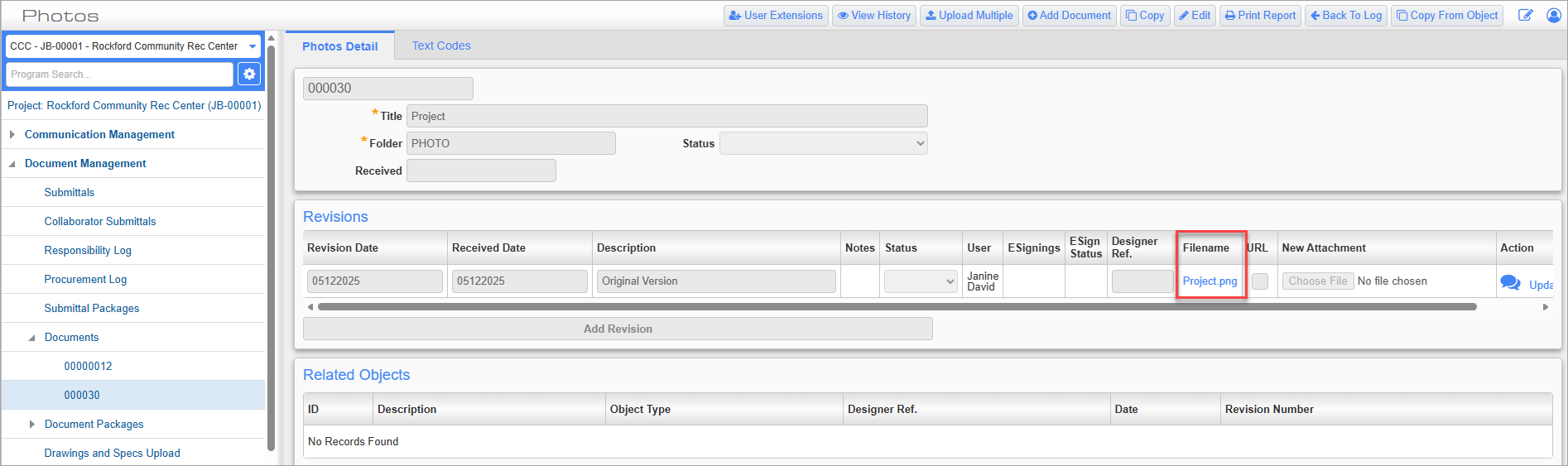
Open the Photo record and copy the URL from the Filename field, as shown in the screenshot below.
-
Paste the URL in the Project Photo URL field in the Collaboration section on the General – Tab of the Project Maintenance screen (standard Treeview path: CMiC Field > File Maintenance > Project Maintenance – General tab).
Why did a menu item dissappear from the Treeview?
Custom menu items may be removed from the Treeview if the user resets the Default Menu (Custom) to the CMiC system default menu with the [Reset Default Menu] button. To avoid this issue, users can set their custom menu as the system default menu with the [Save As Default] button. Field security can be applied to these buttons in the Security Roles screen to ensure only authorized users can make changes to the menu.
Can I create sub-folders within a document folder?
Sub-folders are not supported within a document folder in CMiC Field. As an alternative, User-Defined Fields (UDFs) can be used to organize and categorize documents. UDFs are configured on the UE Field Maintenance screen in the System Data module.
Up to six UDFs can be configured for a document type on the Documents tab of the Document Option node on the Maintain Data Process screen in the System Data module. For more information, please refer to Document Options Setup in System Data.
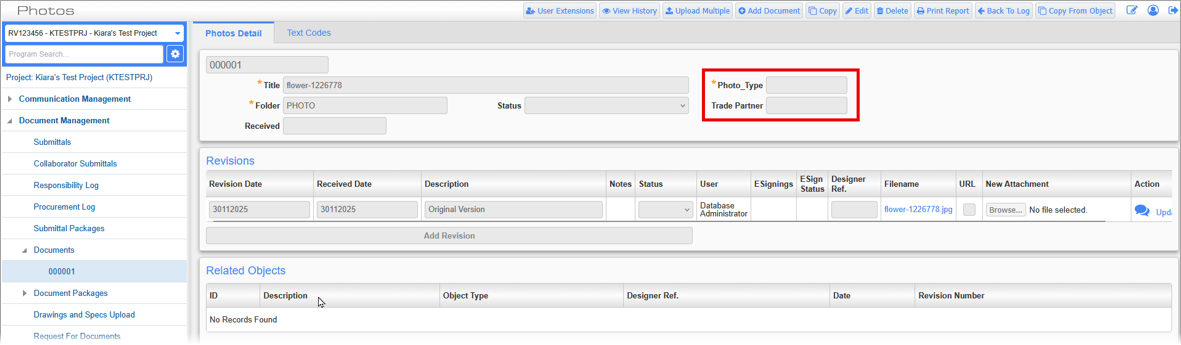
Newly added UDFs will appear in the header section for new and existing documents.
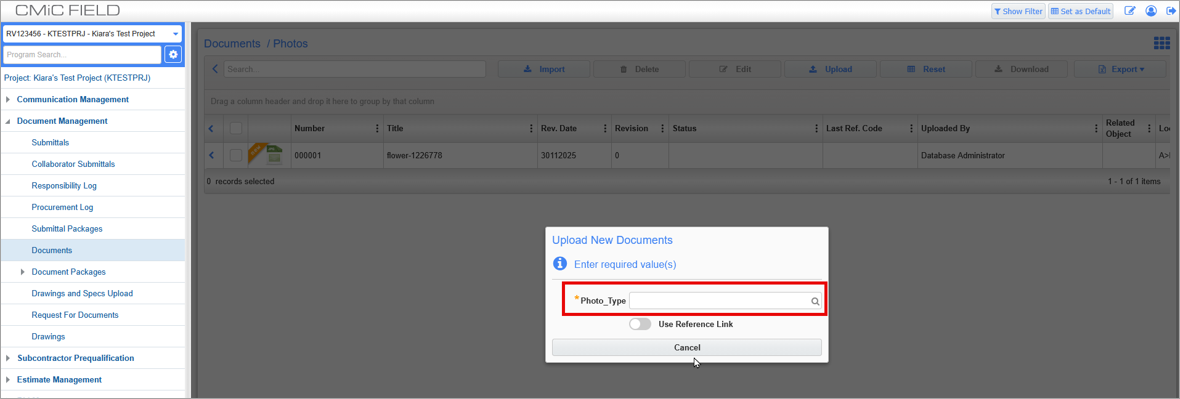
If a UDF is marked as "Required", users must enter the required value(s) when uploading a document.