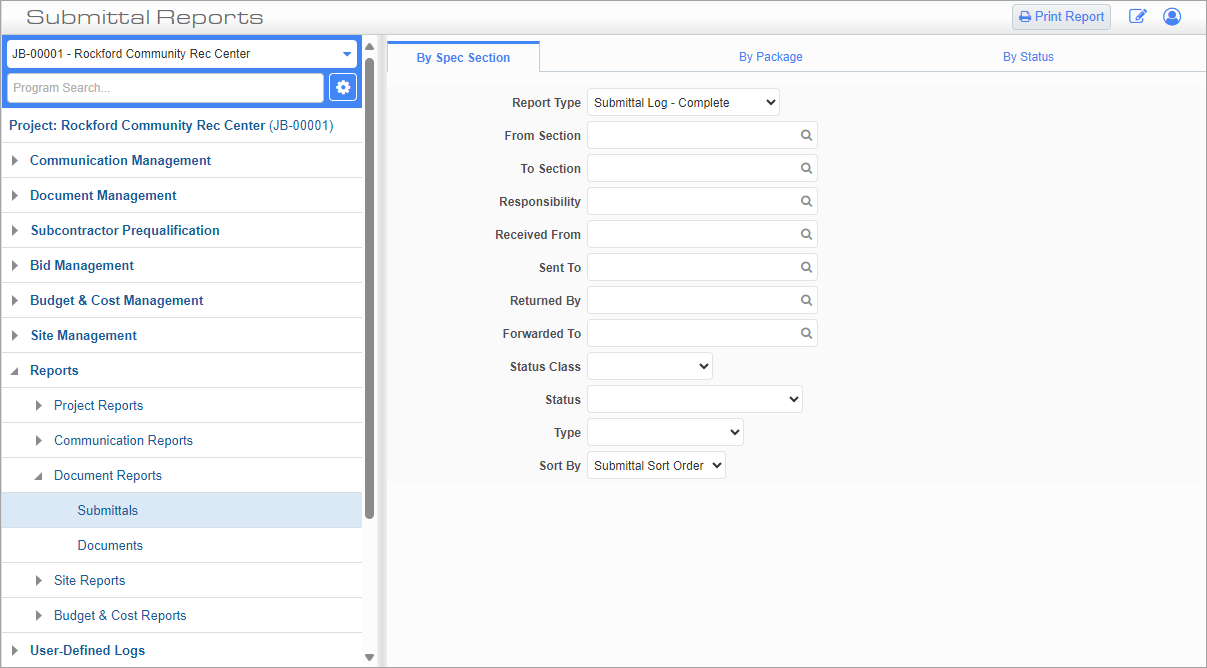
This screen is used to print submittal reports that are separated as follows:
This tab is used to print the submittal report divided by spec section.
Pgm: PM3041 – Submittals Report; standard Treeview path: CMiC Field > Reports > Document Reports > Submittals > By Spec Section -Tab
Report Type
Enter/select the type of submittal log to generate.
From Section, To Section
These fields are used to select the range of spec sections to report. The "From Section" field selects the starting spec section and the "To Section" field selects the end spec section.
Responsibility
Enter/select a project partner code to filter the report by the individual or group responsible for the submittals.
Received From
Enter/select a project partner code to filter the report by the individual and/or group who prepared the submittals as part of the submittal review cycle. See Submittals for more information on the review cycle of submittals, and CMiC Field - Submittal Status (Classic) for more information on classes for submittals.
Sent To
Enter/select a project partner code to filter the report by the individual and/or group who reviewed the submittal(s) as part of the submittal review cycle.
Returned By
Enter/select a project partner code to filter the report by the individual or group who returned the reviewed submittal(s) as part of the submittal review cycle.
Forwarded To
Enter/select a project partner code to filter the report by the individual or group who was forwarded the reviewed submittal(s) as part of the submittal review cycle.
Status
Select a status class to filter the report by status of the submittal(s).
Type
Select a type to filter the report by submittal type.
Sort By
Select whether to sort the submittals by sort order or ID.
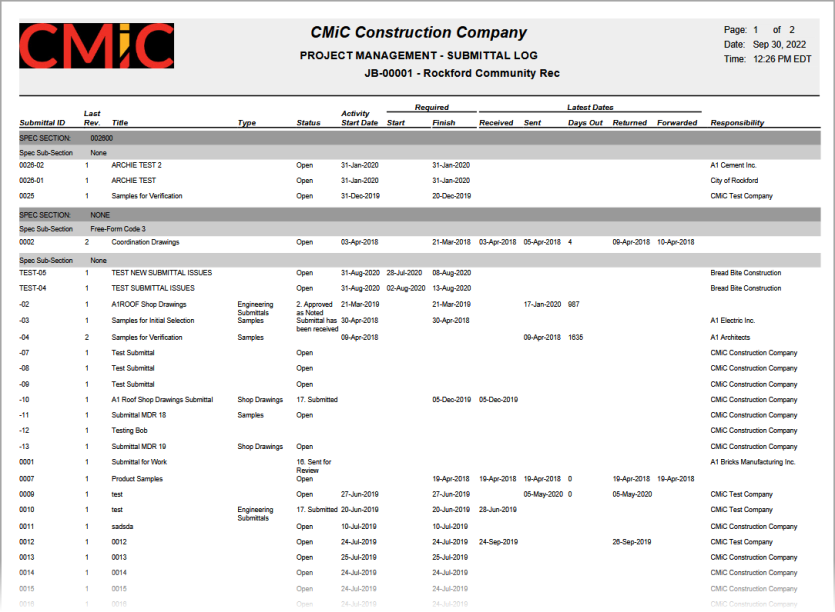
Sample Submittals Report by Spec Section (PM3041)
The following tab is used to print the submittal report for a specific submittal package.
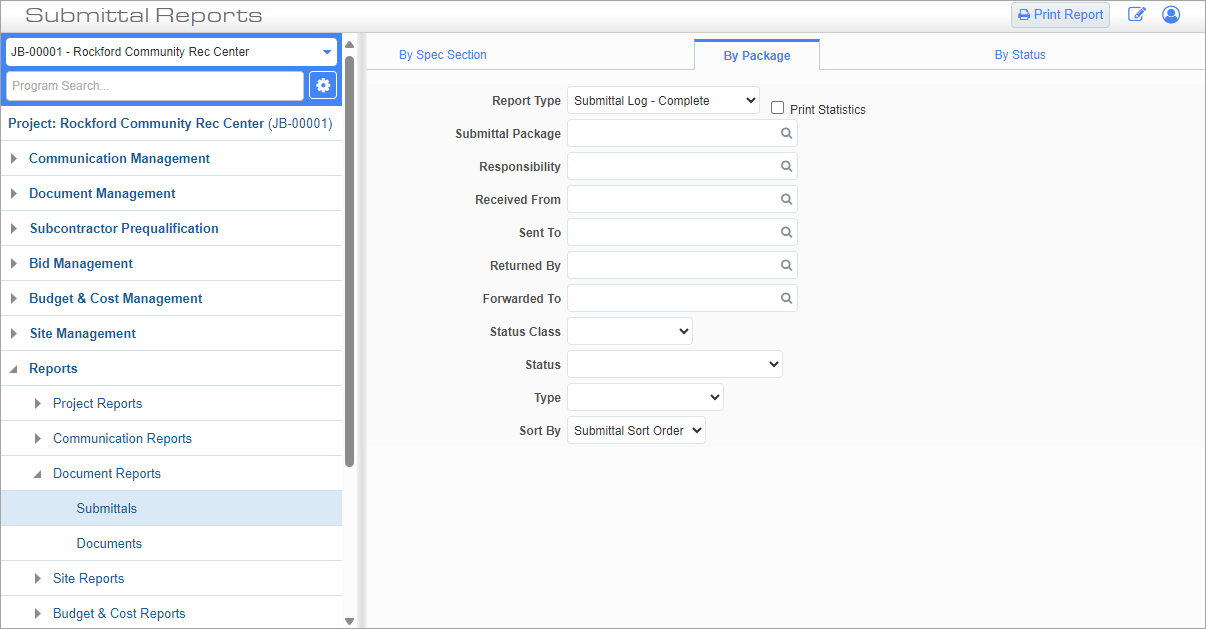
Pgm: PM3041 – Submittals Report; standard Treeview path: CMiC Field > Reports > Document Reports > Submittals > By Package -Tab
Report Type
Enter/select the type of submittal log to generate.
Print Statistics – Checkbox
This checkbox is used to include the submittal package completion statistics within the header of the report.
Submittal Package
Enter/select the submittal package for which to generate the report.
Responsibility
Enter/select a project partner code to filter the report by the individual or group responsible for the submittals.
Received From
Enter/select a project partner code to filter the report by the individual and/or group who prepared the submittals as part of the submittal review cycle. See Submittals for more information on the review cycle of submittals, and CMiC Field - Submittal Status (Classic) for more information on classes for submittals.
Sent To
Enter/select a project partner code to filter the report by the individual and/or group who reviewed the submittal(s) as part of the submittal review cycle.
Returned By
Enter/select a project partner code to filter the report by the individual or group who returned the reviewed submittal(s) as part of the submittal review cycle.
Forwarded To
Enter/select a project partner code to filter the report by the individual or group who was forwarded the reviewed submittal(s) as part of the submittal review cycle.
Status
Select a status class to filter the report by status of the submittal(s).
Type
Select a type to filter the report by submittal type.
Sort By
Select whether to sort the submittals by sort order or ID.
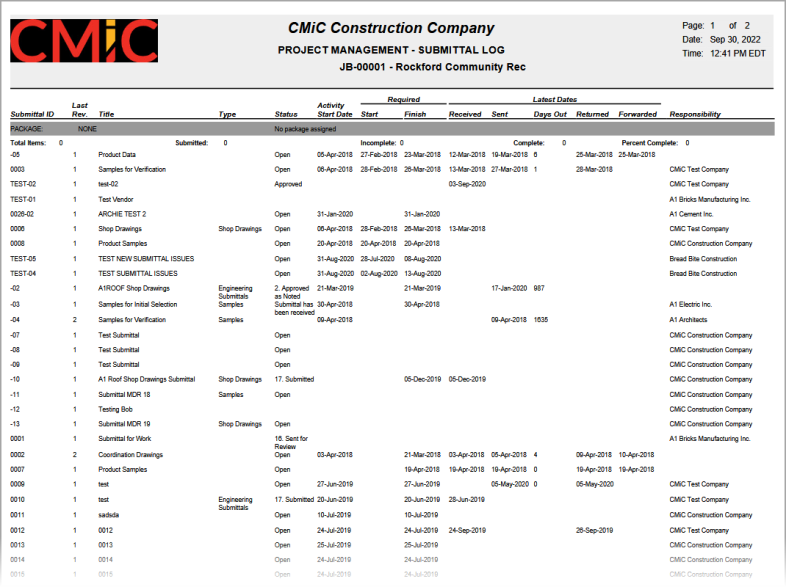
Sample Submittals Report by Package (PM3041)
The following tab allows the user to print the submittal report divided by status.
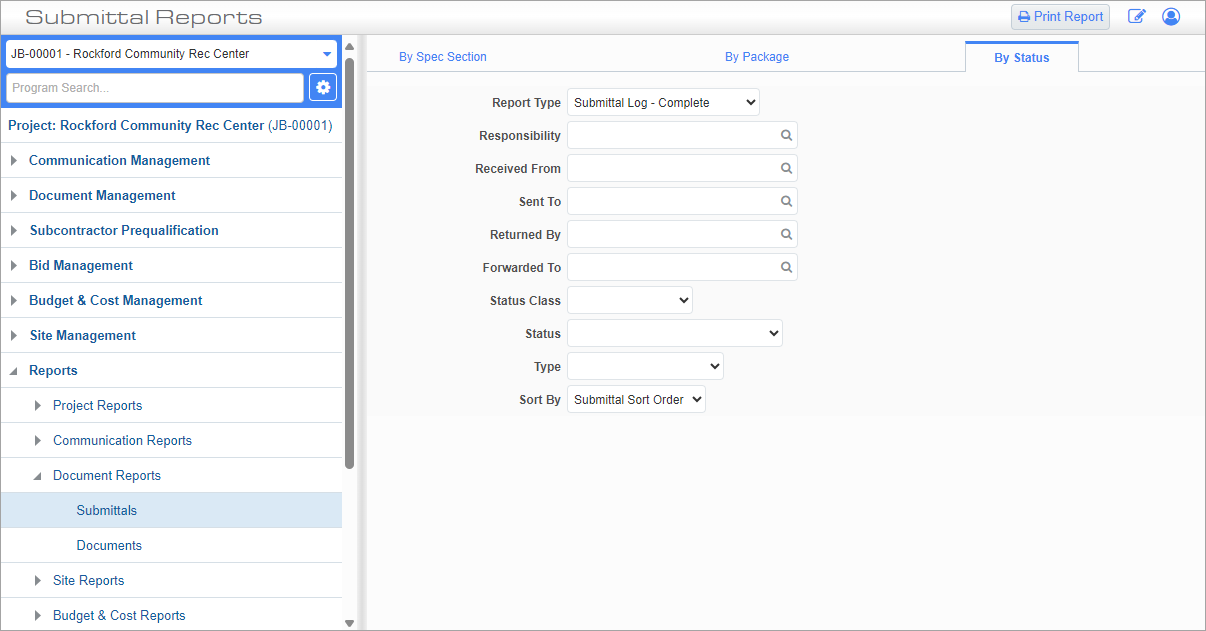
Pgm: PM3041 – Submittals Report; standard Treeview path: CMiC Field > Reports > Document Reports > Submittals > By Status -Tab
Report Type
Enter/select the type of submittal log to generate.
Responsibility
Enter/select a project partner code to filter the report by the individual or group responsible for the submittals.
Received From
Enter/select a project partner code to filter the report by the individual and/or group who prepared the submittals as part of the submittal review cycle. See Submittals for more information on the review cycle of submittals, and CMiC Field - Submittal Status (Classic) for more information on classes for submittals.
Sent To
Enter/select a project partner code to filter the report by the individual and/or group who reviewed the submittal(s) as part of the submittal review cycle.
Returned By
Enter/select a project partner code to filter the report by the individual or group who returned the reviewed submittal(s) as part of the submittal review cycle.
Forwarded To
Enter/select a project partner code to filter the report by the individual or group who was forwarded the reviewed submittal(s) as part of the submittal review cycle.
Status
Select a status class to filter the report by status of the submittal(s).
Type
Select a type to filter the report by submittal type.
Sort By
Select whether to sort the submittals by sort order or ID.
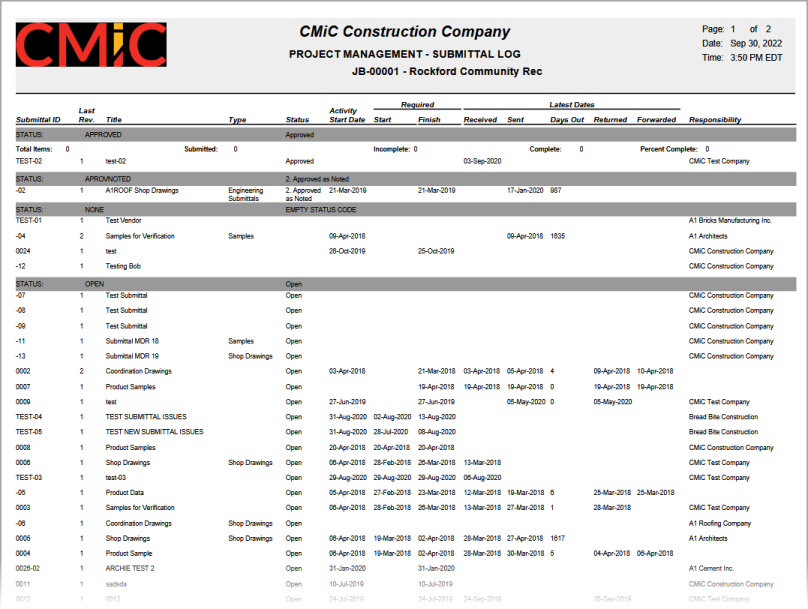
Sample Submittals Report by Status (PM3041)
Once you have specified the report type to be generated, press the [Print Report] button on the console’s toolbar to launch the Report Config pop-up window. This pop-up window is used to specify the print server, destination, and format of the report. Press [Run Report] in the pop-up window to generate the report.
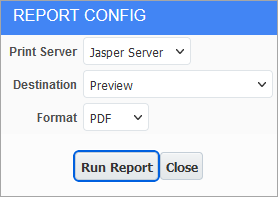
For more information, please refer to CMiC Field - Printing a Report.