 Search Tips
Why is it Useful?
CMiC has introduced a new security checkbox that allows users to view all drawing packages. This feature provides greater flexibility and access control within the system.
NOTE: This feature is being released in Patch 20 under CF-21476.
How Does it Work?
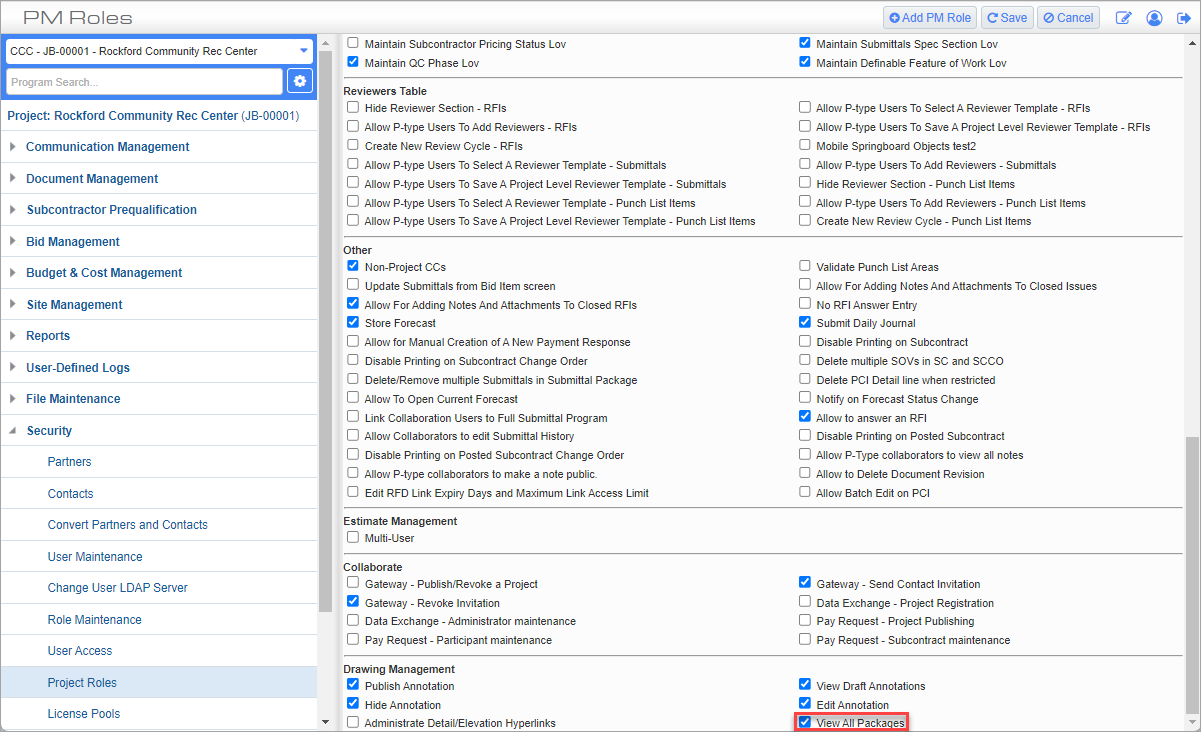
Project Roles; standard Treeview path: CMiC Field > Security > Project Roles
Previously, this privilege was controlled by the 'Admin' checkbox (i.e., Admin = Y) on the CMiC Field - Security Roles screen. This change has been reverted and a new checkbox has been added on the CMiC Field - Project Roles screen. If a user has the 'View All Packages' privilege checked, they will be able to view all the packages in the project. Otherwise, the user will not see the packages in the project.
For more information on using Document Package feature, refer to CMiC Field - Document Packages.
To learn more about some of the latest features released in this patch, return to Patch 20 Highlights.