 Search Tips
The following article provides procedures for performing the year end.
Step 1: Set Company's Current Period and Income Close Account
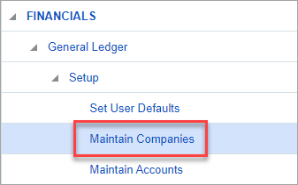
Navigate to General Ledger > Setup > Maintain Companies.
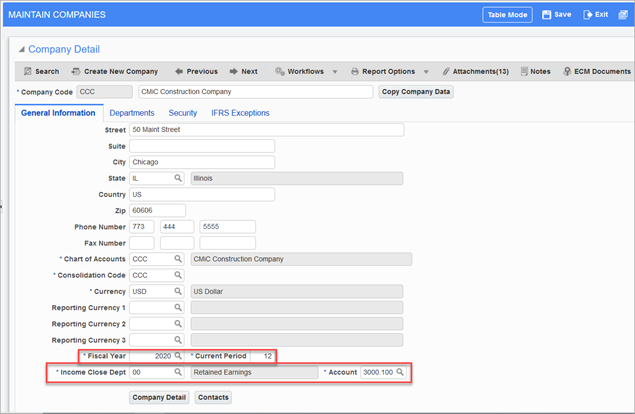
Set the year in the Fiscal Year field and set the Current Period field to the last period of the year you intend to close. In the example above, the last period is 12 for the fiscal year 2020.
Set the Income Closing Account field to "Retained Earnings".
For more information, please refer to General Ledger - Maintain Companies.
Step 2: Verify Company's Period Dates
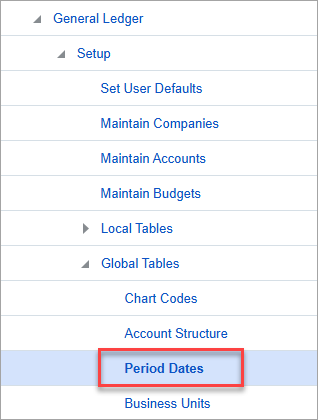
Navigate to General Ledger > Setup > Global Tables > Period Dates.
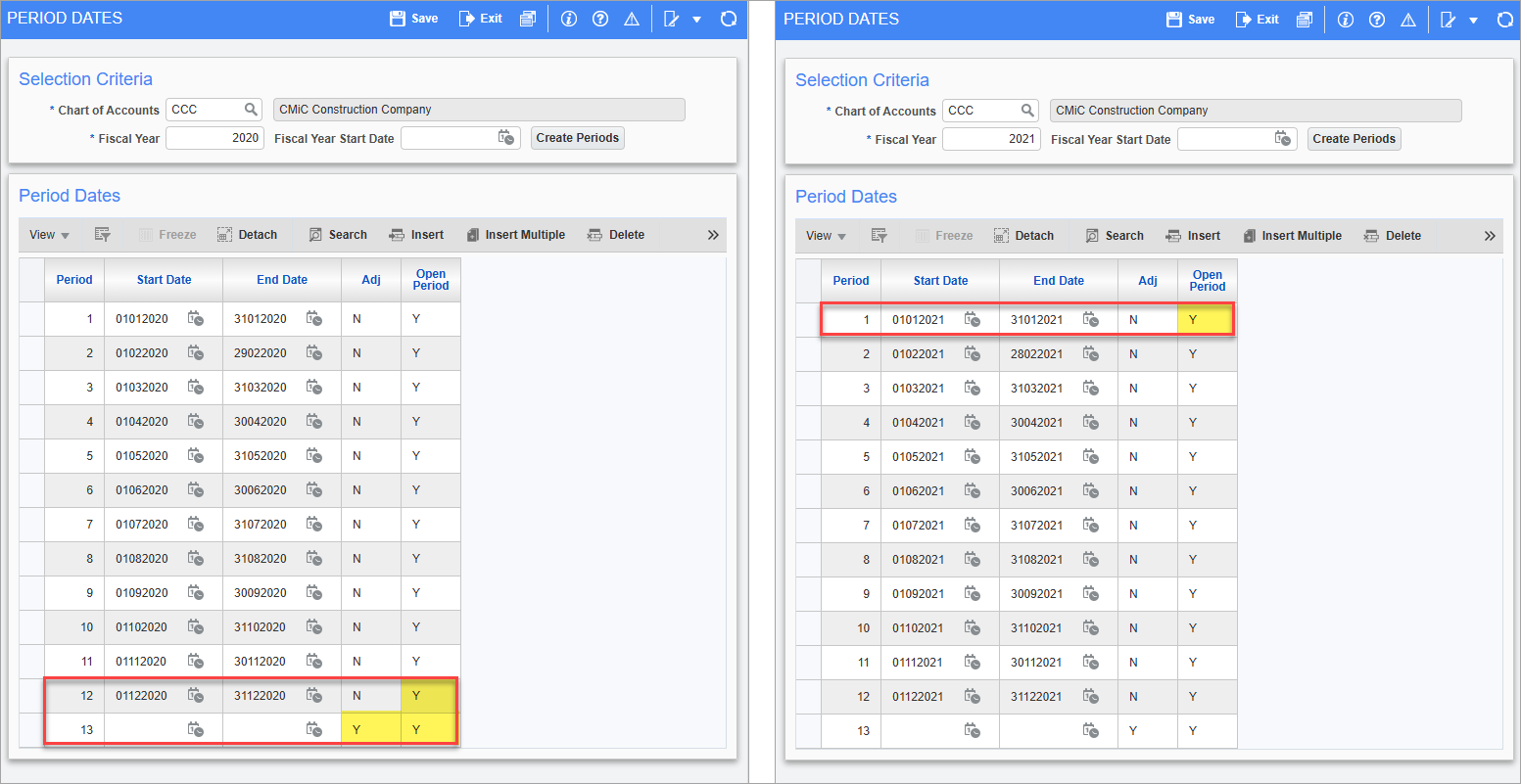
Verify that only one period is allowed for adjustments (e.g., the additional period after the last standard period of the year), and that both the adjustment period and last period are open for the year. Also ensure the first period of the following year is open.
In the example above, periods 12 and 13 are open for 2020 (with period 13 as the adjustment period) and period 1 is open for the following year, 2021.
For more information, please refer to Period Dates.
NOTE: To avoid errors when running the Year End Procedure, verify that the fiscal periods for the new year are set up and that the department income closing accounts have been specified. For more information, please refer to General Ledger - Year End Requirements.
Step 3: Verify Account Structure
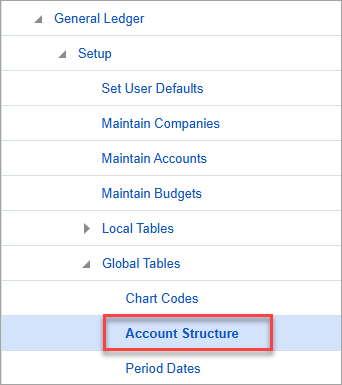
Navigate to General Ledger > Setup > Global Tables > Account Structure.
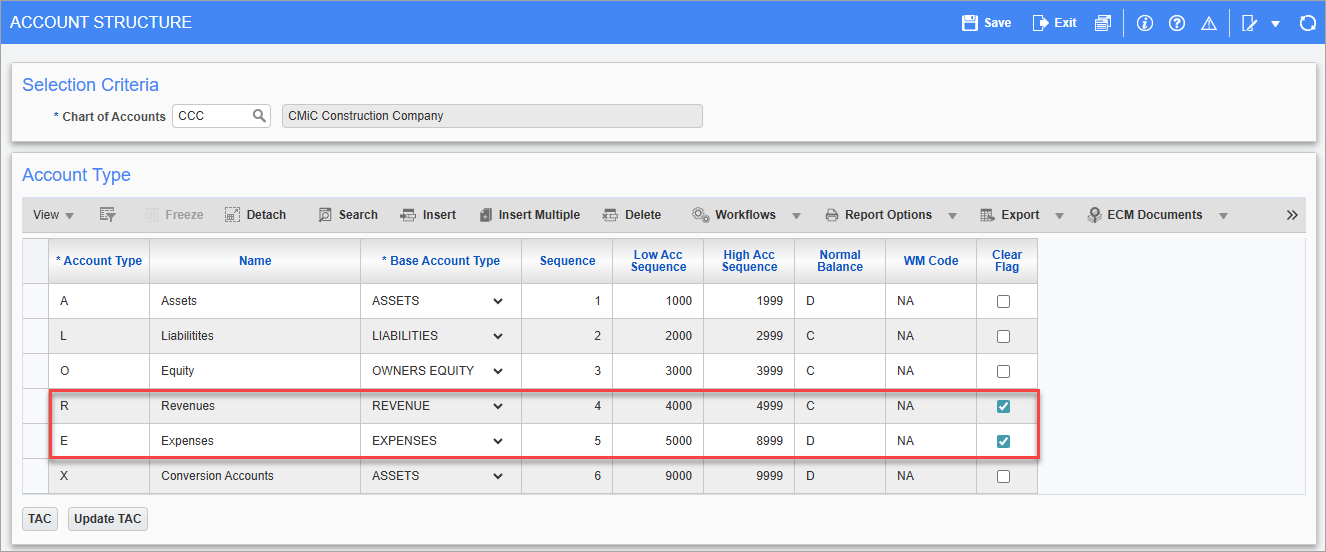
Ensure the revenue and expense accounts are marked as "Clear".
For more information, please refer to Account Structure.
Step 4: Prepare New Year
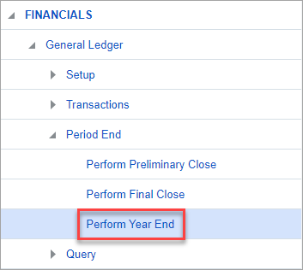
Navigate to General Ledger > Period End > Perform Year End.
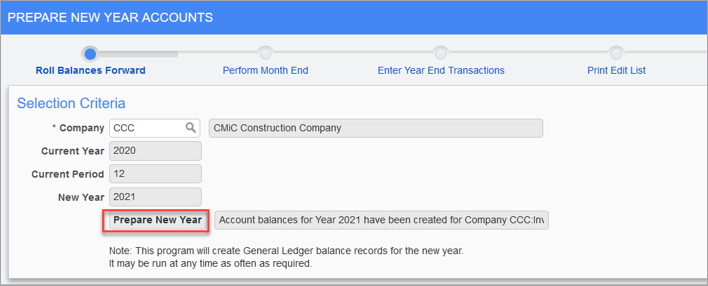
Press the [Prepare New Year] button to roll the balances forward to the next year.
For more information, please refer to General Ledger - Prepare New Year Accounts.
Step 5: Perform Month End
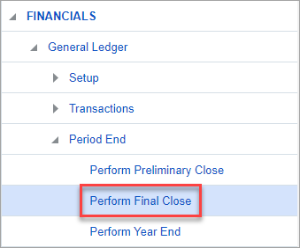
Navigate to General Ledger > Period End > Perform Final Close.
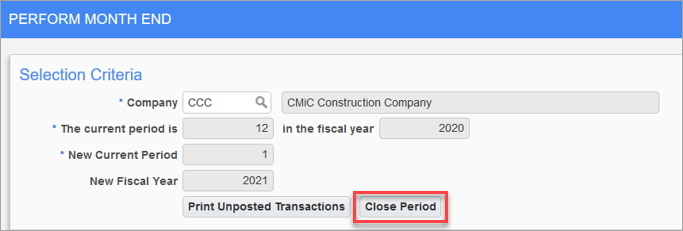
Press the [Close Period] button to move all of the current periods from all the modules to the next period, which in this case would be 2021, period 1.
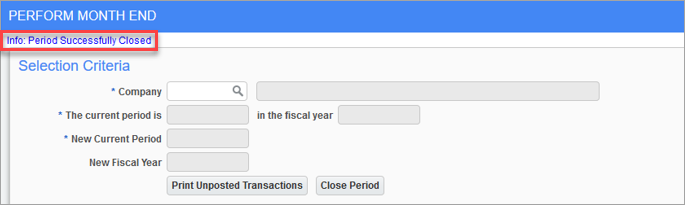
For more information, please refer to General Ledger - Perform Final Close.
Step 6: Close P&L Accounts
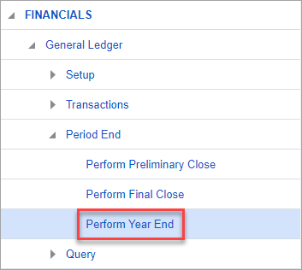
Return to the Perform Year End screen.
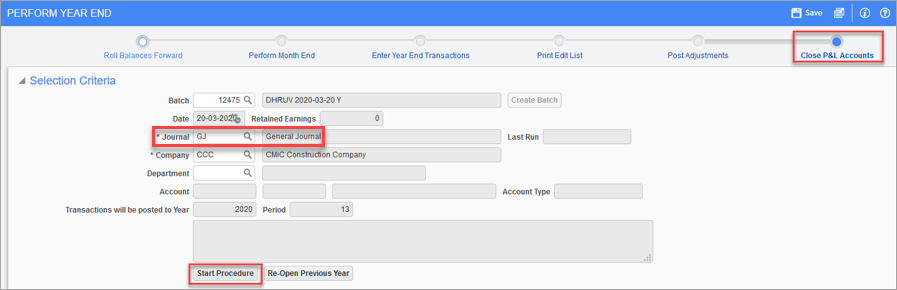
Click on the Close P&L Accounts node on the process train at the top of the screen. In the Journal field, select "GJ". Verify the company selected in the Company field is correct. If you want to close for all departments, leave the Department field empty. Finally, click on the [Start Procedure] button. This will close the current year and clear the balances for all revenue and expense accounts.
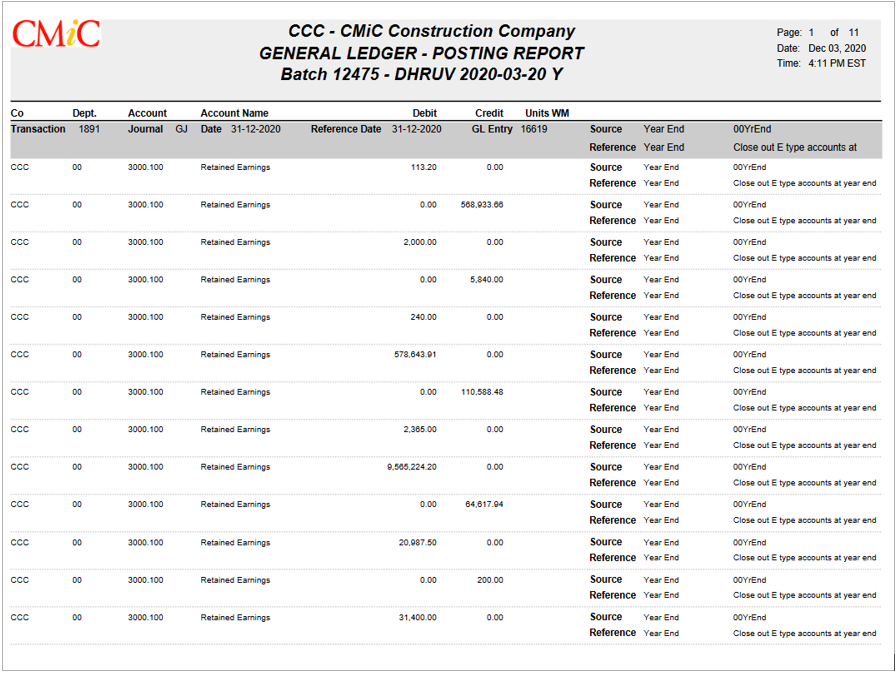
The screenshot above shows an example of the GL Posting Report.