 Search Tips
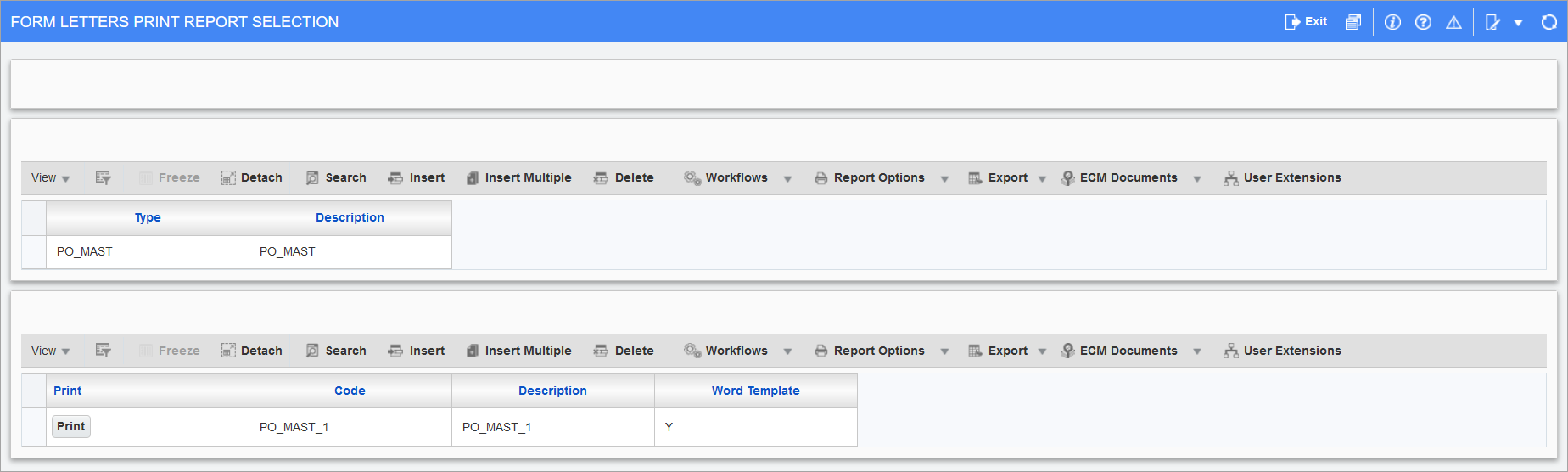
Pgm: SYSDSEL - Form Letters Print Report Selection; Launched from the Report Options button on certain screen's Block Toolbar and selecting "Print Form Letters"
The Form Letters Print Report Selection screen is used to print form letters in screens that have the [Report Options] button available in the Block Toolbar (e.g. User Maintenance screen, Enter Vouchers screen, etc.), as shown in the example below.

By default, clicking the [Report Options] button will open the "Print Form Letters" option where users can select a form letter report to print, but it can also be accessed by clicking the Triangle icon ( ) to the right of the [Report Options] button and selecting the "Print Form Letters" option.
To print a report, click the [Print] button next to the associated report code for the Report Configuration pop-up window to appear.
For further details on how to map form letter definitions to UIRuntime programs and print reports, see System Data - Mapping Form Letter Definitions to UIRuntime Programs.