 Search Tips
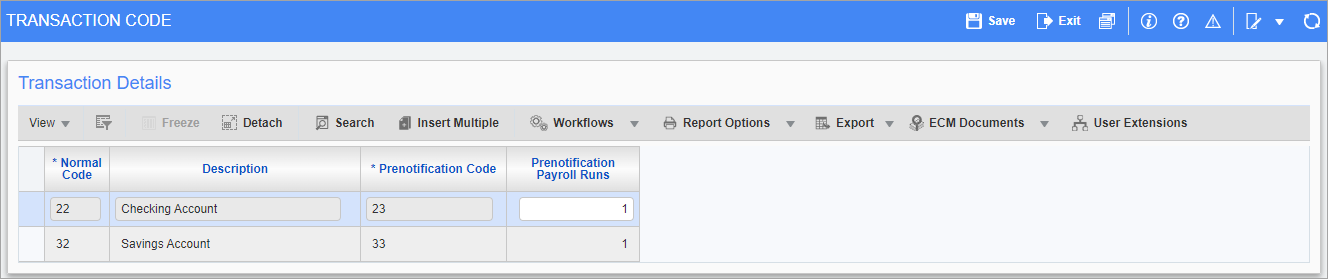
Pgm: PYACHMNT – Transaction Code; standard Treeview path: US Payroll > Setup > Local Tables > ACH Transaction Codes
This screen is used to manage ACH (Automatic Check Handling) codes associated with employee direct deposits. The transaction codes are bank-defined and indicate whether a direct deposit should be flagged as a normal or prenotification deposit.
Transaction codes are then assigned to employee codes in the US Payroll - Direct Deposit and Check Accounts screen, so that the bank can accurately handle employee pay. Employees are assigned either normal transaction codes or prenotification codes, depending on their individual needs. Normal codes remain constant, while prenotification codes revert back to the associated normal code once the defined number of payroll runs is completed.
NOTE: The setting which controls whether a direct deposit account uses a normal code or a prenotification code is controlled using the ‘Code’ checkbox on the US Payroll - Direct Deposit and Check Accounts screen. If the ‘Code’ box is unchecked, the direct deposit account uses a prenotification code.
Normal Code, Description
This is a display-only code provided by the bank, used to identify a normal automated deposit transaction.
Prenotification Code
This is a display-only code provided by the bank, used to identify a prenotification deposit transaction.
Prenotification Payroll Runs
Enter the number of payroll runs to be made using the prenotification code.