 Search Tips
Why is it Useful?
The Discipline Maintenance screen is now available directly within Construct PM, allowing users to adjust their disciplines directly from the Drawing log.
NOTE: This is a Web-specific feature. (CF-35023)
Security Requirements
The Discipline Maintenance screen will display only if the Discipline Maintenance program has been assigned to the user's security role through the Assign Menu Items option in the Security Roles screen in CMiC Field.
How Does it Work?
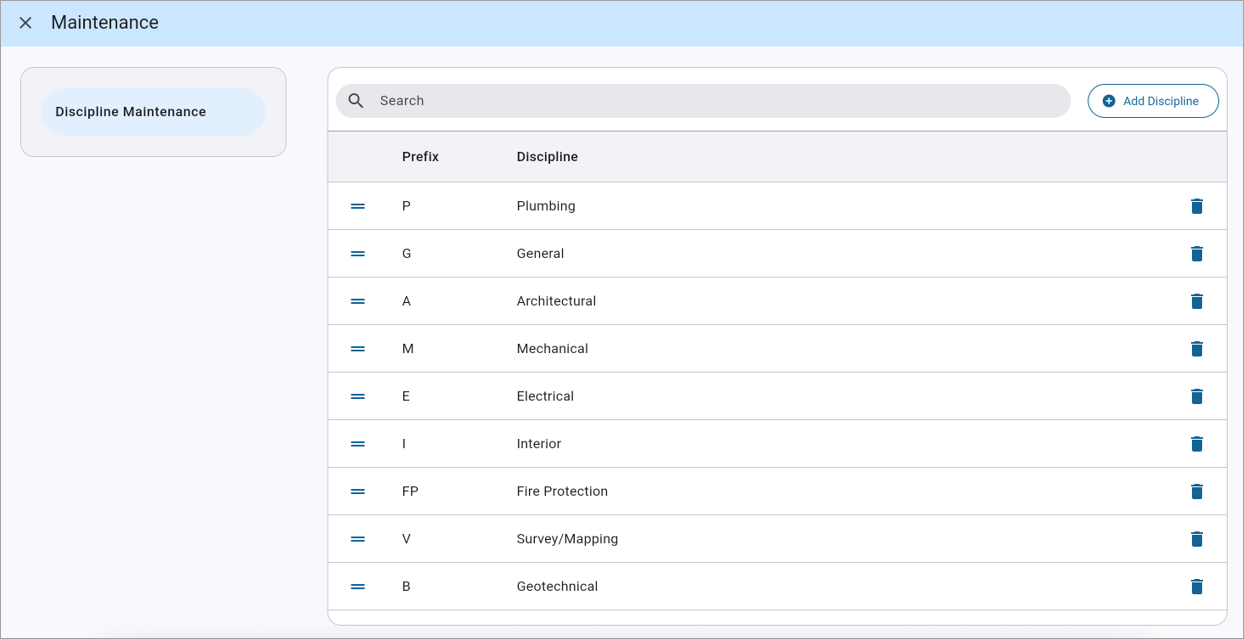
Discipline Maintenance screen in Construct PM
Users can access the Discipline Maintenance screen by navigating to the overflow menu within the Drawing log and selecting "Maintenance". This opens the Discipline Maintenance screen, where users can add new disciplines or edit existing ones.
For more information, refer to CMiC Field - Discipline Maintenance.
To learn more about some of the latest features being released, return to Nexus 01 Highlights.