 Search Tips
Why is it Useful?
Construct PM now allows users to create and link existing punch list items directly from the record. This enhancement enables project teams to efficiently generate actionable follow-ups for non-compliant responses, streamlining the workflow between checklists and punch list tracking.
NOTE: This feature is available on Patch 21 for Cloud users only. This will be available in Patch 22 for Enterprise users.
How Does it Work?
To support this functionality, new options have been added to Checklist Template Maintenance via the Settings pop-up screen:
-
Related Object Type Settings: Templates can now specify whether issues, punch list items, or both can be created from the checklist record.
-
‘Allow Creation’ Checkboxes: Checkboxes for each object type (issues, punch list items) allow administrators to configure what follow-up objects are available when the checklist is in use. At least one type must always be active.
System Level
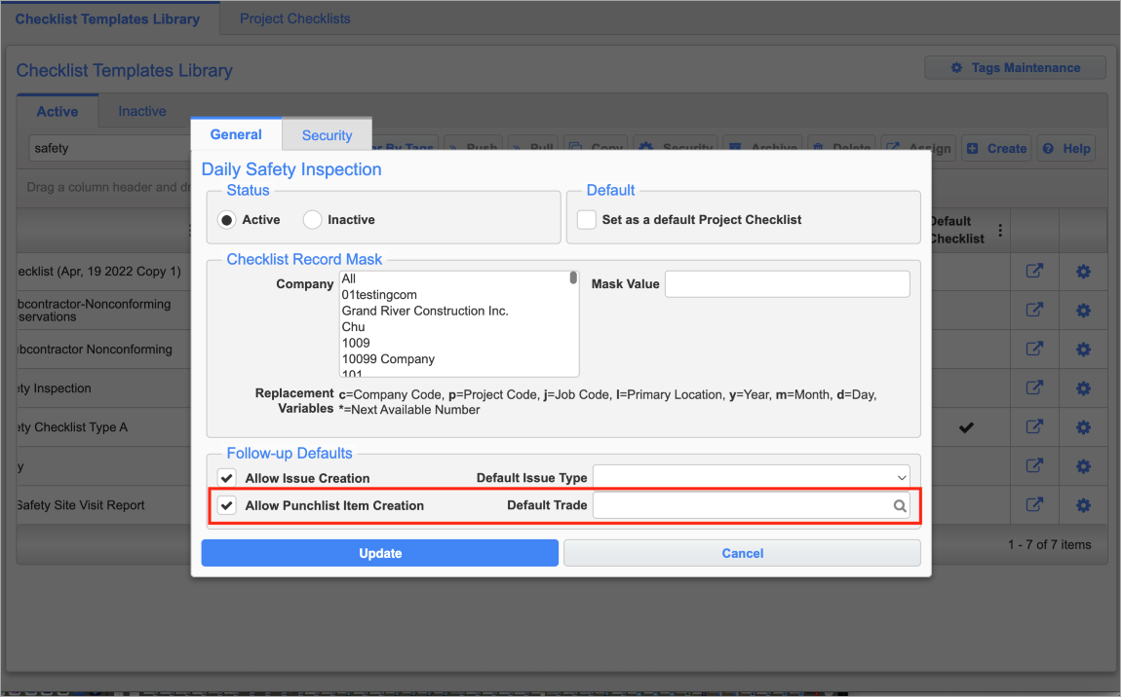
Settings pop-up launched at the system level
Project Level
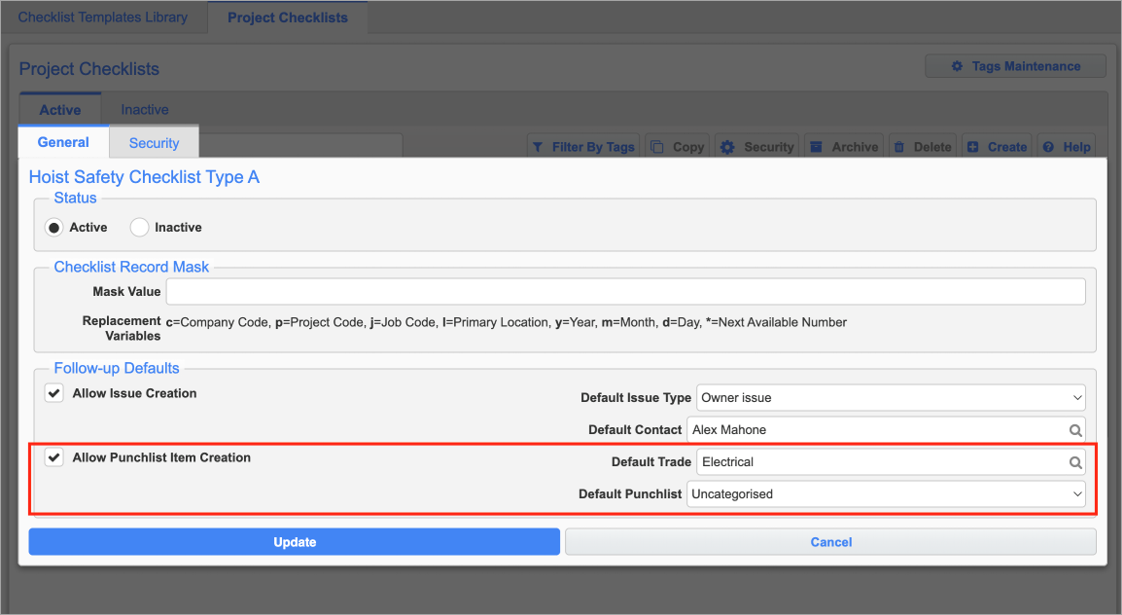
Settings pop-up launched at the project level
NOTE: If the template is linked at the system level, only the Default Punchlist field's LOV will be available.
System to Project Syncing
When assigning templates at the system level, the punch list's Trade field's LOV will pull from the trades existing across companies. When syncing to the project level, this will automatically add the selected trade to the project level if it does not already exist. This will ensure the trade is visible and selectable when creating records on a project.
Checklist Records
These new defaults will appear on the Checklist record when enabled at the template level:
-
Punch List Item Fields:
-
Default Trade
-
Default Punchlist
-
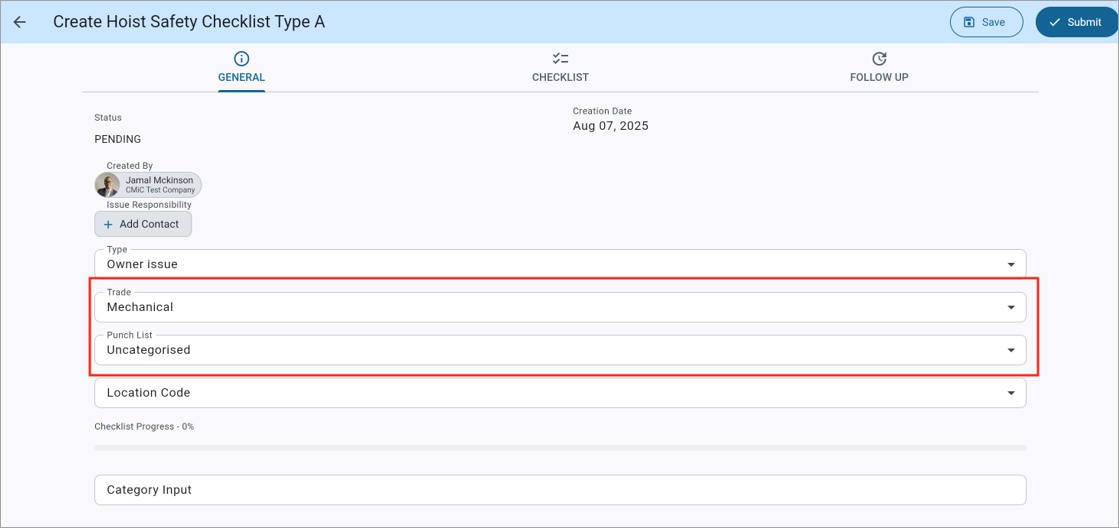
If default values are set in the Checklist Template Maintenance screen, they will be pre-loaded into the checklist instance. However, users retain the ability to edit these values on an individual record basis.
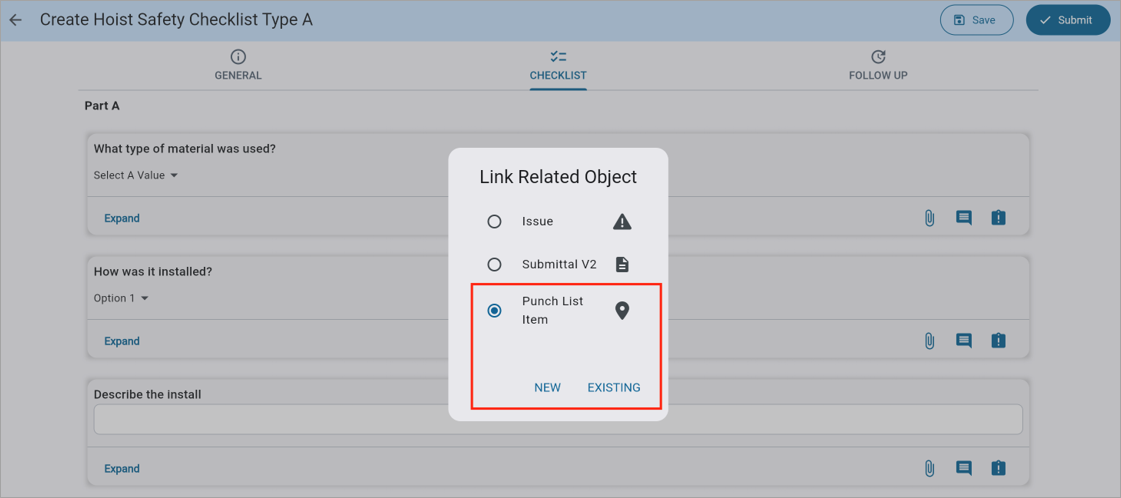
These defaults will carry over during the creation of new records, allowing users to create new records quicker. Existing records can also be linked to individual questions, however these will maintain whatever selection previously existed on the record.
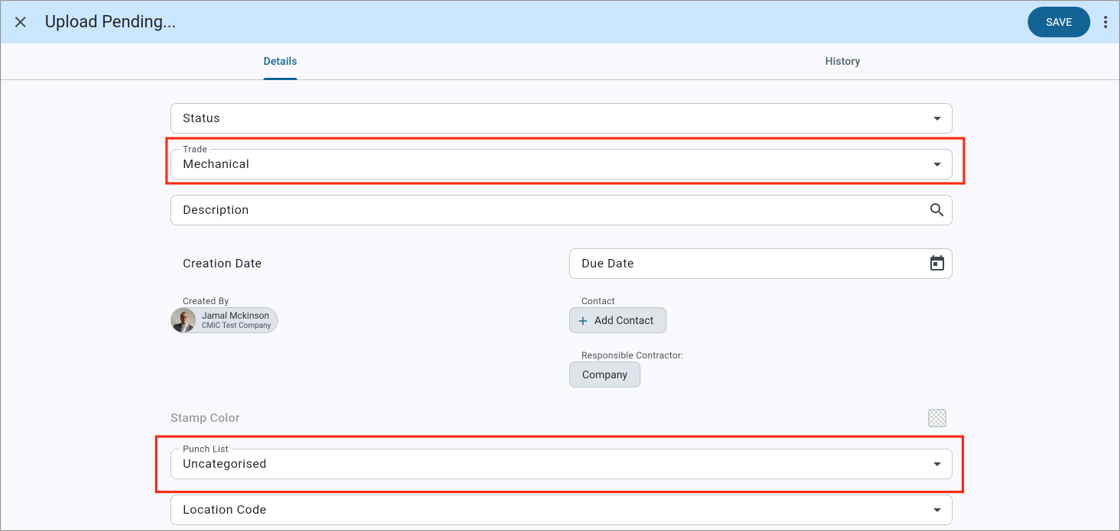
When creating a new question, the defaults are pre-populated based on the checklist defaults.
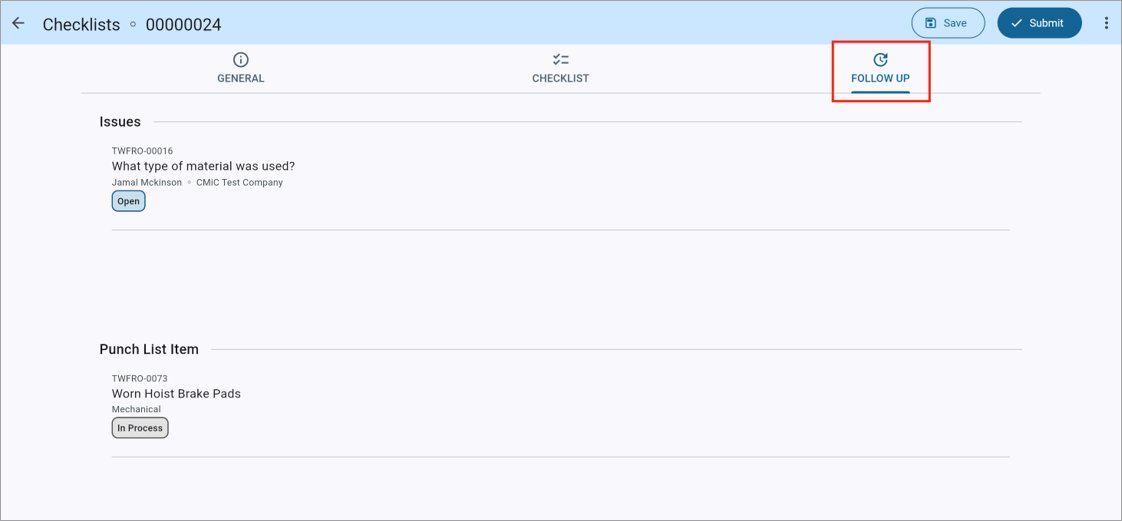
Users will be able to quickly follow up on any existing items linked to questions by navigating to the Follow Up tab. This will now display both your issues and punch list items associated with the Checklist record.
To learn more about some of the latest features released in this patch, return to Patch 21 Highlights.