 Search Tips
Why is it Useful?
CMiC has introduced custom default statuses for punch list items. Users can now set a custom default status for punch list items, streamlining the process of creating new items by pre-setting their initial status.
NOTE: This feature is being released in Patch 20 under CF-18813.
How Does it Work?
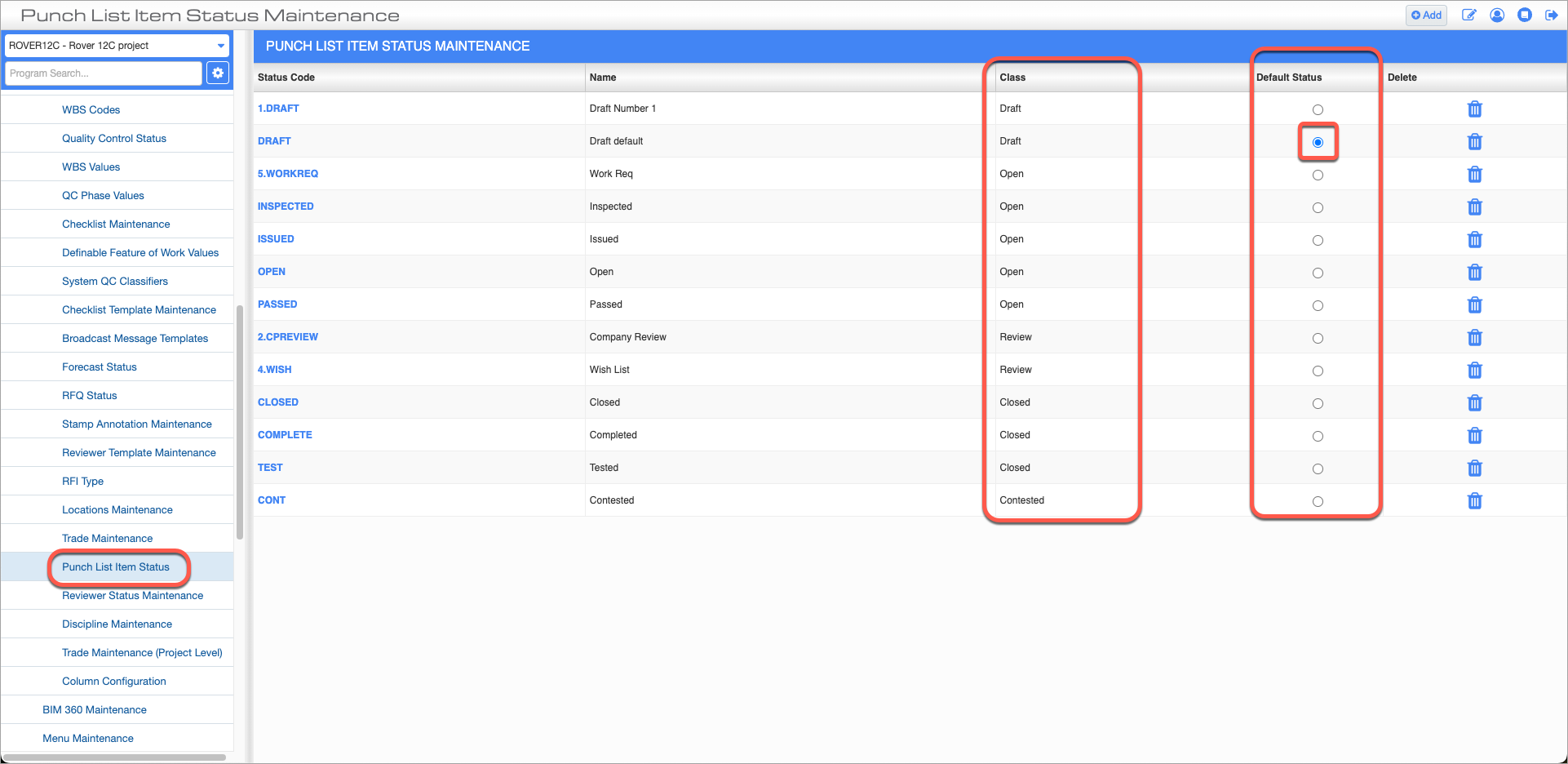
Punch List Item Status Maintenance; Standard Treeview path: CMiC Field > File Maintenance > Local Tables > Punch List Item Status
Open the Punch List Item Status Maintenance screen. Set the default status by enabling the radio button in the Default Status column on the selected status code's row. Any new punch list items added will have the default status set by the radio button.
For more information on using this screen, refer to CMiC Field - Punch List Item Status Maintenance.
To learn more about some of the latest features released in this patch, return to Patch 20 Highlights.