 Search Tips
Why is it Useful?
CMiC has added the ability to run a new beta version of Contract Forecast in CMiC Field. This will give users the opportunity test out the new version of the program by adding it directly on their PM treeview using a URL.
NOTE: This feature was released in Patch 14-1 under issue 19.83741.
How Does it Work?
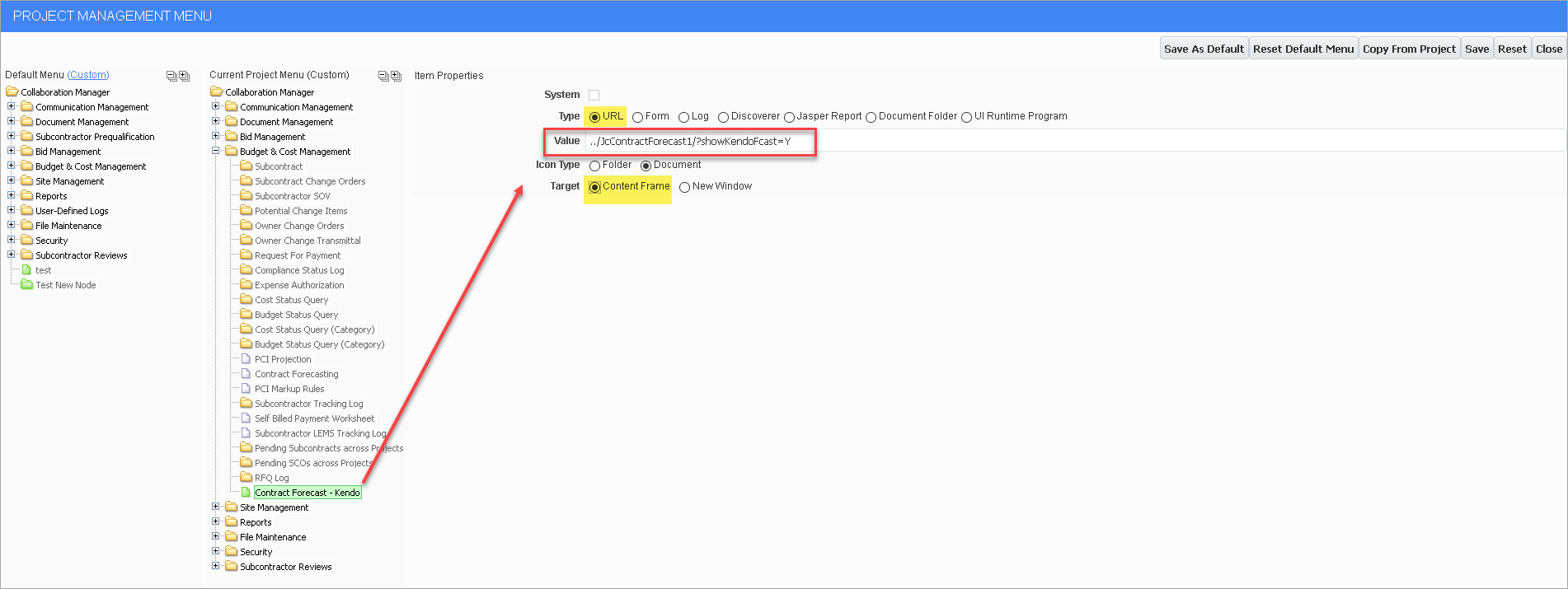
CMiC Field > File Maintenance > Menu Maintenance
To run the new version of Contract Forecast program, it will need to be added as a new menu item using the Menu Maintenance screen, as shown in the screenshot above.
Add the URL as ../JcContractForecast1/?showKendoFcast=Y
Ensure the Target is set as 'Content Frame'.
For more information on using the Menu Maintenance screen, refer to CMiC Field - Menu Maintenance.