Search Tips
Job Billing - U10CR - JB Invoice With Currency and Tax Header
This report was created based on standard U10 invoice format with the modifications outlined below. For more details, see Job Billing - U10 - US Standard PB Invoice. All other features remain the same for both reports.
Main difference for this report is the first Currency/Tax Header page, and how PCIs are displayed on the invoice depending if the contract uses PCI detail billing or not.
Tax Invoice - Tax Header Page
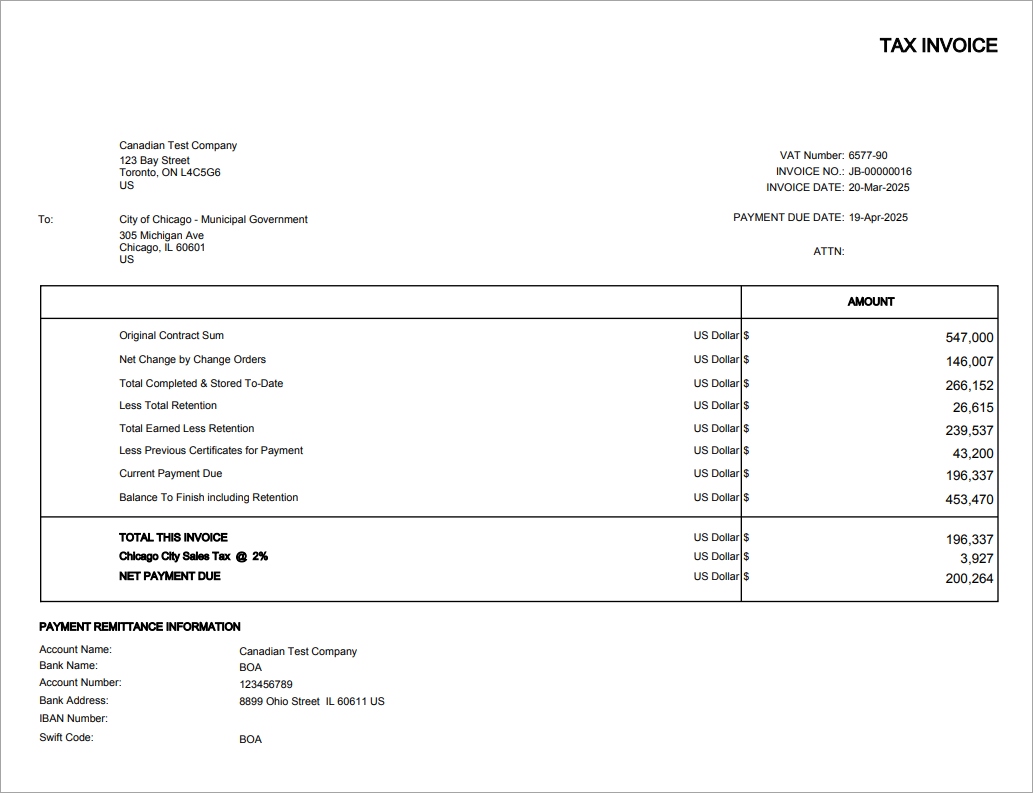
This page was added to the U10CR format and includes the following information:
-
Prints VAT/Tax Registration number. This is the Tax Registration number associated with the Tax code on the Contract
-
ATTN: pulls data from System Contacts where Contact Type = C. It will essentially select a contact name for the contract from the list of contacts linked to the company.
-
Shows Currency Details: this is the Invoice Currency setup on the Contract
-
Shows a total tax line and Net Payment Due, including taxes
-
Payment Remittance Information section: populates Bank Details from the Company listed on the invoice.
Header Summary Page
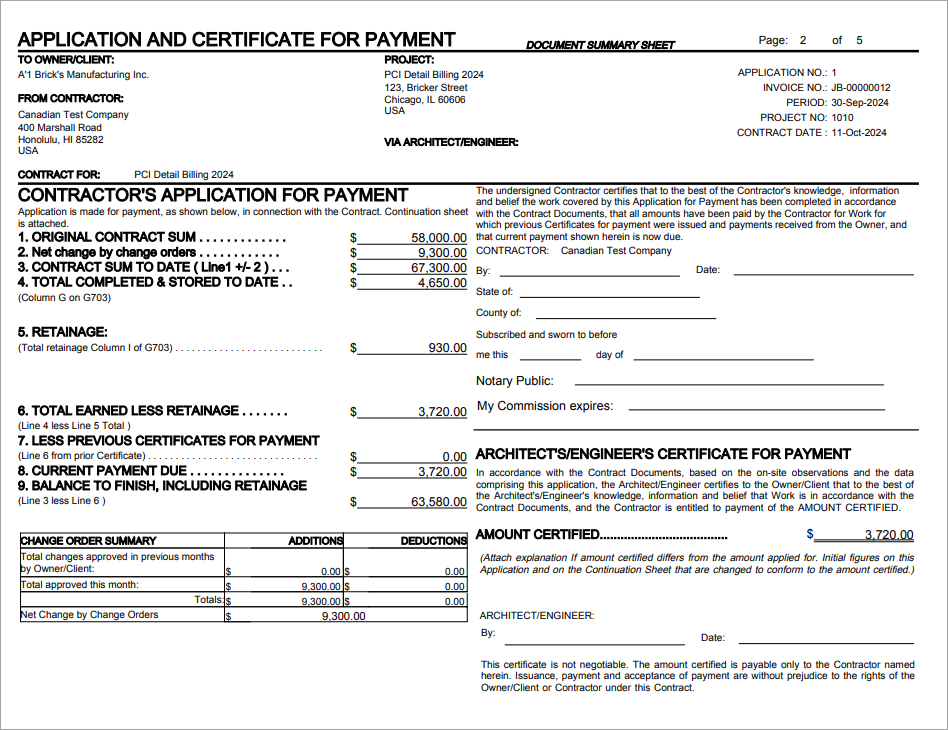
This invoice is different than the standard U10. This invoice shows only the total amounts in the header Change Order Summary section and does not display a list of individual PCIs. It does not work with some of the JB Invoice Format checkboxes, such as 'Print Engineer's Certificate of Payment' and 'CM Agency Job Format'. Most of this invoice header is hard coded.
Schedule of Values Page
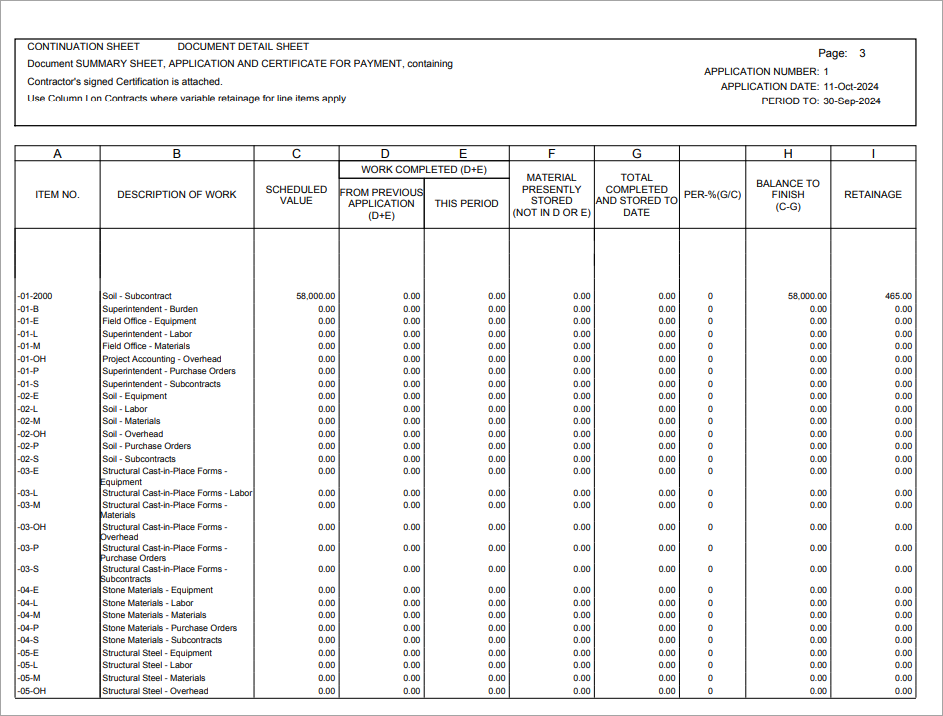
When the 'PCI Detail Billing' is checked, change orders are displayed as part of the SOV, but grouped separately by OCOs. With this box checked, the draw allows partial billing of the PCIs which are properly reflected on the report.
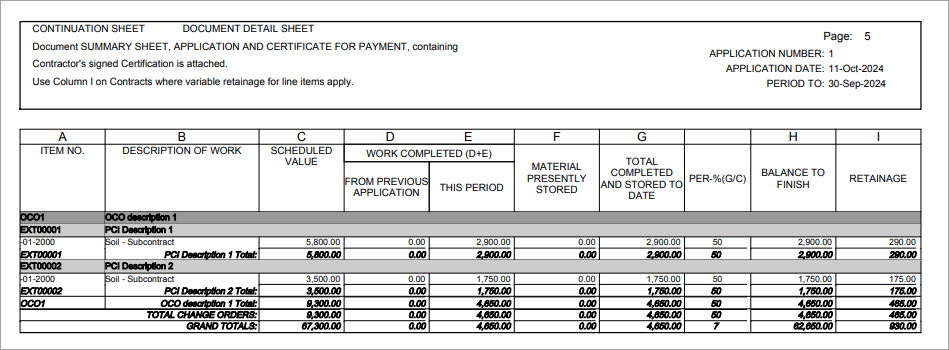
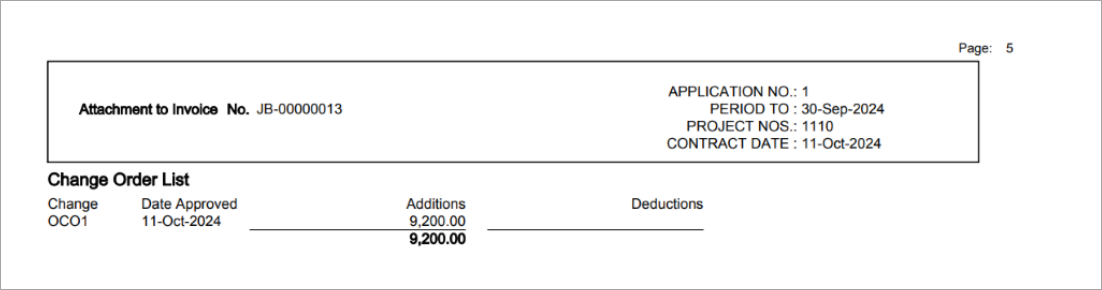
When the 'PCI Detail Billing' is unchecked, change orders are considered as part of column C - Scheduled Value on the bill/group code line and listed separately on the last page.