 Search Tips
Overview
The 'Catchup Missed Asset Depreciation in Current Fiscal Year' checkbox allows users to calculate and post catchup depreciation amounts that were not captured in the current month. This happens if the purchase date of the asset and the Date of Record field in the Edit Depreciation and Expense screen are not aligned. The following details the process of how the catchup depreciation is used and calculated on the Calculate Monthly Expenses screen.
Process
-
In this example, a new asset has been purchased and entered in the system on Jan 1st, 2024.
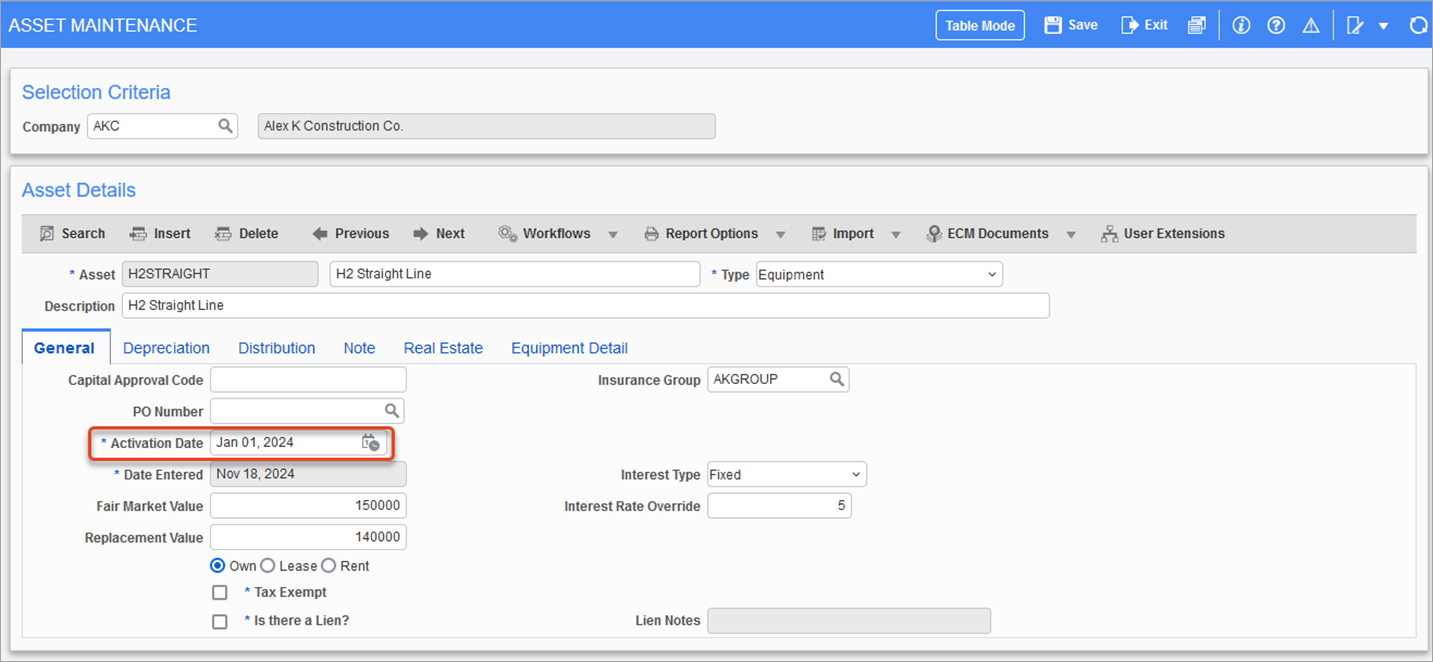
Pgm: FAASSET – Asset Maintenance; standard Treeview path: Fixed Assets > Assets > Enter Assets – General tab
-
The Depreciation Method field on the Depreciation tab of the Asset Maintenance screen has been set as "Straight Line".
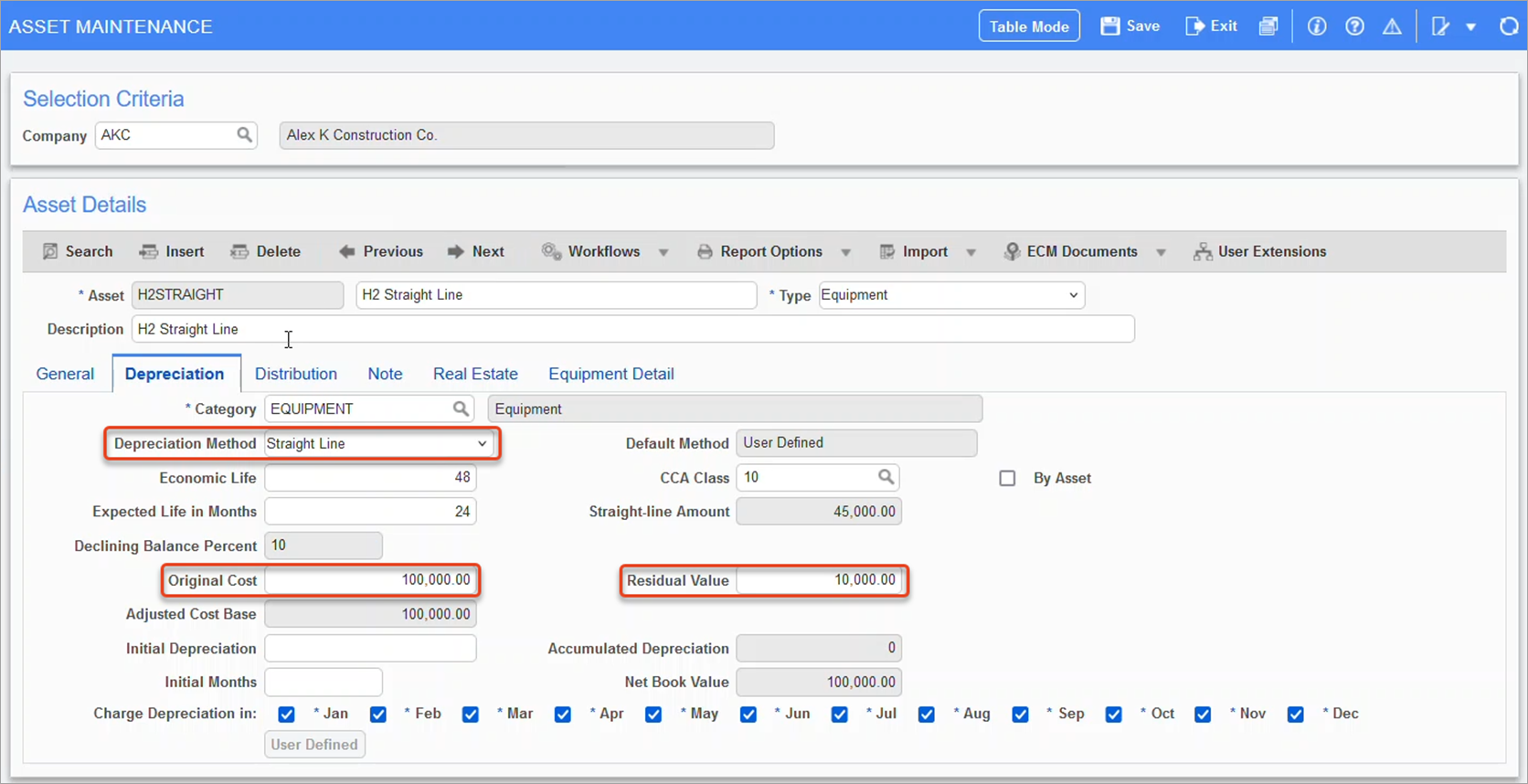
Pgm: FAASSET – Asset Maintenance; standard Treeview path: Fixed Assets > Assets > Enter Assets – Depreciation tab
-
In the Calculate Monthly Expenses screen, we want to calculate a catchup depreciation so the 'Catchup Missed Asset Depreciation in Current Fiscal Year' box is checked and the Date of Record field is set to "April 15, 2024".
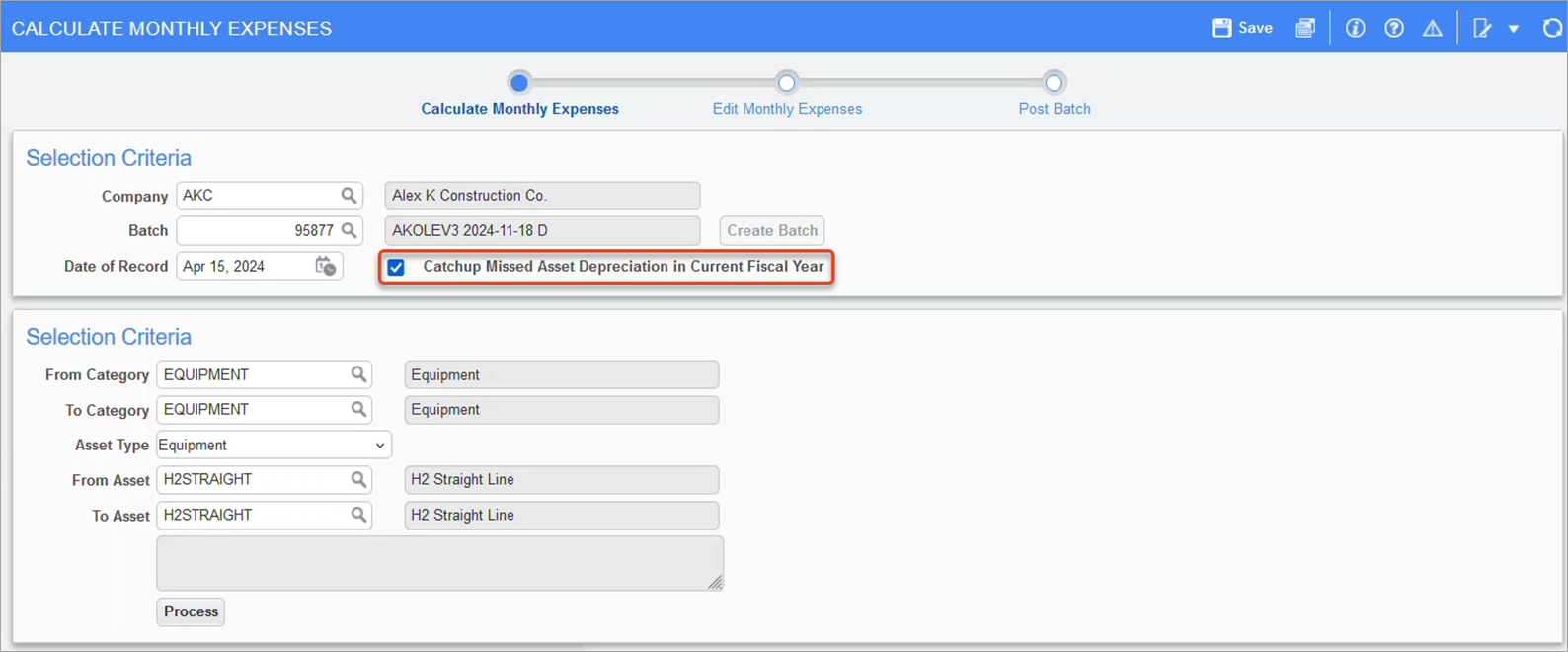
Pgm: FACALC – Calculate Monthly Expenses; standard Treeview path: Fixed Assets > Transaction > Calculate Monthly Expenses
-
The formula for the Straight Line method is:
Amount = (Orig.Cost of the Asset ˗ Residual Value) ÷ Estimate Useful Life of the Asset
Amount = (100,000 ˗ 10,000) ÷ 24
Amount = 3750
However, now that catchup has been calculated, it considers three months for the catchup period (January, February, and March) which gives us the final calculation:
Amount = $3750 × 3 = $11,250
Similar calculations are done for the license, interest, and insurance amounts. The results are as follows:
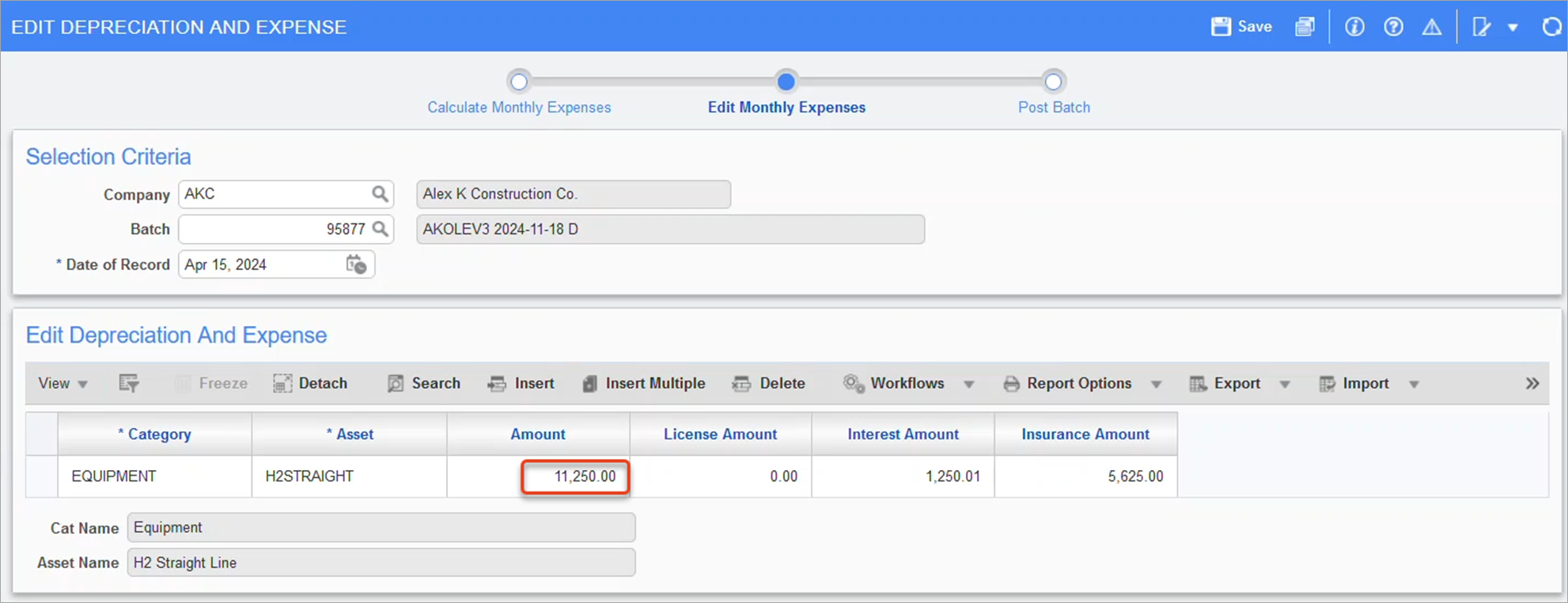
Pgm: FACALC – Calculate Monthly Expenses; standard Treeview path: Fixed Assets > Transaction > Calculate Monthly Expenses - Edit Monthly Expenses node
Depreciation amounts for the current month and period of April should be done in a separately in the next batch for some date of record in April.
-
The depreciation can be posted using the Post Batch node on the process train. See Fixed Assets - Post Batch for further details.
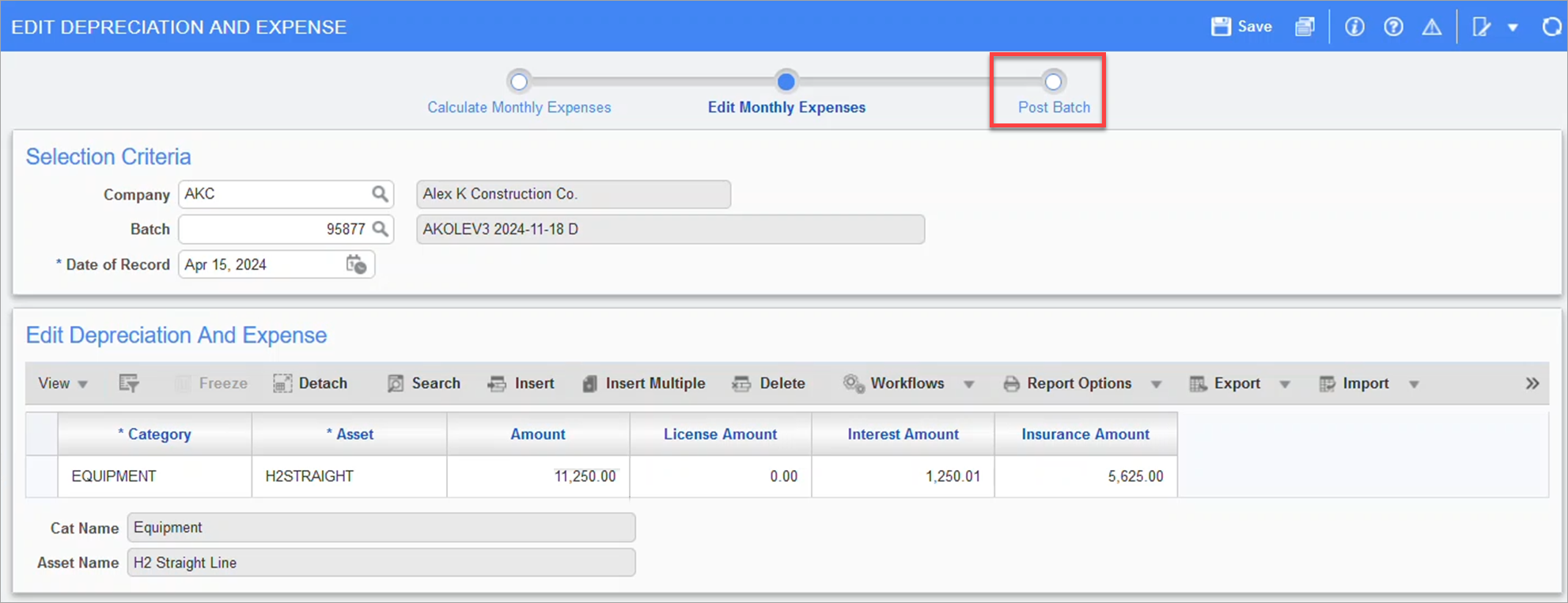
Pgm: FACALC – Calculate Monthly Expenses; standard Treeview path: Fixed Assets > Transaction > Calculate Monthly Expenses - Post Batch node