 Search Tips
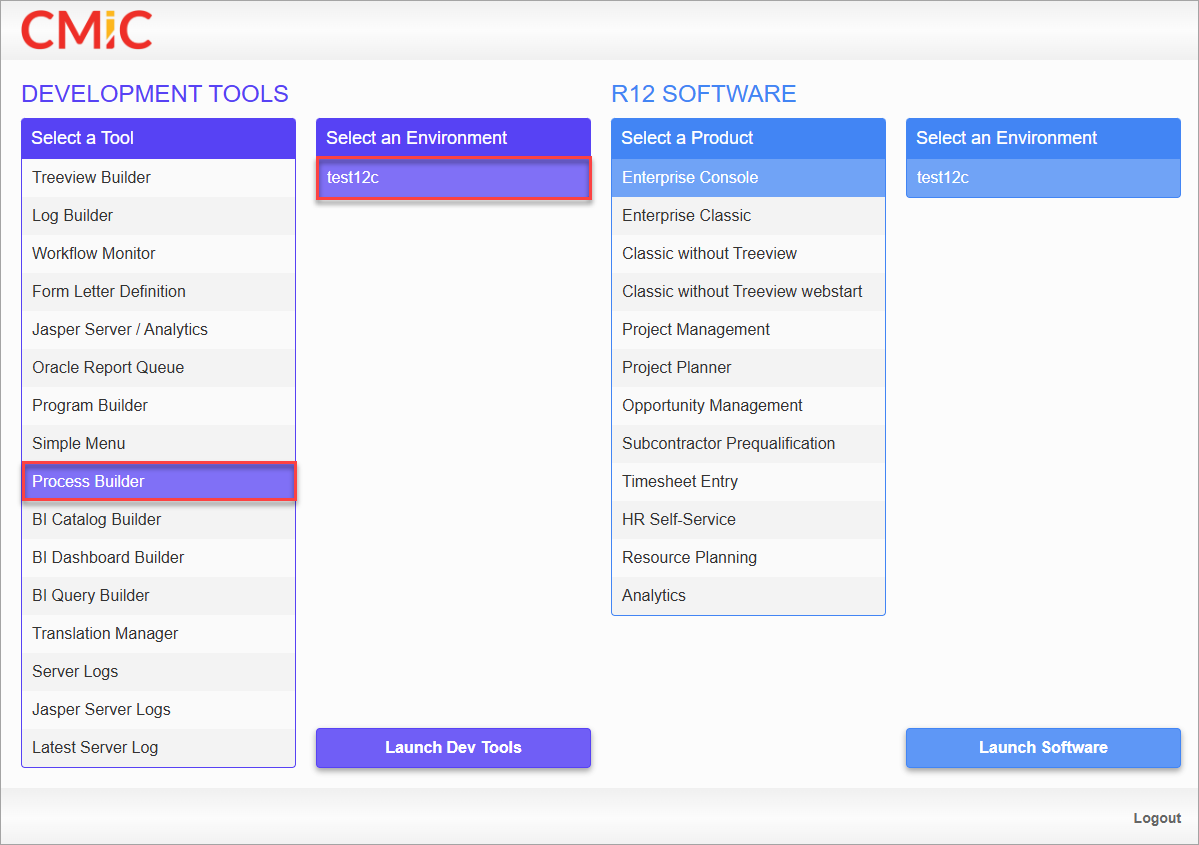
CMiC’s launch page
To launch the Process Builder tool, select Process Builder from the Select a Tool section, choose the database environment under the Select an Environment section, and click the [Launch DevTools] button, as shown in the above screenshot.
The Process Builder tool can be used to edit or add new processes. For more information, please refer to Process Builder - Process Definition.
For Premium Cloud customers, Process Builder can be accessed via the following URLs:
-
CLOUD ATLAS: https://atlas.cmiccloud.com/cmicprod/ProcessBuilder/faces/main.jspx
-
CLOUD NOVA: https://nova.cmiccloud.com/cmicprod/ProcessBuilder/faces/main.jspx
NOTE: Process Builder is only available for Premium Cloud customers. It is not available for Standard Cloud customers.