 Search Tips
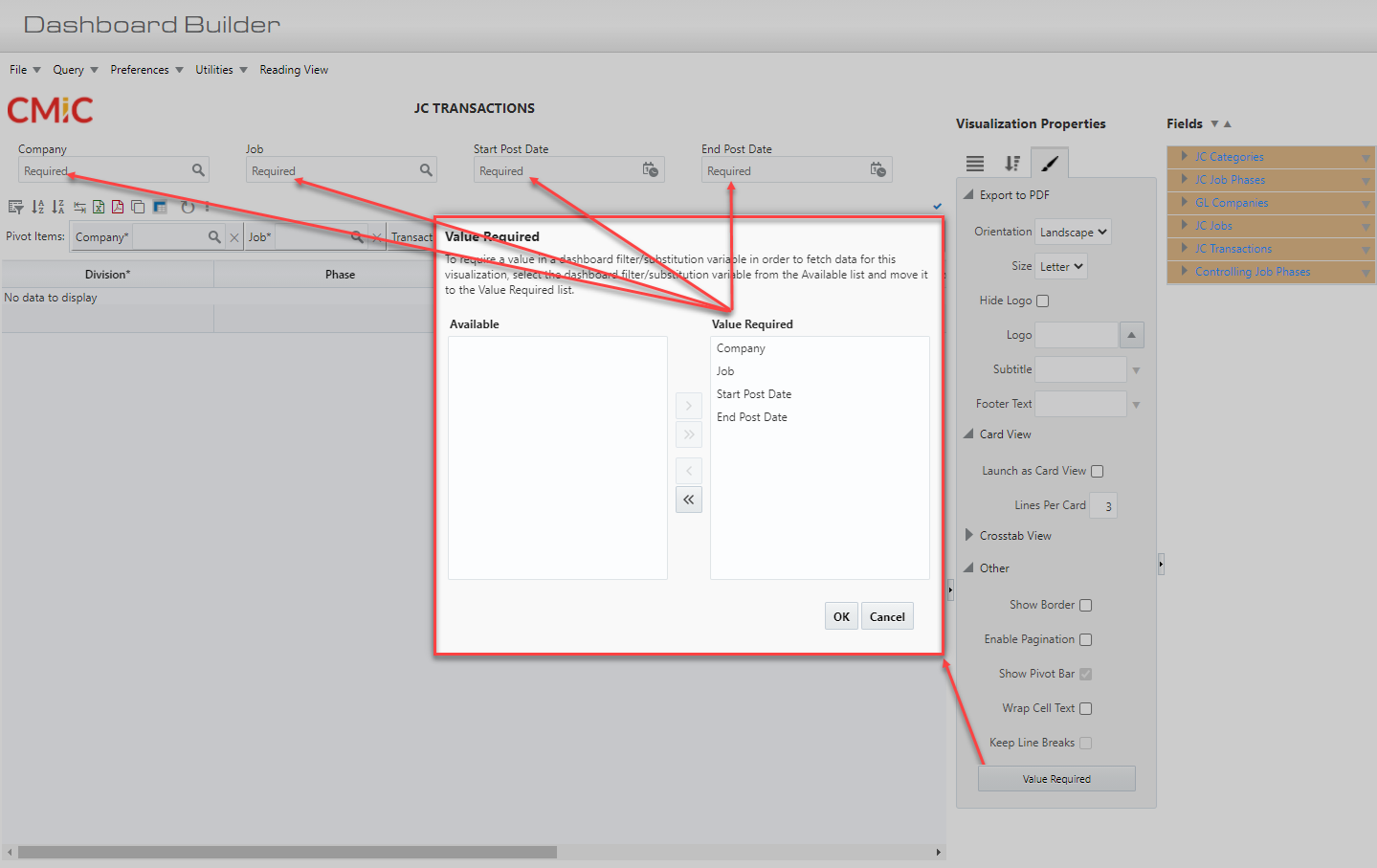
This functionality allows visualizations to require a value in a dashboard filter or a substitution variable in order to fetch data. When a value required dashboard filter/substitution variable is empty, the dependent visualization data is cleared.
The [Value Required] button is located on a visualization's Format tab. Click on the button to launch the Value Required pop-up window, where available dashboard filters/substitution variables are listed in the Available panel.
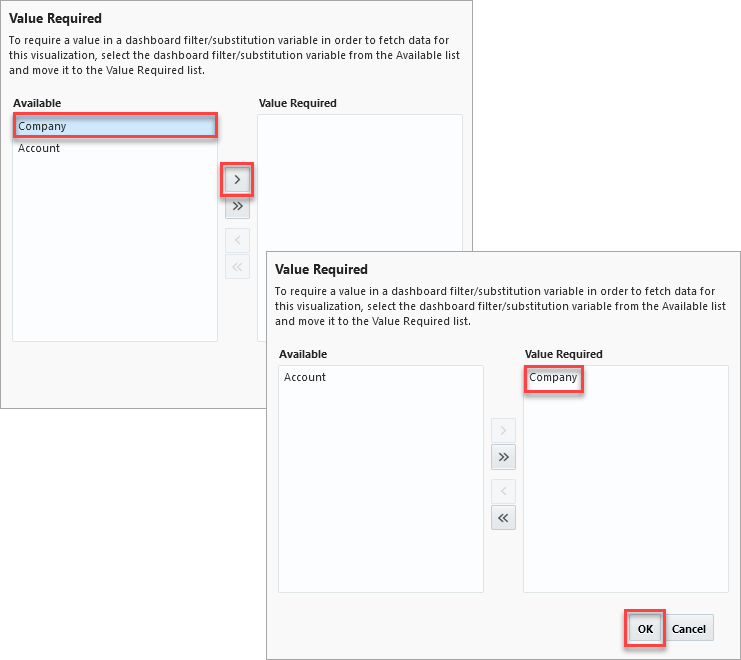
Select a dashboard filter/substitution variable and click on the Move button ( ) to move it to the Value Required panel and click [OK].
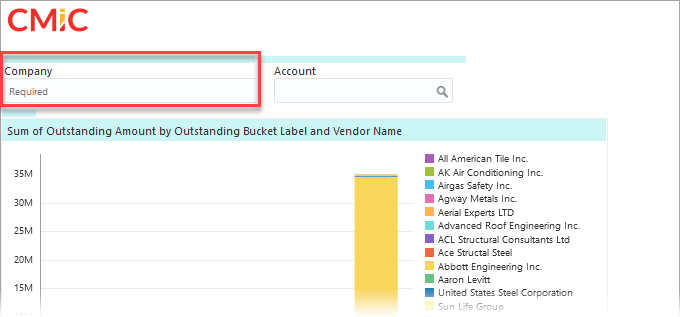
A value is now required for that dashboard filter/substitution variable in the specified visualization.