Search Tips
As explained in the overview, BI Dashboard Builder can also be used to create BI Springboards, which are dashboards with springboard (link-out) capabilities, as tables provide the ability to springboard to record screens to view further details, edit data, and to perform actions like replying to RFIs, approving requests, changing voucher compliance statuses, and updating equipment details, as shown below:

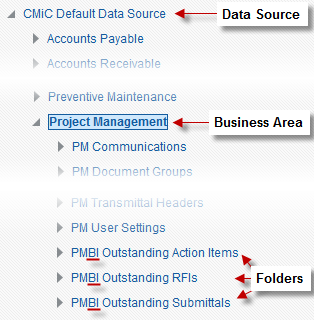
For a table to have this springboard ability, it must use a folder of the Advanced Analytics type, which is a special view that contains a column with links to each record’s screen. Some such views (i.e., folders) are included in the provided default data source (CMiC Default Data Source), and they are identified in BI Catalog Builder by the “BI” suffix in a view’s (i.e., folder’s) name, as shown below: