 Search Tips
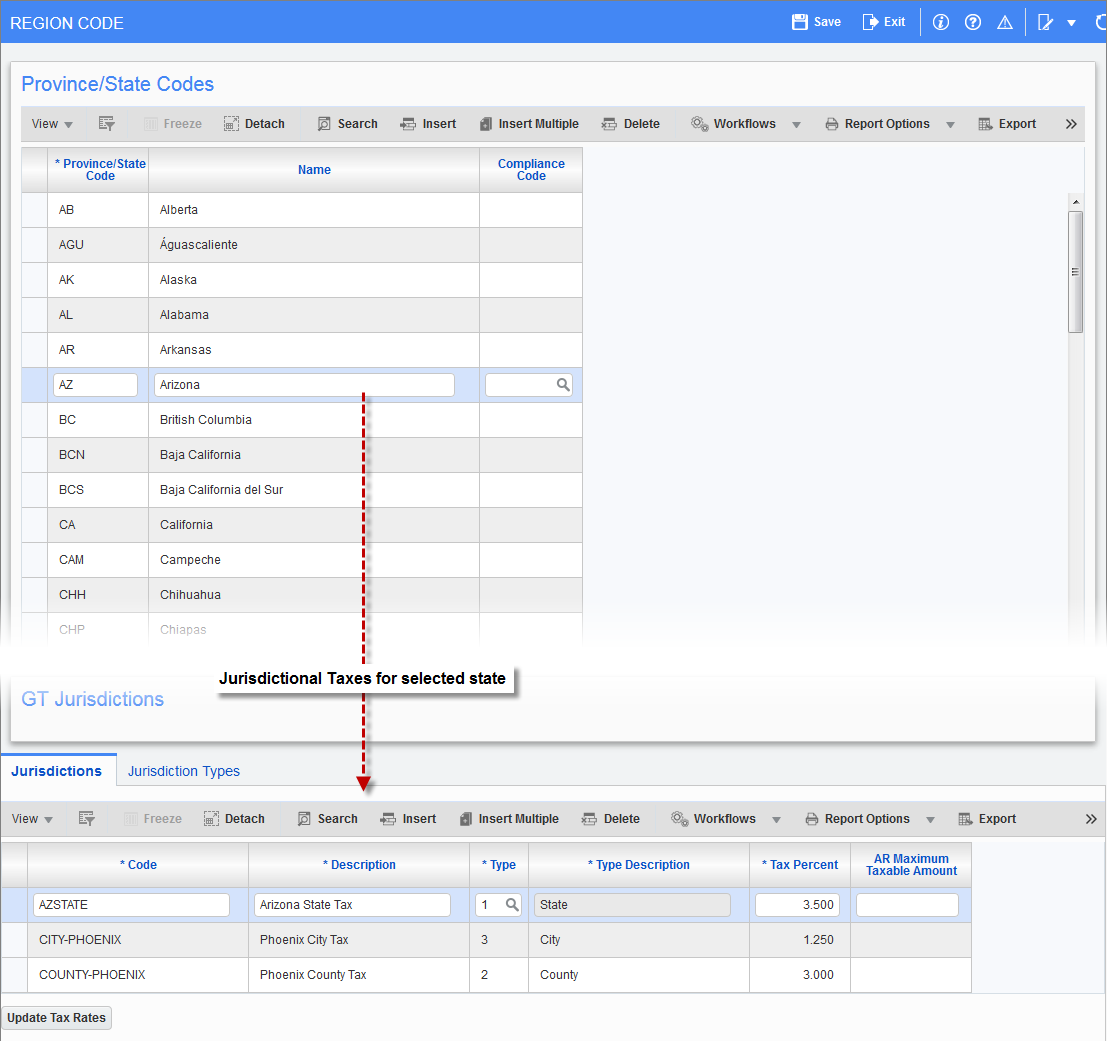
Pgm: REGFM – Region Code; standard Treeview path: System > Global Tables > Region Codes
This screen is used to define geographical regions to use throughout the system, in the Province/State Codes section. It is also used to define all relevant Jurisdictional Taxes for a selected region on the Jurisdictions tab. The defined Jurisdictional Taxes are used in the Tax Code Maintenance screen to define Compound Taxes.
Province/State Codes
Province/State Code, Name
Enter up to a three-character code for the state/province being defined. Any combination of characters from A-Z and 0-9 can be used (i.e. “NY”, “IL”, or “ON”). The code will be used to reference these regions throughout the system. The codes used to identify a state/province are expected by the system to be the codes dictated by the country’s postal service. This name will appear on most screens where the region code (state code) is entered. This field is not used on any address functions.
Compliance Code
This field is used to associate a compliance code to a region code (state code), so that in the Subcontract Entry screen (standard Treeview path: Subcontract Management > Contracts > Enter Subcontract/Change Order), if the subcontract’s job location state/province is not the same as that of the vendor, the compliance code assigned to the region code will be added to the subcontract.
Jurisdictions – Tab
This tab is used to define all relevant Jurisdictional Taxes for the selected region in the Province/State Codes section.
Code, Description
Jurisdictional Tax’s identifying code, and its description.
Type, Type Description
Type of Jurisdictional Tax: School Tax, District Tax, City Tax, State Tax.
Tax Percent
Decimal representation of tax rate.
AR Maximum Taxable Amount
Enter the maximum taxable amount for this Jurisdictional Tax. This is for the system to handle local sales taxes for maximum taxable invoice amounts. For example, in a state, local taxes may be charged only up to an amount of say $2500 only. The assumption is that the amount is in one currency only.
The maximum is then applied to the following screens:
-
AR Invoice Entry
-
AR Enter Memo
-
Prepare Billing
NOTE: The G/C Prepare Billing screen (JBBILL2) does not support this feature. Users who would like to use this feature must use the Prepare Billing screen (JBBILL) instead.
-
Prepare Mass Billing
NOTE: Presently, this is applicable to AR invoices only, not for AP invoices.
[Update Tax Rates] – Button
This option will offer a confirmation dialog. If the user selects [OK], then all Compound Tax setups in the Tax Code Maintenance screen will be updated to this current rate.
WARNING: This will override any adjusted amounts made for any specific Compound Taxes.
Jurisdiction Types – Tab
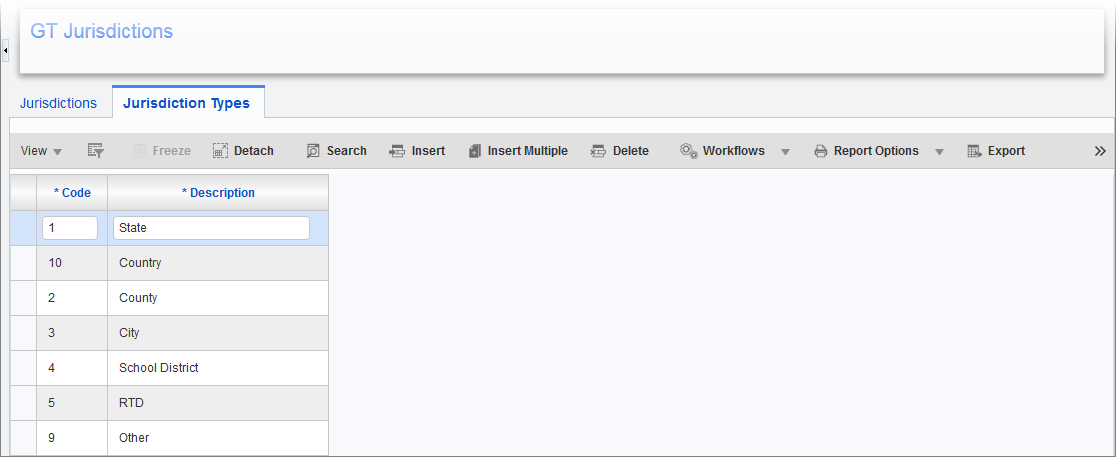
This tab is used to maintain the Jurisdictional Tax types available via the Type fields on the Jurisdictions tab. Examples of Jurisdictional Taxes include: Power, Water, City, County, School Districts, etc.