 Search Tips
Subcontractor Ratings Mobile - Searches, Sorts & Filters
Searches
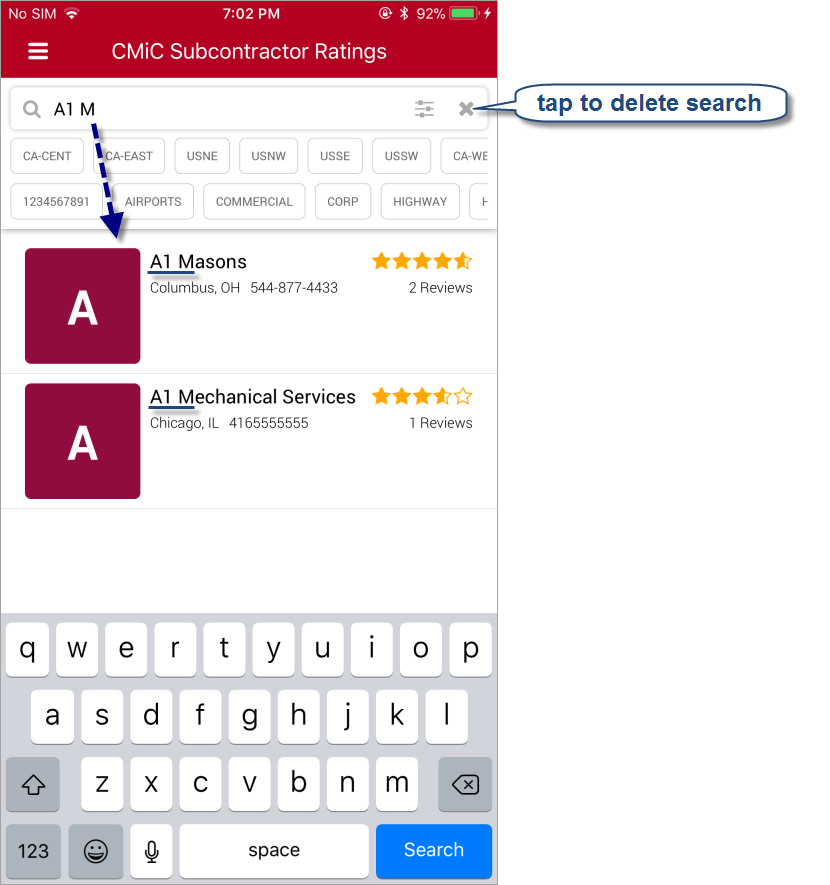
Use the Search box to search for a subcontractor or vendor by name, address or territory. As you type, all partial matches against names, addresses and territories are listed. Tap the Search on-screen keyboard key to make the keyboard disappear.
Wild card characters are not required, as the character sequence entered in the Search box is searched against all characters in names, address and territories. If the entered character sequence is matched anywhere in a name, address or territory, a partial match is found.
Market Sector & Territory Filters
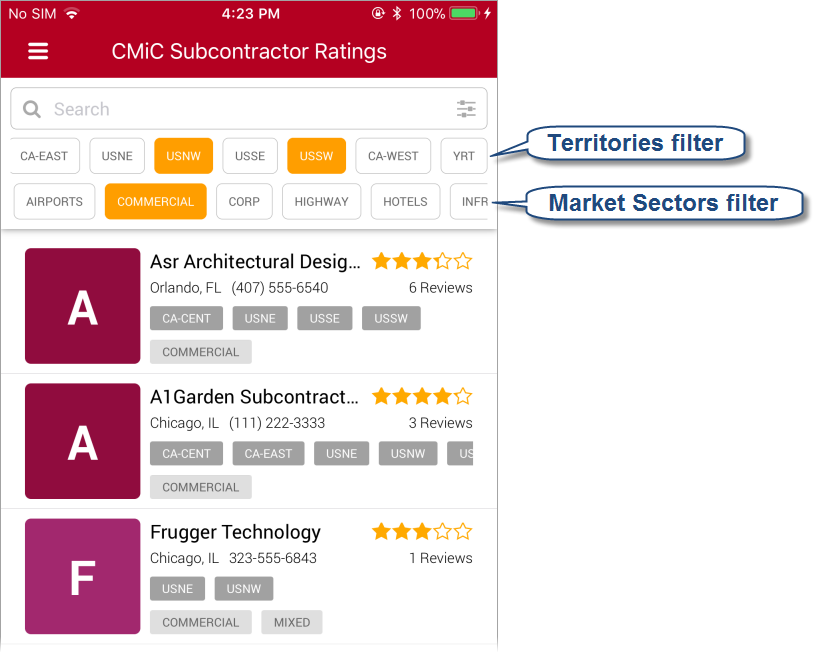
Use the Territories and Market Sectors filters, which can be scrolled horizontally, to filter subcontractors/vendors by what Territories they operate in and by what Market Filters are applicable to them. Only subcontractors/vendors that operate in at least one of the selected Territories and that belong to at least one of the selected Market Sectors will be listed.
Alphabetic Sort & Category Rating Filters
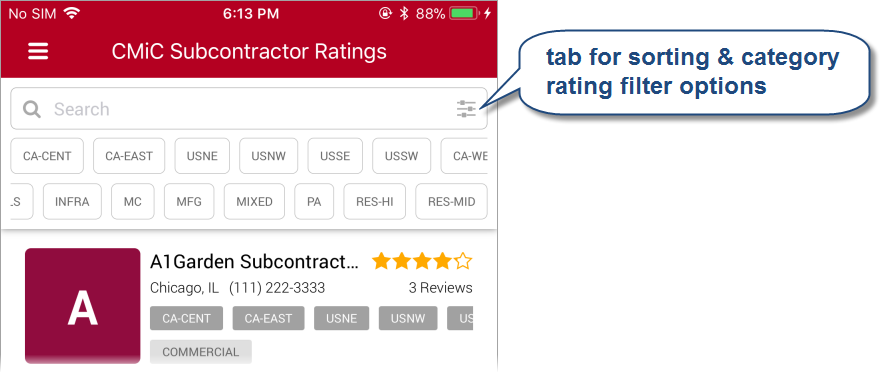
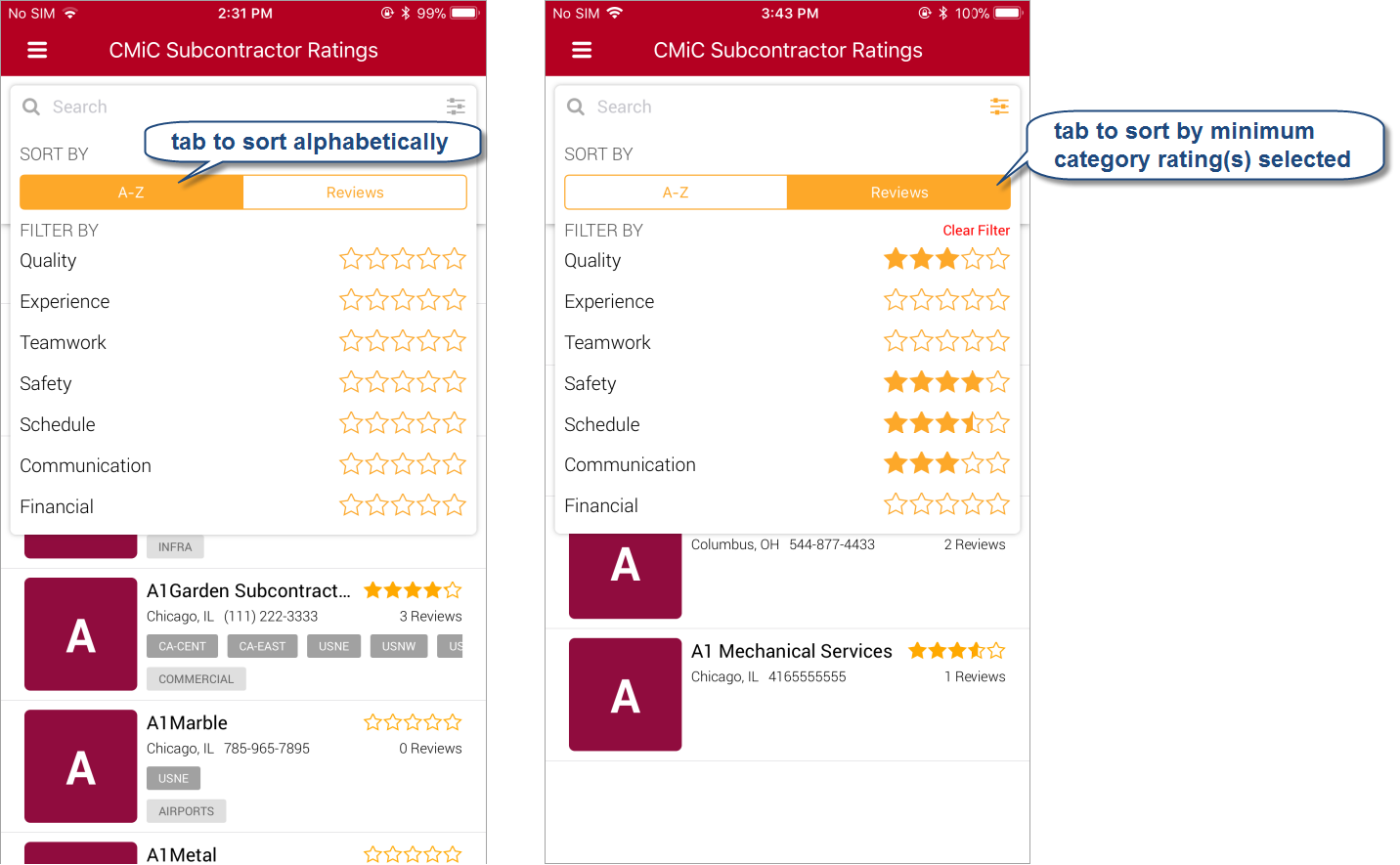
Tap [A-Z] to sort alphabetically, or tap [Reviews] to sort by category ratings, based on the minimum category rating(s) selected. For instance, if you select 3 stars for the Quality category, only subcontractors or vendors with a minimum 3 star rating for the Quality category will be shown.
Tap  to close the Sort/Filter dropdown.