 Search Tips
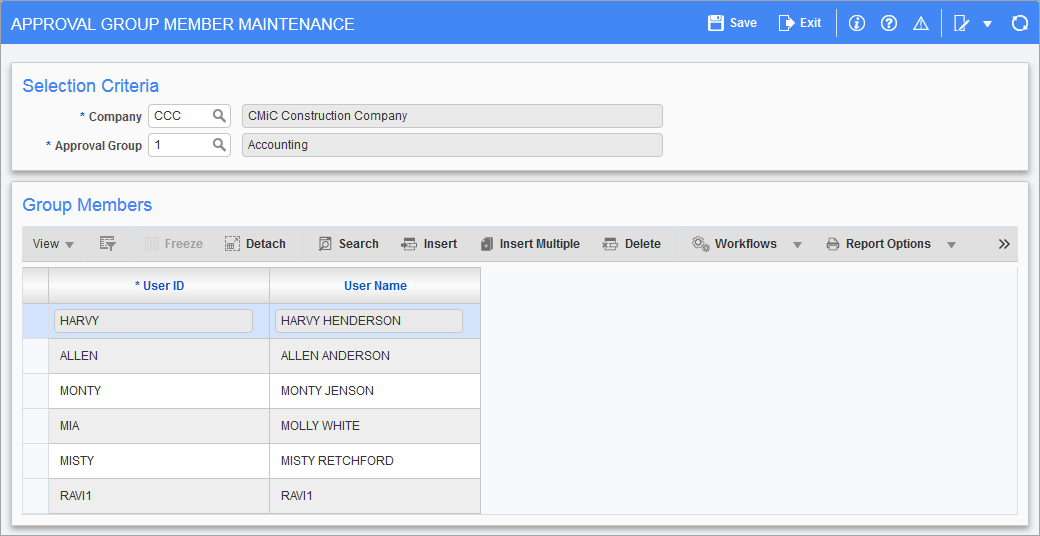
Pgm: POGMEMB – Approval Group Member Maintenance; standard Treeview path: Requisitions > Setup > Local Tables > Approvers > Approval Groups Members
The Approval Group Member Maintenance screen is used to identify the names of the individuals performing a purchasing and/or ORACLE® materials management function to be affiliated with an approval group. Note, this screen is also used in the PO module. These individuals have been identified as part of the purchasing team, but do not necessarily have approving rights. Perhaps the individual is a buyer, receiver or requestor only. Now that the approvers have been identified, the other purchasing members may be associated with each approver group. Each member can belong to one group only.
As a user enters a requisition, the system will check the group affiliation of that individual and default the approver based on the limits and defaults entered on the Assign Approvers screen.
NOTE: A user can only belong to one group at a time. The approvers of a group need not belong to that group.
Approval Group
Enter the approval group having users applied. Each group must be entered separately.
NOTE: A user may only be applied to a group once.
User ID, User Name
Enter a valid user ID for the individual being granted approval rights for a requisition or purchase order with the specified approval group. This individual may be set up on the User Cross-Reference screen and assigned to roles as a requestor only, or a buyer only or a receiver only. They are now being associated to an approval group but do not have approval rights.