 Search Tips
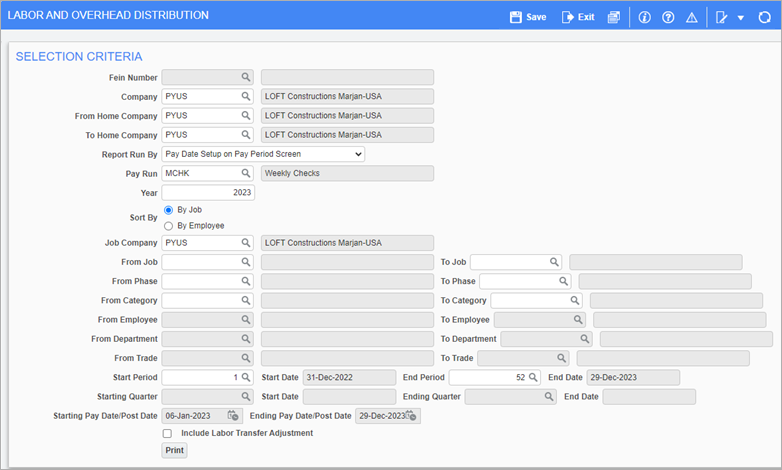
Pgm: PY1059 – Labor and Overhead Distribution; standard Treeview path: US Payroll > Reports > Payroll Reports > Labor and Overhead Distribution Report
This screen is used to generate the Labor and Overhead Distribution Report for a specific year and pay periods in companies. The report is used to show how labor and overhead costs are allocated and funded in companies, and is used for business analysis, payroll, budgeting, and reporting. The report includes hour and wage distributions for the selected report parameters.
NOTE: Payroll configurations and pay runs must first be set up in order to use this screen. For more information, refer to US Payroll - Company.
Report Run By
Users can customize the report by selecting one of the following values from the drop-down list:
-
Pay Date Setup on Pay Period Screen
-
Actual Posting Dates to GL/JC
-
Pay Period
-
Quarterly – Defined by Month on Pay Period Screen
Sort By – Radio Buttons
Select 'By Job' or 'By Employee' to sort the report. The 'By Job' radio button is selected by default.
The report can be further filtered by Job, Phase, Category, Employee, Department, and Trade.
Check the 'Include Labor Transfer Adjustment' box to include it on the report.

Sample Labor and Overhead Distribution Report by Job (PY1059)