 Search Tips
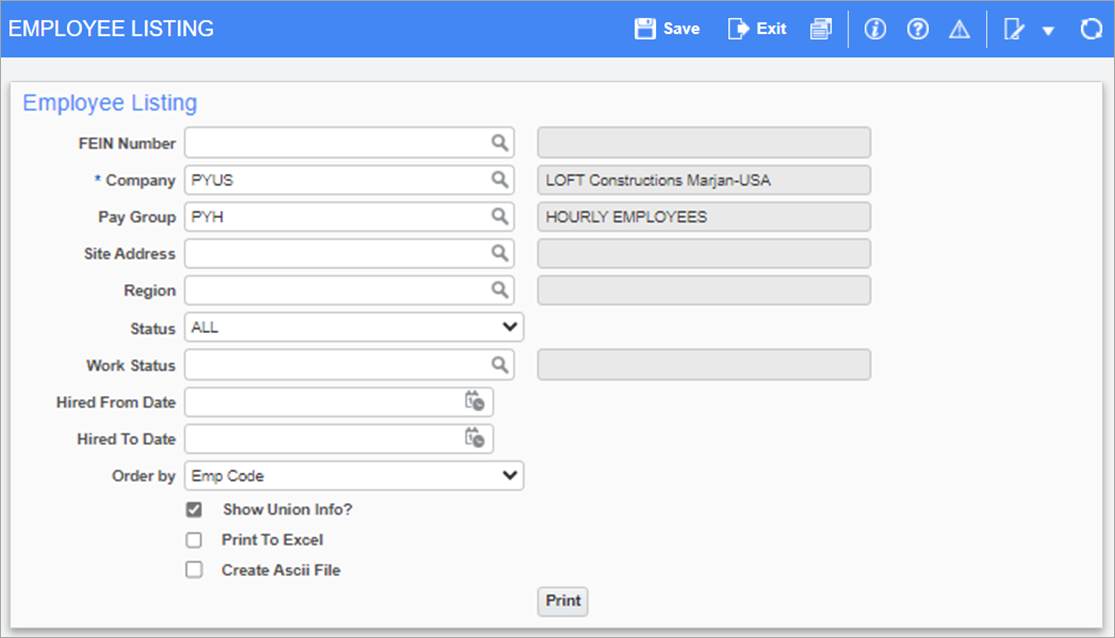
Pgm: PY1045 – Employee Listing; standard Treeview path: US Payroll > Reports > Employee Reports > Employee Listing
This screen is used to generate the Employee Listing Report, which is a report of all employees for specific pay groups in companies. The report includes personally identifiable information (PII), hire and work statuses, and salary/pay rates.
The report can be further filtered by Pay Group, Site Address, Region, and Hired From/To Date.
Status
Select "Active", Terminated", "Retired", or "Deceased" as the employee status, or select "All" to include all statuses in the report.
Order by
Select whether to order the report by "Emp Code", "Last Name", "SSN/SIN No", "Type", "Hire/Rehire Date", or "Pay Group".
[Show Union Info?] – Checkbox
Check this box to include union details in the report.
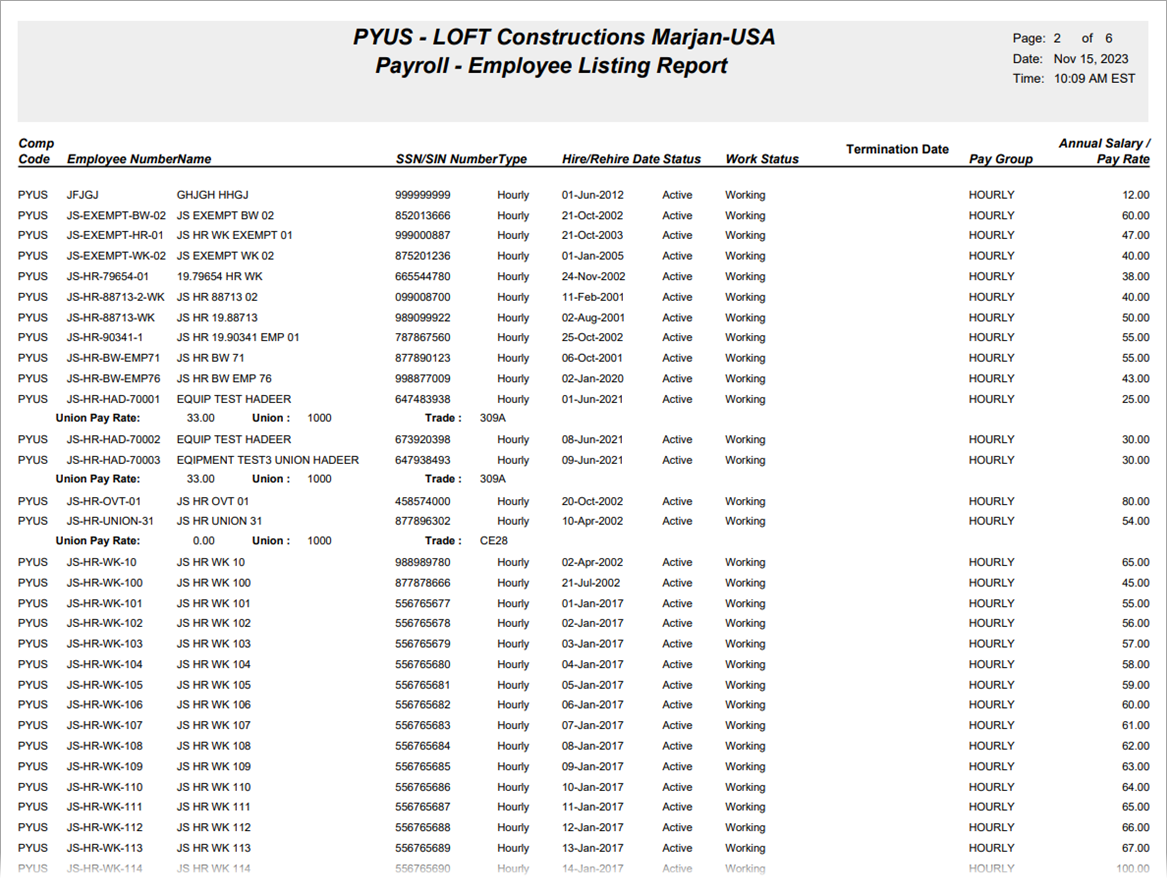
Sample Employee Listing Report (PY1045)