 Search Tips
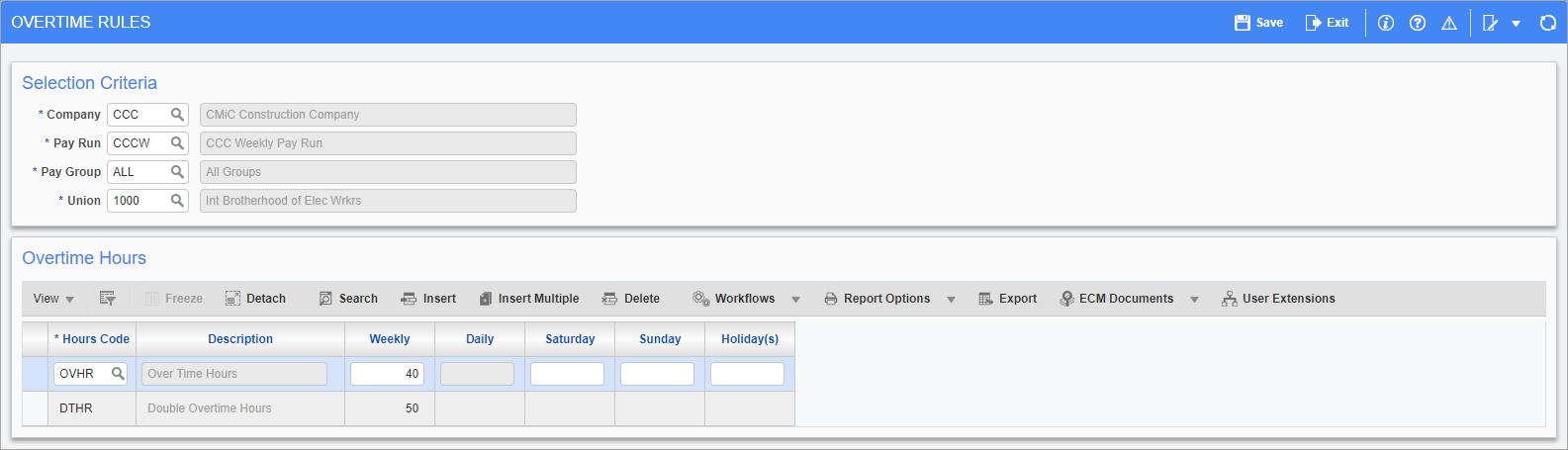
Pgm: PYOVTMRU – Overtime Rules Setup for Payroll; standard Treeview path: US Payroll > Setup > Company > Overtime Rules
This screen allows for the declaration of overtime rules at the pay run, pay group, or union level. If using this method for overtime, timesheets should always be entered as regular hours.
In order to apply the overtime rules, users must use the Overtime Rules Processing screen (standard Treeview path: US Payroll > Timesheet > Overtime Rules Processing). For more information, please refer to Overtime Rules Processing.
NOTE: Job specific overtime rules can be created in the Job Overtime Rules screen (standard Treeview path: US Payroll > Jobs > Job Overtime Rules).
Selection Criteria
Enter/select the company, pay run, pay group, and union subject to the new overtime rules. A payroll company must be chosen but all the other fields may be set to a specific value or to “ALL” if those rules are to apply to multiple runs, groups, or unions.
Overtime Hours
Hours Code
Enter/select the hour code for the type of overtime.
Weekly, Daily, Saturday, Sunday, Holiday(s)
Enter the amount of hours, above which, overtime is in effect for that day or week. Specific overtime hours can also be defined for weekends and holidays.