 Search Tips
The Scheduled Receipts by Vendor report provides information on purchase order items, sorted logically by vendor, regarding items scheduled to be received for the period of the report. The report includes details on vendors, PO numbers, release numbers, item codes, PO status, ordered and expected dates, WM, and quantities ordered, received, rejected, claimed and outstanding.
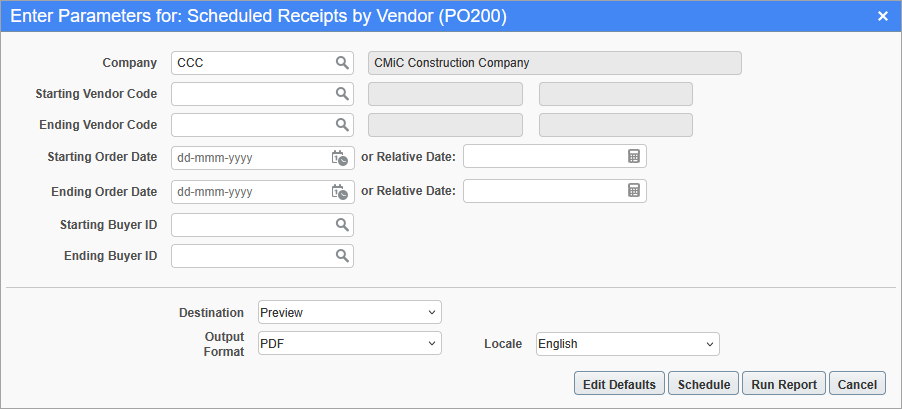
Printing Options screen for Scheduled Receipts by Vendor report (PO200)
To run the report, select the desired report parameters through the Printing Options screen, as shown above, and click [Run Report].
The following table provides details about the parameters used to generate this report:
| Parameter | Description |
|---|---|
|
Company |
Company handling opportunities. |
|
Starting Vendor Code |
Optional; if left blank, taken to be first vendor, by code. Specifies which vendor to start with, by vendor code. |
|
Ending Vendor Code |
Optional; if left blank, taken to be last vendor, by code. Specifies which vendor to end with, by vendor code. |
|
Starting Order Date |
Date to start including purchase orders. |
|
Ending Order Date |
Date to stop including purchase orders. |
|
Starting Buyer ID |
Optional; if left blank, taken to be first buyer, by buyer ID. Specifies which buyer to start with, by buyer ID. |
|
Ending Buyer ID |
Optional; if left blank, taken to be last buyer, by buyer ID. Specifies which buyer to end with, by buyer ID. |