 Search Tips
Why is it Useful?
For many users, report scheduling has been one of the most highly requested and long-awaited features; and now, it’s here. By bringing automated delivery directly into CMiC Analytics, this update eliminates the need for external tools or manual exporting. It empowers users to ensure the right data reaches the right stakeholders at exactly the right time, without ever having to lift a finger after setup.
This feature is a game-changer for teams that rely on routine reports; whether it’s weekly project summaries, daily job cost snapshots, or monthly financials. With flexible scheduling, format selection, and built-in privileges for security and control, users can tailor the automation to suit a wide range of use cases. The Scheduler Log adds an extra layer of oversight, helping users keep scheduled deliveries organized and up to date. Altogether, this enhancement marks a major step forward in productivity, consistency, and professional reporting within CMiC Analytics.
NOTE: This feature is being released in Patch 22 (BI-971).
How Does it Work?
Report (query) scheduling is now fully integrated into CMiC Analytics, giving users the power to automate report delivery directly from within the application.
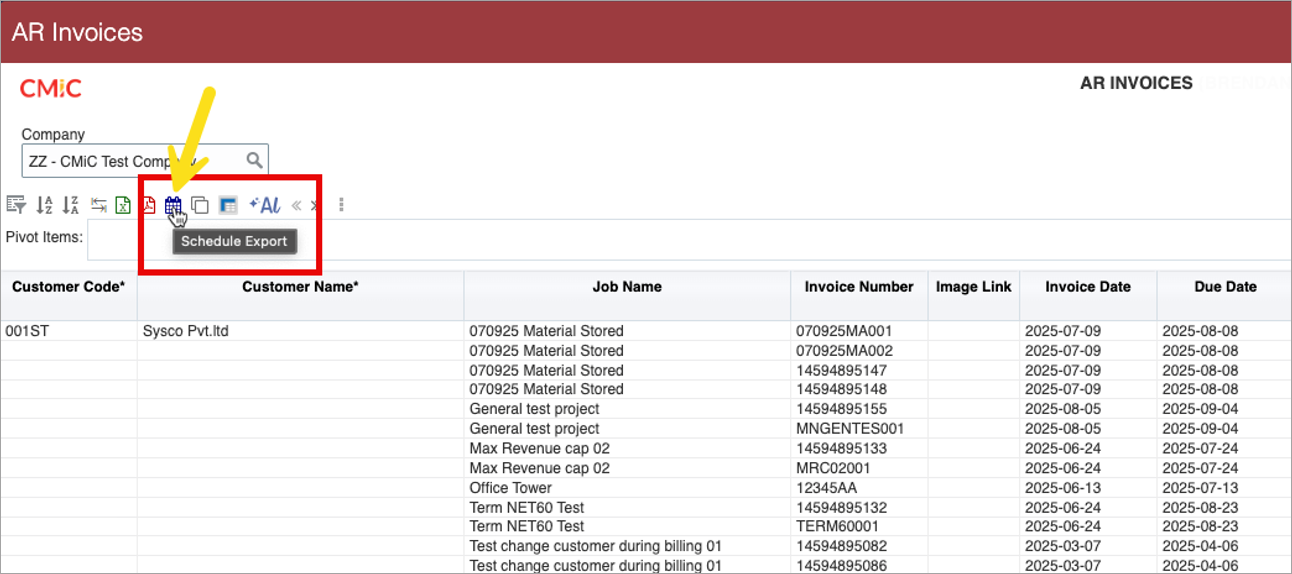
A new Schedule Export icon ( ) appears at the top of every query, allowing users to configure when and how their reports are distributed.
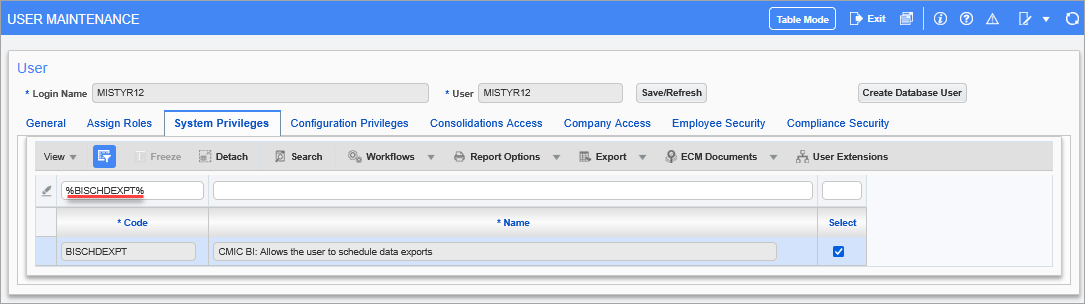
Pgm: SDUSRMNT – User Maintenance; standard Treeview path: System > Security > User Maintenance – System Privileges tab
With the appropriate system privilege enabled (BISCHDEXPT), users can schedule reports to be sent as either Excel or PDF files, based on their preferred format.
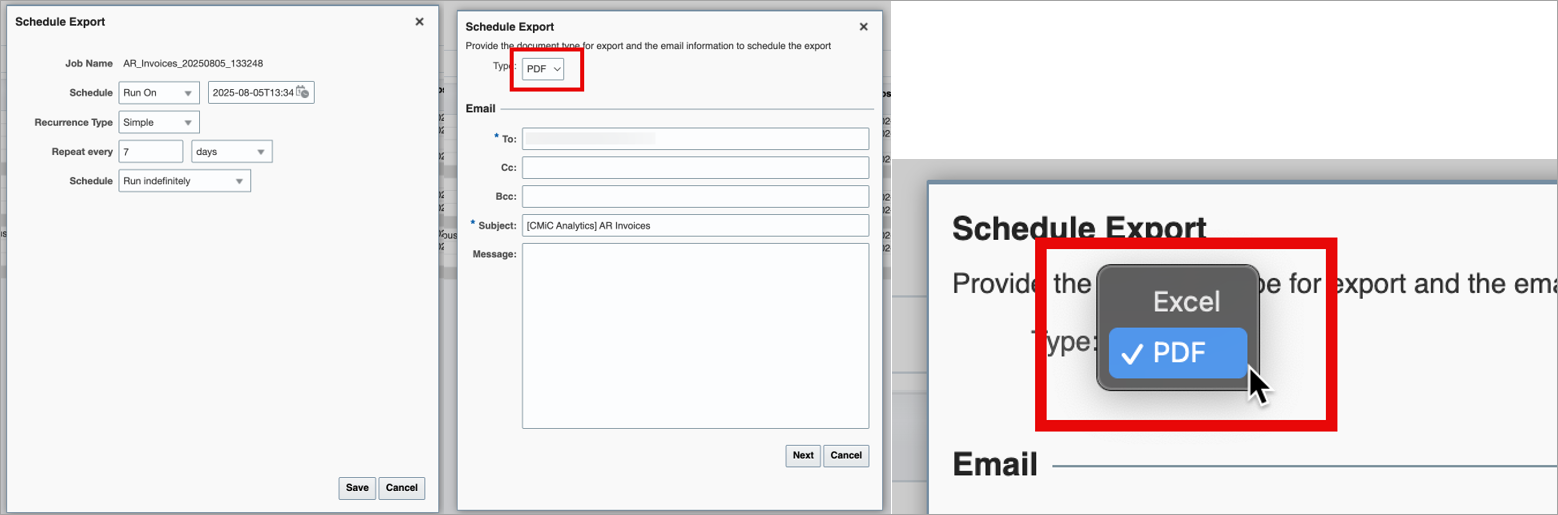
Pop-up window launched from Schedule Export icon on BI Query
Reports can be configured for one-time delivery or set to run on a recurring schedule, with complete control over the date, time, and frequency of distribution.
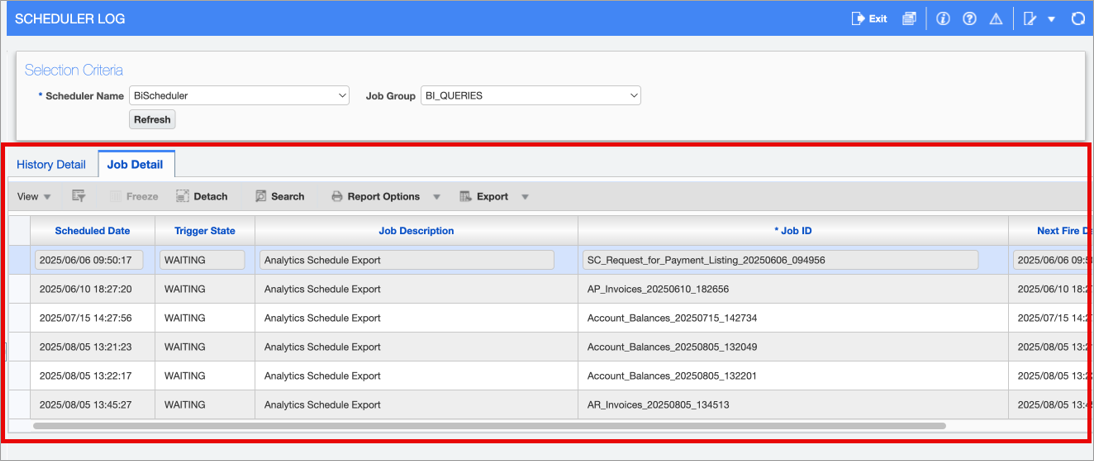
Pgm: SYSQRTZHIS – Scheduler Log; standard Treeview path: System Data > Utilities > Scheduler Log
All scheduled reports are tracked in the Scheduler Log, where users can review, verify, and manage upcoming report executions. This centralized view offers transparency and control over all automated deliveries.
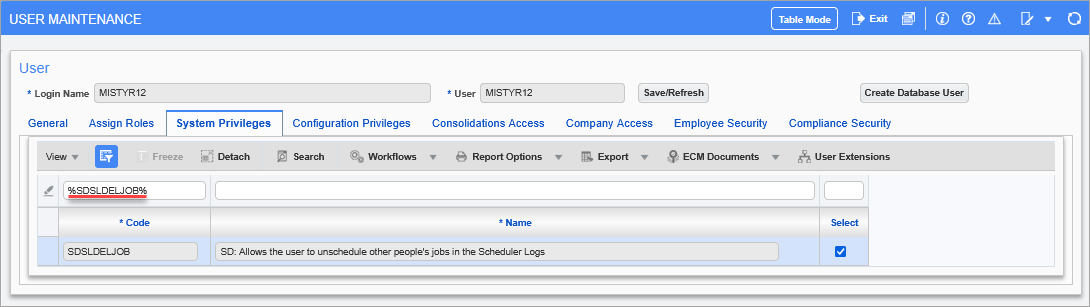
Pgm: SDUSRMNT – User Maintenance; standard Treeview path: System > Security > User Maintenance – System Privileges tab
For users who also have the SDSLDELJOB privilege, the Scheduler Log goes a step further by allowing deletion of scheduled jobs directly from the interface.
Whether you’re setting up a single report for month-end delivery or automating daily operational updates, the scheduler makes it easy to stay on top of reporting needs without manual intervention.
To learn more about some of the latest features released in this patch, return to Patch 22 Highlights.