 Search Tips
Why is it Useful?
CMiC has added a 'Blank' checkbox to use during mass update. This allows the Define Mass Update Values pop-up window in the Job Billing module to be used to override the data that is automatically populated into the Billing Codes tab of the Contract Entry screen.
NOTE: This feature was released in Patch 14-2 under Issue 21.37725.
How Does it Work?
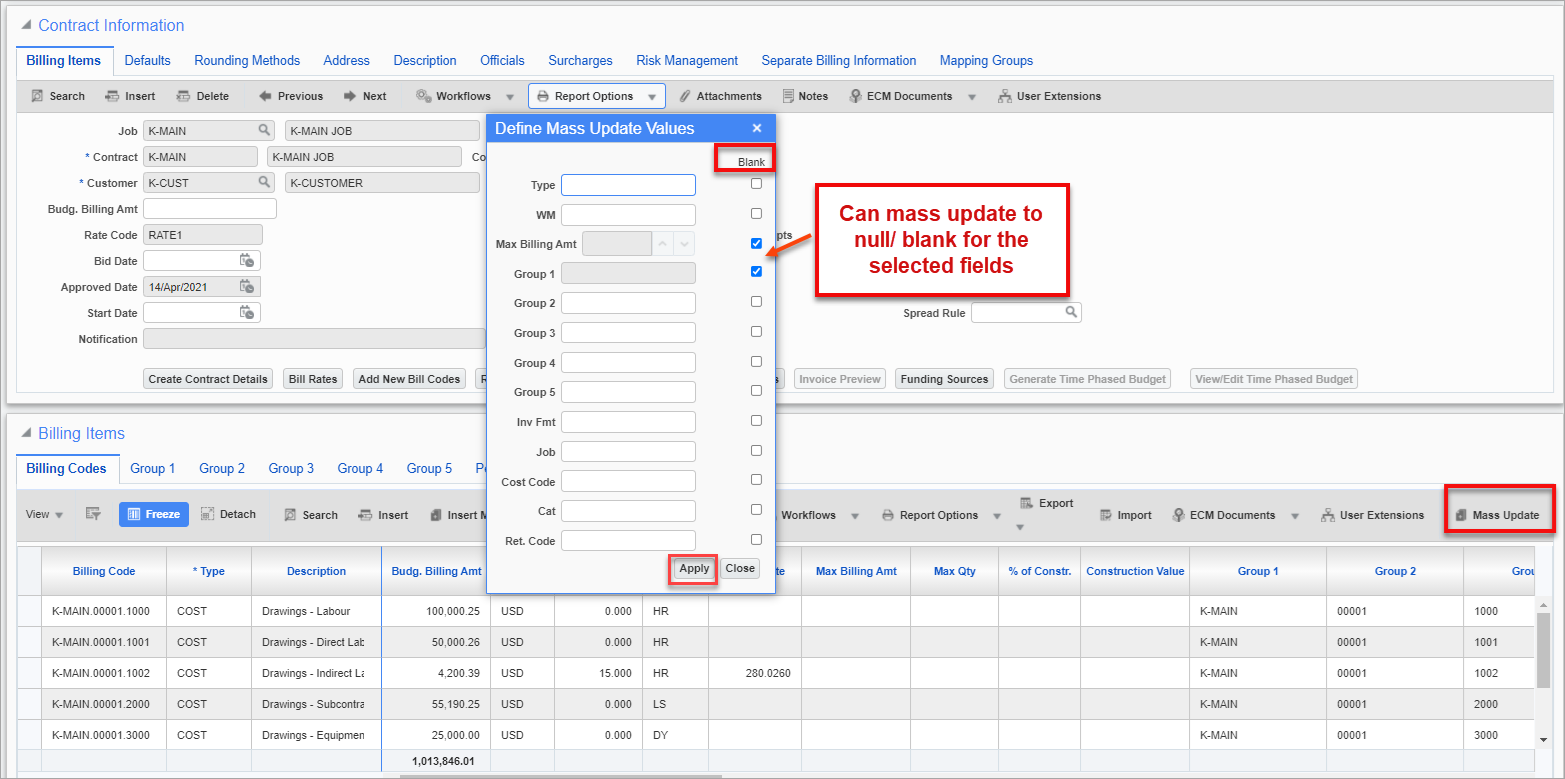
Pgm: JBCONT – Contract Entry; standard Treeview path: Job Billing > Contracts > Enter Contract - Billing Items tab - [Mass Update]
Users can specify 'Blank' as a value to use during mass update. Checking the 'Blank' box has the effect of erasing values for a field. When finished defining mass update values, click on [Apply] in the pop-up window.
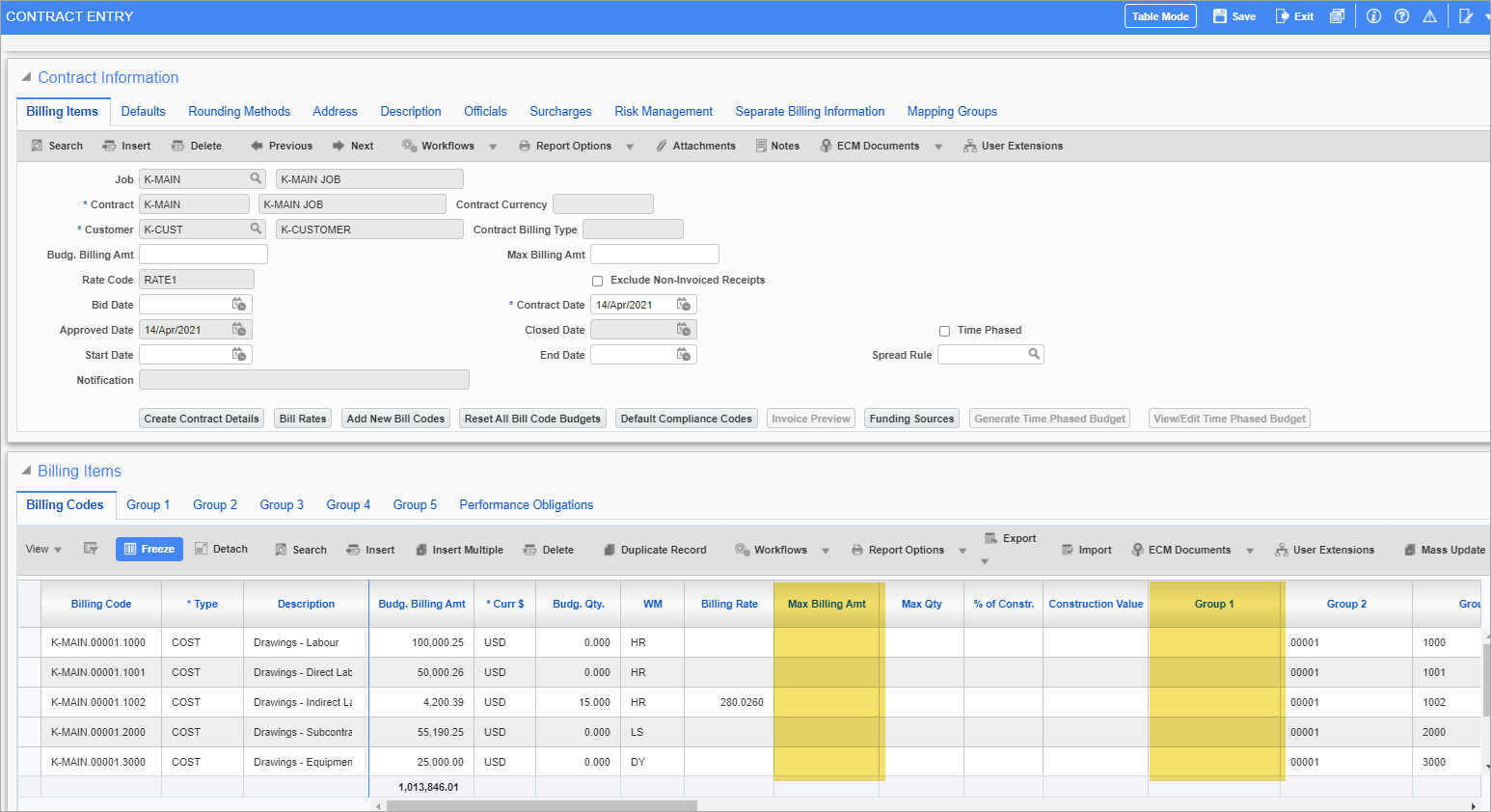
Pgm: JBCONT – Contract Entry; standard Treeview path: Job Billing > Contracts > Enter Contract - Billing Items tab
The selected fields are mass updated to null/blank, as shown in the screenshot above.
For more information on using the Mass Update functionality in the Job Billing module, refer to Job Billing - Contract Entry - [Mass Update] - Button.