 Search Tips
Why is it Useful?
When maintaining a list of available project checklists, users will now be able to remove certain checklists from the available pool of checklists that are active on the project. This ensures that only those checklists that are deemed necessary can be completed/executed.
NOTE: This feature was released in Patch 14-2 under Issue 18.60270.
How Does it Work?
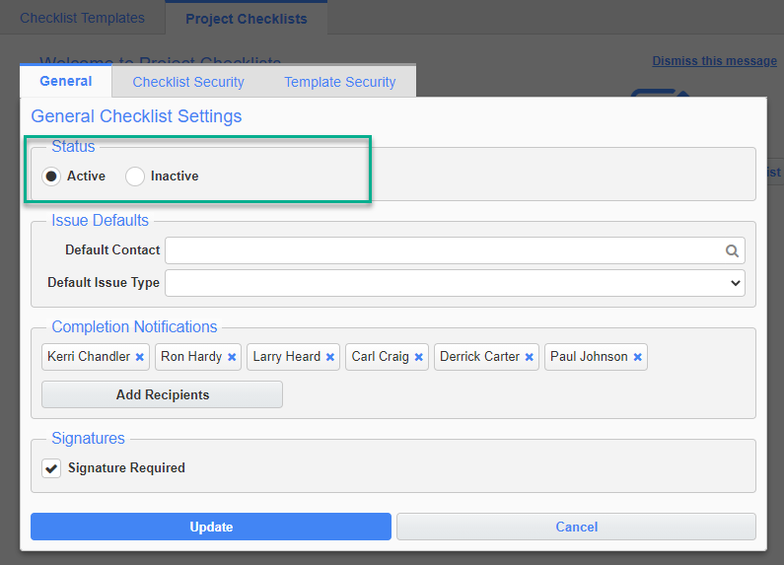
If a project checklist is no longer deemed useful, it can be archived where the checklist and its associated data will remain and be viewable. The activation status is located on the General tab of the checklist, as shown in the screenshot above.
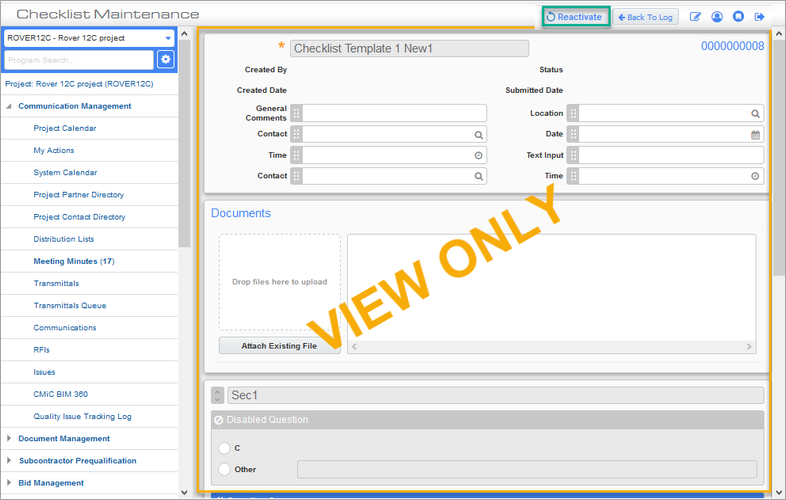
Deactivated checklists will appear in a separate Inactive tab in the project library. Checklists in the Inactive tab will be selectable and be displayed as a read-only (or view state) versions of the checklist.