 Search Tips
Why is it Useful?
CMiC has added the ability to store forecast for selected records (manual forecast). Users can select which of the forecast lines they would like to store without having to store the entire forecast and then incorrectly impact the WIP calculations for the job. This allows users to decide which line items need to impact WIP while the other areas of the job are still incurring costs and billing.
NOTE: This feature was released in Patch 13-2 under Issue 20.30063.
How Does it Work?
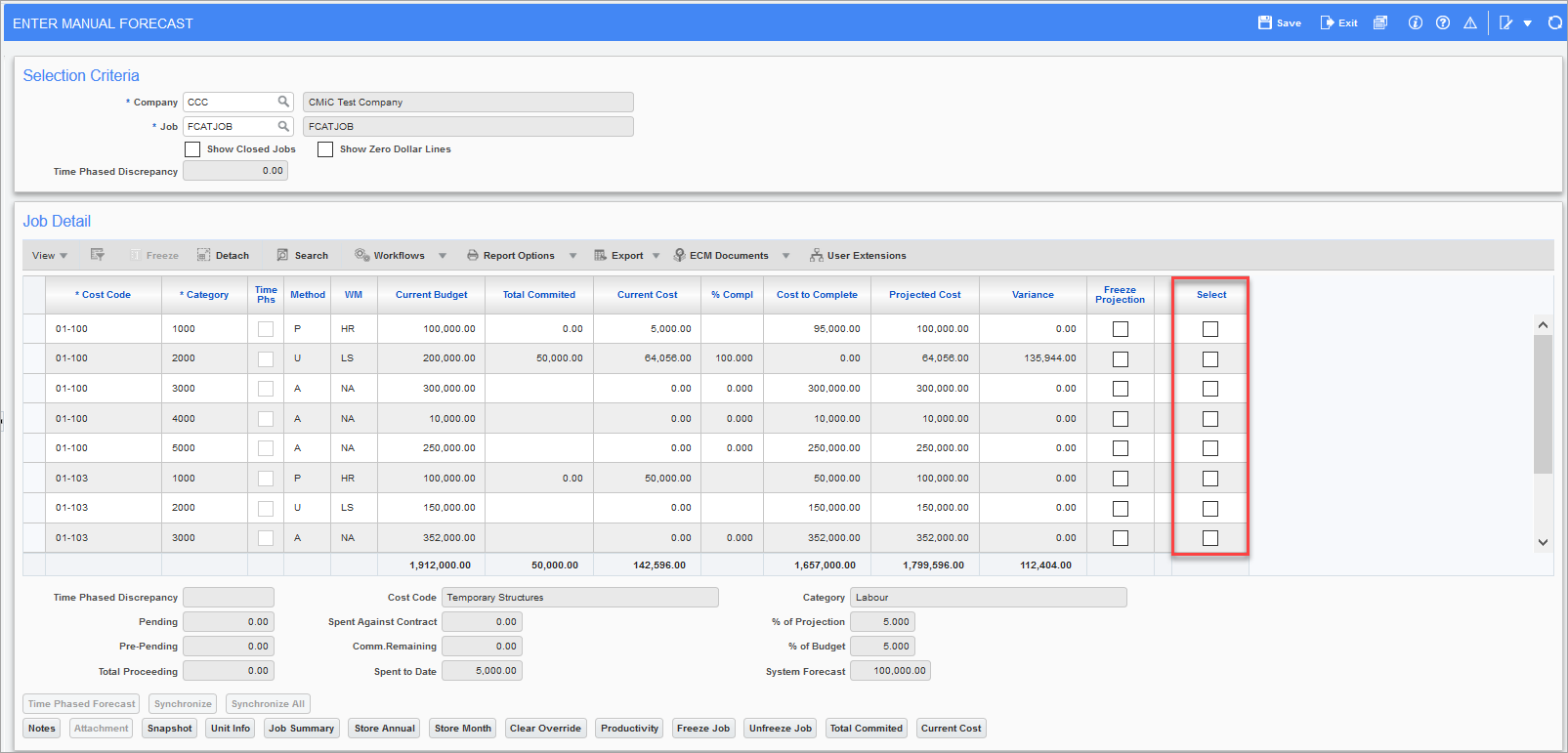
Pgm: JCREVCAF – Enter Manual Forecast; standard Treeview path: Job Costing > Forecasting > Enter Cost Forecast
A 'Select' checkbox has been added to the Enter Manual Forecast screen to store a forecast for the selected records. Select the detail line(s) for which to store a forecast. An alert message will be issued prompting the user to select [ALL] or [SELECTED] records for the stored monthly forecast.
-
[ALL]: All the records will be stored in the forecast.
-
[SELECTED]: Only selected records will be stored.
If no record is selected, the forecast is stored for all of the records and the alert message will not be displayed. Click [Store Month] when finished.