 Search Tips
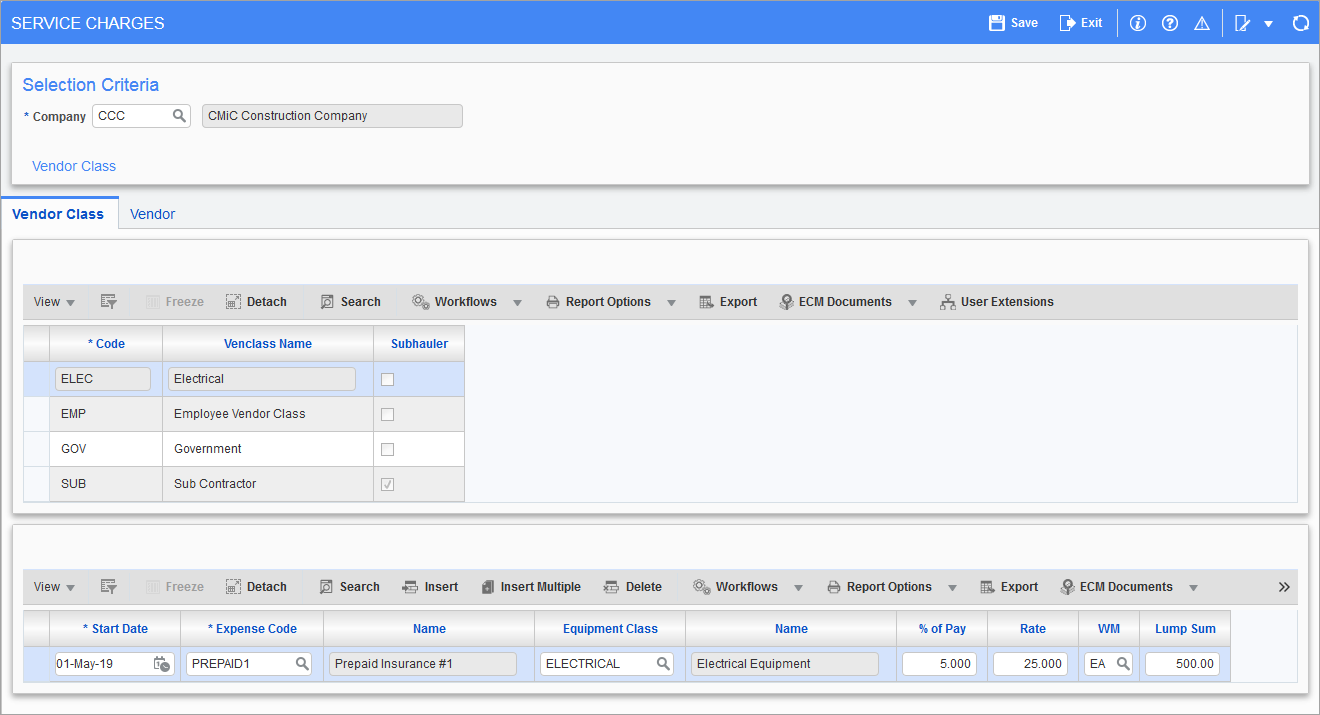
Pgm: MS_SERVICE_CHARGES_ENTRY – Service Charges; standard Treeview path: Material Sales > Setup > Local Tables > Service Charges
Service charges entry allows the grouping together of external truckers and sub-haulers to which similar service charges will apply. The grouping will be by vendor class and associated Accounts Payable prepaid expense codes. The formula is calculated as service charge per ticket = (% of pay) + (rate × quantity) + lump sum.
Company
Enter the company code to which the service charges apply.
Vendor Class – Tab
Enter the vendor class that will have the AP prepaid expense code(s) associated. The ‘Subhauler’ checkbox will default from the vendor class setup on the Material Sales control file.
Enter the start date that the service charge will take effect for the given vendor class. Enter the expense code and the percent of pay, rate, WM code, and lump sum.
Vendor – Tab
Enter the vendor code associated to the selected vendor class. Enter the start date that the service charge will take effect on for the given vendor. Enter the expense code and the percent of pay, rate, WM code, and lump sum.