 Search Tips
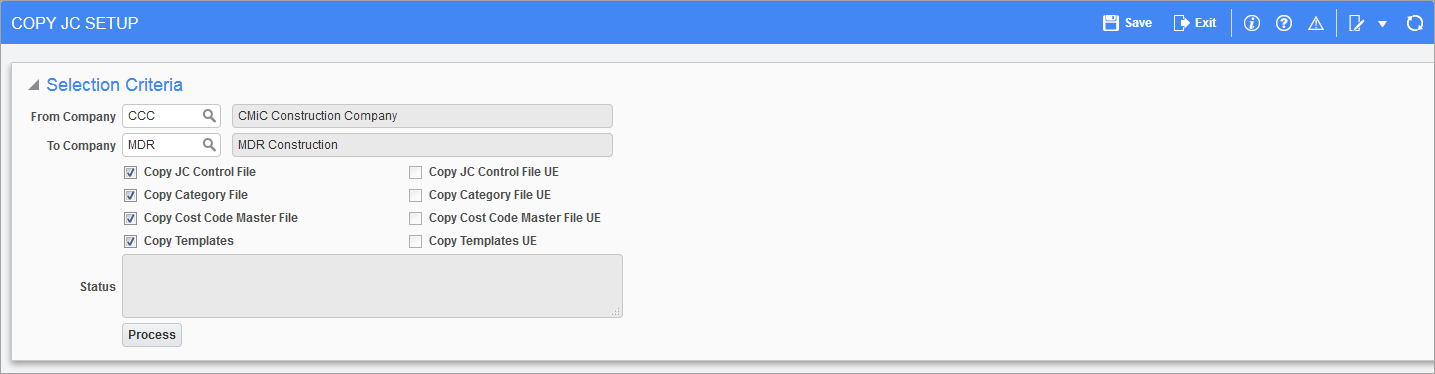
Pgm: JCCOPY - Copy JC Tables; standard Treeview path: Job Costing > Utilities > Copy JC Tables
NOTE: The Copy JC Tables screen can only be utilized between companies that use the same Chart of Accounts.
This utility will copy as much information as possible, but you must check the new company setup to ensure all data is correct.
Enter the From Company and To Company fields, then check what information should be copied. If you do not copy the full set of information, there may be gaps in the To Company setup.
This utility allows the user extension (UE) data assigned to an object in one company to be copied to the same object of the other company. If no user extensions are defined for an object, its corresponding checkbox will be disabled.
In order to copy the setups and tables from one company’s modules to another, preconditions must be met, detailed below. If the preconditions are satisfied, click [Process] to begin the copying process.
Preconditions
Companies Must Use Same Chart Code, If Applicable
In order to copy the setup of the modules that specify accounts, from one company to another, both companies must use the same chart code, otherwise a validation error is reported. This is necessary because the setups in the control files of each module use specific accounts, which are defined for a chart code.
Companies Must Have Same Department Structure
For reasons similar to that of the previous condition, in order to copy the setup of the modules from one company to another, both companies must use the exact same department structure. The department codes must be the same, and their corresponding controlling department and business unit codes must also be the same.