 Search Tips
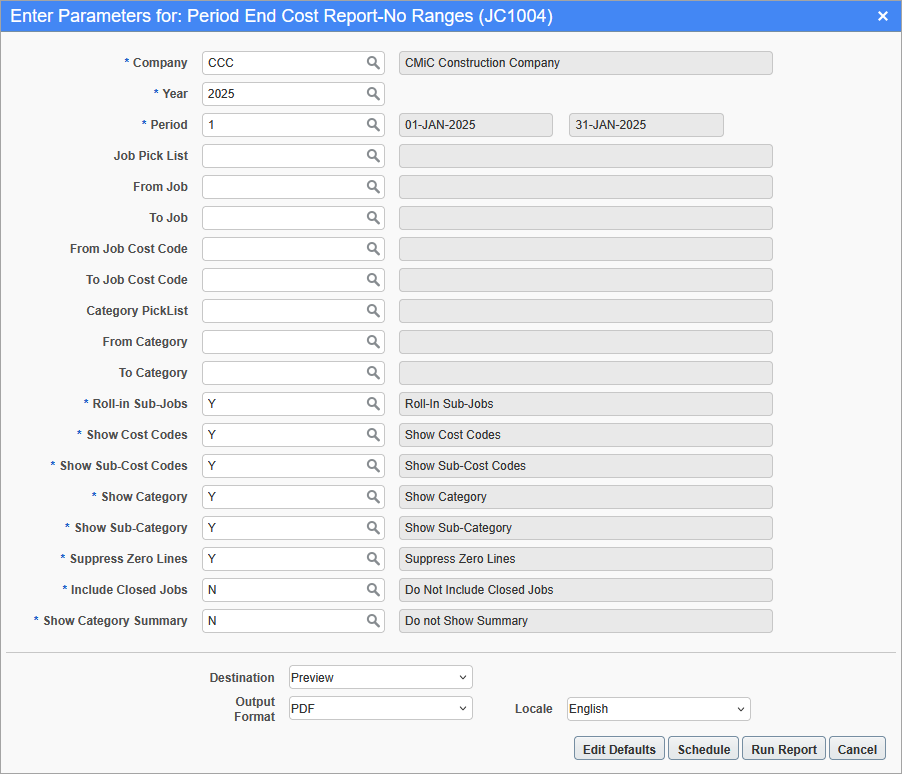
Pgm: JC1004 – Period End Cost Report – No Ranges; standard Treeview path: Job Costing > Reports > Period End Cost Report – No Ranges
This screen is used to generate the Period End Cost Report which includes cost and cost budget details by period.
The report can be further filtered by Job Pick List, From/To Job, From/To Job Cost Code, Category Pick List, and From/To Category.
Company
Enter/select the company code.
Year, Period
Enter/select a year and period to run the report by.
Roll-in Sub-Jobs
Enter/select whether or not to roll-in sub-jobs in the report. The default value is "Y".
Show Cost Codes
Enter/select whether or not to include cost codes in the report. The default value is "Y".
Show Sub-Cost Codes
Enter/select whether or not to include sub-cost codes in the report. The default value is "Y".
Show Category
Enter/select whether or not to include category codes in the report. The default value is "Y".
Show Sub-Category
Enter/select whether or not to include sub-category codes in the report. The default value is "Y".
Suppress Zero Lines
Enter/select whether or not to suppress zero lines in the report. The default value is "Y".
Include Closed Jobs
Enter/select whether or not to include closed jobs in the report. The default value is "N".
Show Category Summary
Enter/select whether or not to include the category summary in the report. The default value is "N".
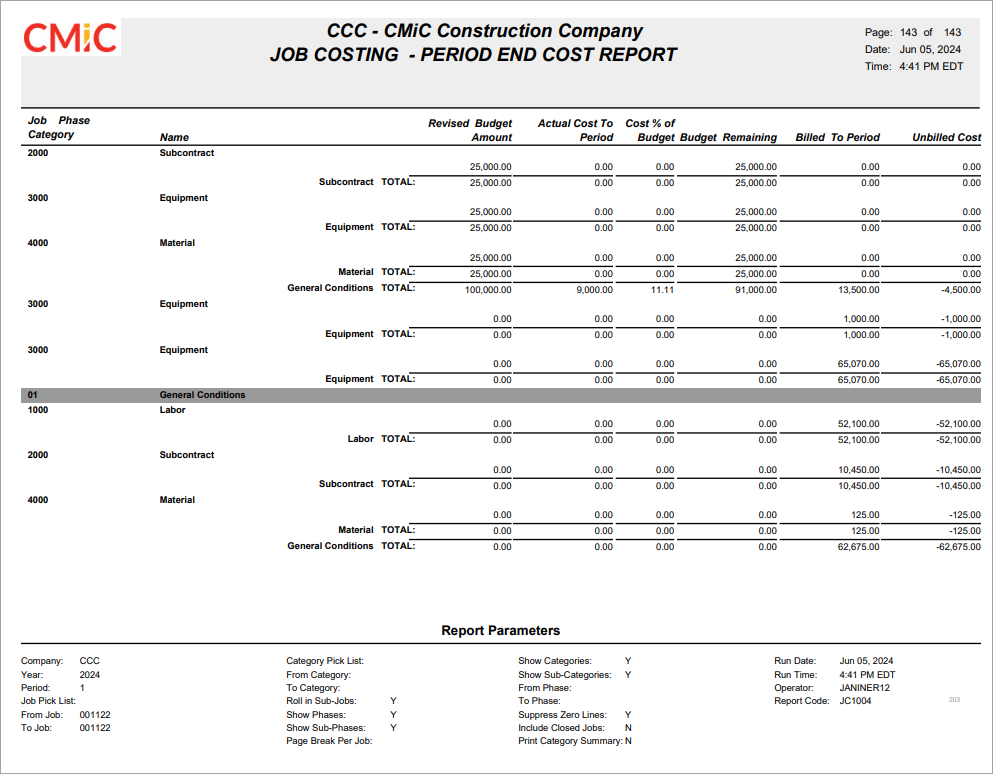
Sample Period End Cost Report (JC1004)