 Search Tips
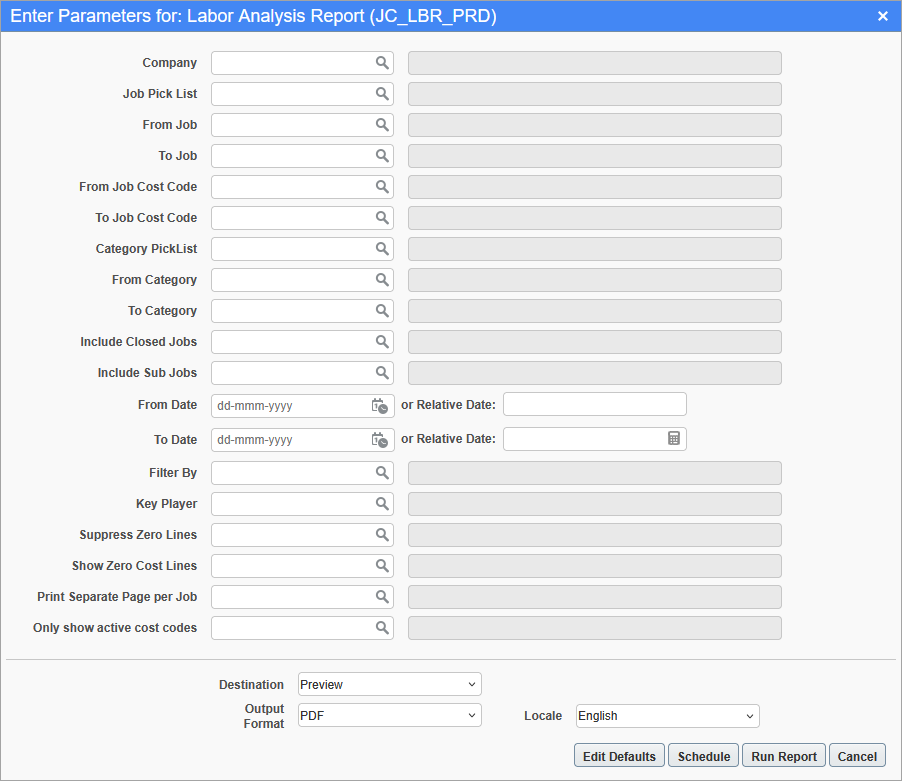
Pgm: JC_LBR_PRD – Labor Analysis Report; standard Treeview path: Job Costing > Reports > Labor Analysis Report
The Labor Analysis Report is based on the productivity data from Crew Time and Job Costing. To view labor data in the report for any job, the Cost Type for categories should be set to "Labour" in the Category Master on the Job Costing module. Only the data for these categories will be shown in the report.
The report can be filtered using the following parameters.
Company
Enter/select the company code.
Job Picklist
Select a pre-existing job picklist from the LOV.
From/To Job
Enter the range of jobs.
From/To Cost Code
Select a range of cost codes to see on the report.
From/To Category
Select a range of categories to see on the report. If the job is using more than one labor category, all units and costs for all the categories assigned to that cost code will be rolled into the one line. Only categories set up as labor cost type will be available for selection.
Include Closed Jobs
If "Y" is selected, transactions from a closed job will print on the report. If "N" is selected, transactions from a closed job will be excluded from the report.
Include Subjobs
If "Y" is selected, transactions from subjobs will print on the report. If "N" is selected, transactions from subjobs will be excluded from the report, only control job’s transactions will be shown.
From/To Date
Select a date range of the transactions to be included on the report. The post date will be used.
Key Player
Only show transactions for jobs from projects assigned to the selected key player.
Suppress Zero Lines
If "Y" is selected, do not show cost code lines that have 0 values for all columns. If "N" is selected, show all cost code lines regardless of having values or not.
Show Zero Cost Lines
If "Y" is selected, includes cost codes that have no posted transactions against the selected cost code. If "N" is selected, excludes cost codes that have no posted transactions against the selected cost code.
Only show active cost codes
The default is set to "Y". If "Y" is selected, the report only includes posted transactions for the selected cost code/category if the cost code is active at the time the report is ran. If "N" is selected, the report prints transactions for the selected cost code/categories regardless of if the cost codes are active or not at the time the report is ran.
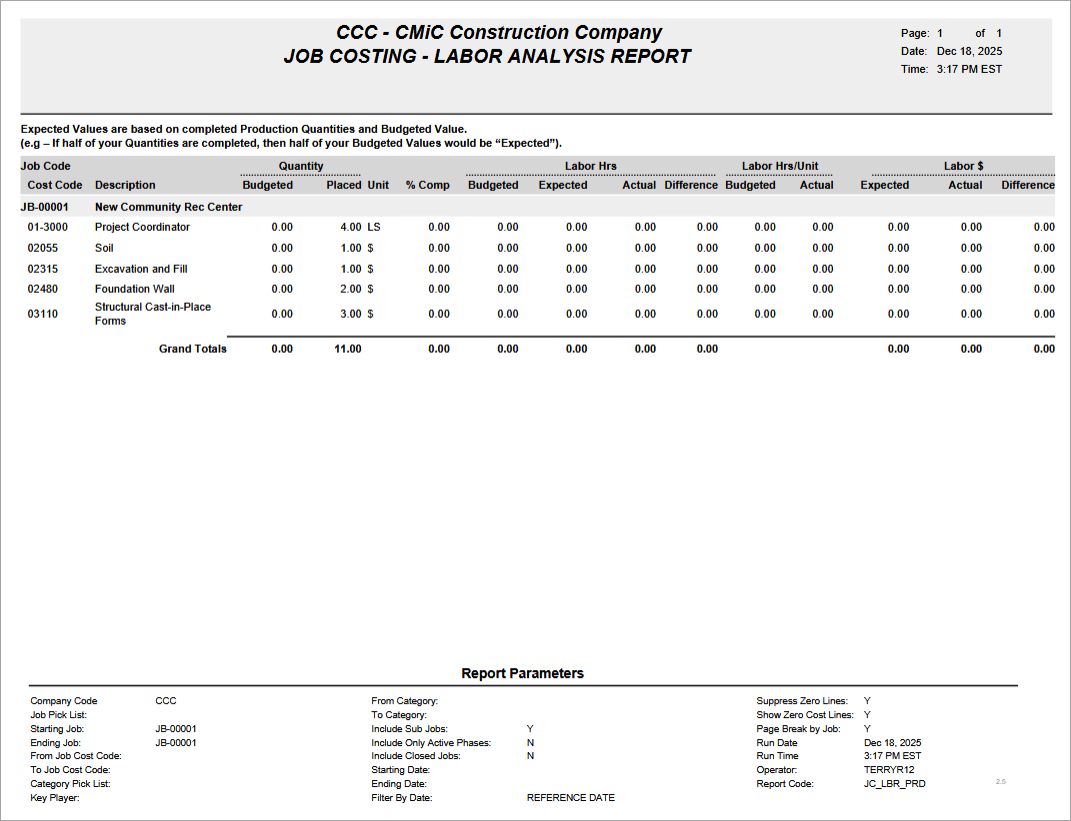
Sample Labor Analysis Report (JC_LBR_PRD)