 Search Tips
This quick guide describes the setup required before inter-company transactions can be entered. The steps are as follows:
Step 1 – Access Account Maintenance Screen
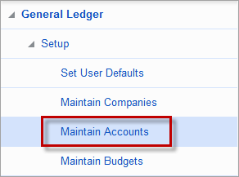
From the General Ledger menu, open the Maintain Accounts screen under the Setup menu:
Step 2 – Create Inter-Company Account
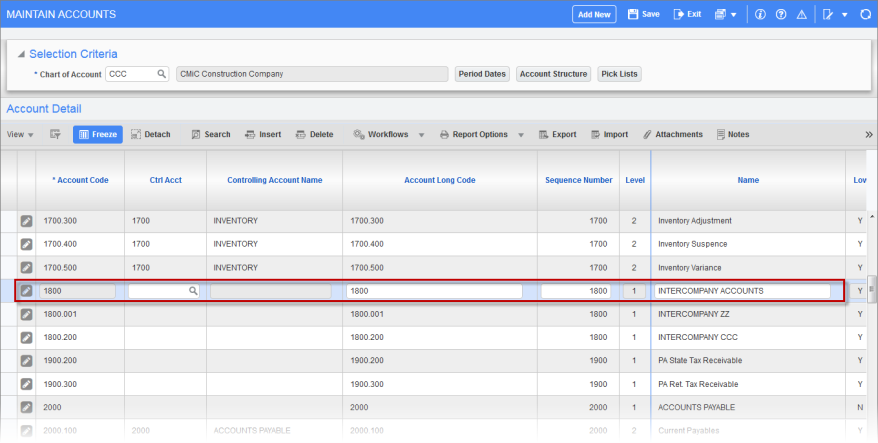
Find or create the inter-company account then use the Edit icon to swap to forms mode:
Step 3 – Check Inter-Company Account Checkbox
Check the 'Inter-Company Account' checkbox and click [Save] to save the change. If this field is not visible, use the Lite Editor to make it visible.
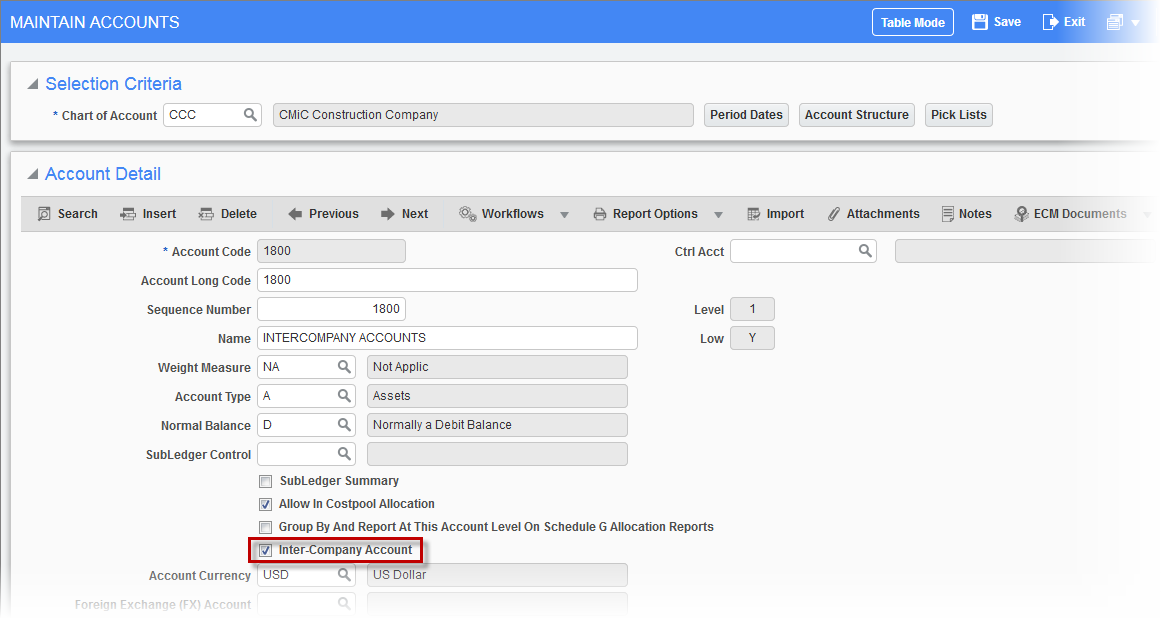
Pgm: ACCFRM – Maintain Accounts; standard Treeview path: General Ledger > Setup > Maintain Accounts
Step 4 – Access Company Maintenance Screen
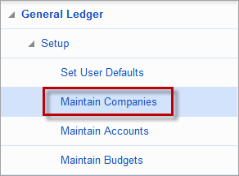
Open the Maintain Companies screen from the General Ledger Setup menu:
Select one of the companies then press the [Company Detail] button:
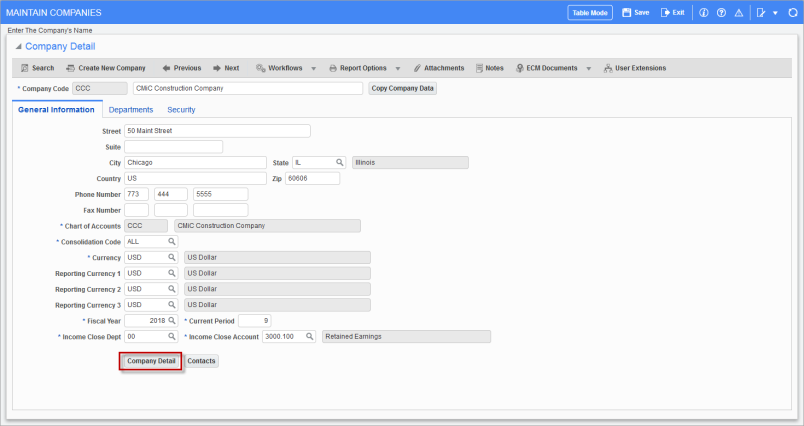
Step 5 – Click on [Inter-Company Setup]:
![The [Inter-Company Setup] button on the Company Detail pop-up window](../../../Resources/Images/JC_12c/Inter_Company_Transactions_5.png)
Step 6 – Insert Details
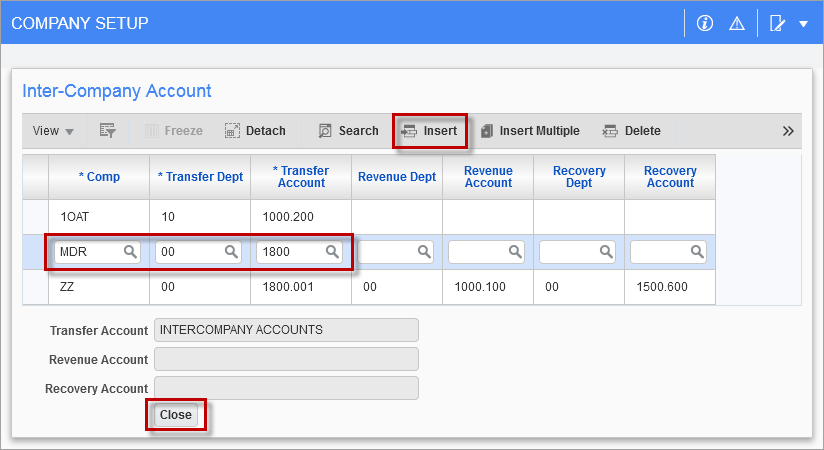
Insert a new row and enter the company code, department, and account. This specifies which department and account will be used as the transfer department and account for inter-company transactions between these two companies:
Step 7 – Repeat Preliminary Steps for Second Company
Return to the Maintain Companies screen and select the second company then repeat the process. Open the Company Detail pop-up window by clicking the [Company Detail] button, then press [Inter-Company Setup] button:
![The [Inter-Company Setup] button on the Company Detail pop-up window](../../../Resources/Images/JC_12c/Inter_Company_Transactions_7.png)
Insert a new row and enter the company code, department, and account then [Close] the window. The setup is now complete:
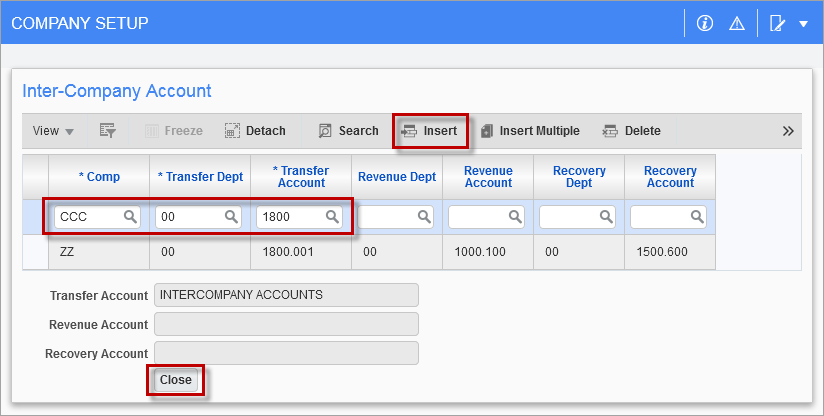
Pgm: COMPFRM – Company Setup; standard Treeview path: General Ledger > Local Tables > Maintain Companies > Inter-Company Setup – pop-up window