 Search Tips
During the cloning process, the Imaging sources that have been created in the source environment will be copied to the target environment. By design, Imaging sources that were active in the target environment and that exist in the source environment will be activated post clone. The cloning procedure uses the description of the source to verify which source(s) to activate in the target.
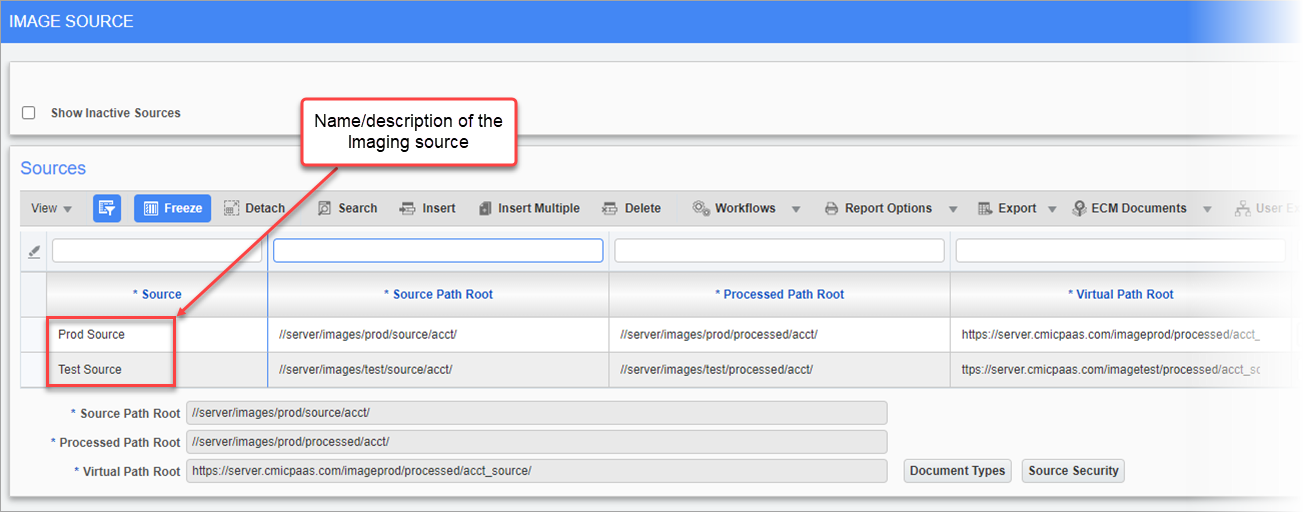
Pgm: IMGSRC - Image Source; standard Treeview path: Imaging > Setup > Sources
During Imaging setup and training, the trainer and/or client are encouraged to:
-
Create Imaging sources for each environment in the source clone environment.
-
Complete the process of assigning the correct document types to each Imaging source.
-
Set security for each of the Imaging groups.
-
Deactivate all the Imaging sources that are not relevant for that environment.
For example, in a farm with Prod and Test environments, there should be an Imaging source or sources setup for Prod and Test in Prod. Document types and security should be assigned to all and then the Test Imaging source/sources should be deactivated in the Prod environment. Post clone, the Test Imaging source(s) will be automatically activated if they already existed in Test with the same name or can be manually activated if they did not previously exist in the Test environment. Imaging should be available to use immediately in Test.