 Search Tips
The Documents sub-menu includes two screens: Document Types and Documents. These enable the definition of various document types as well as maintaining data related to those documents.
Document Types
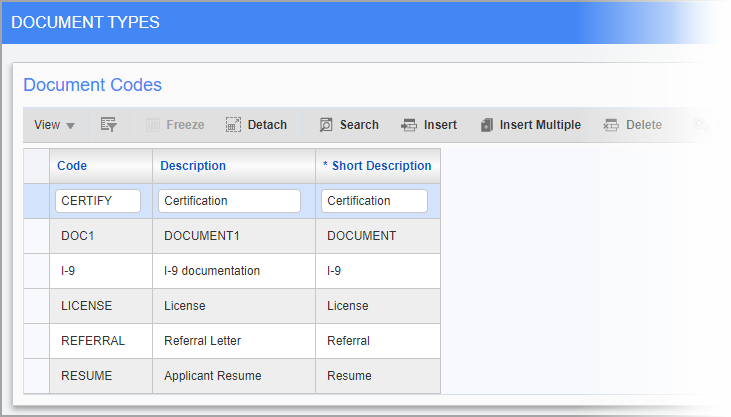
Pgm: HRDOCTYP – Document Types; standard Treeview path: Human Resources > Setup > Local Tables > Documents > Document Types
The Document Types screen can be used to define codes for generic document types.
Code
Enter the code for the document type.
Description, Short Description
Enter the full and short descriptions for the document code.
HR Documents
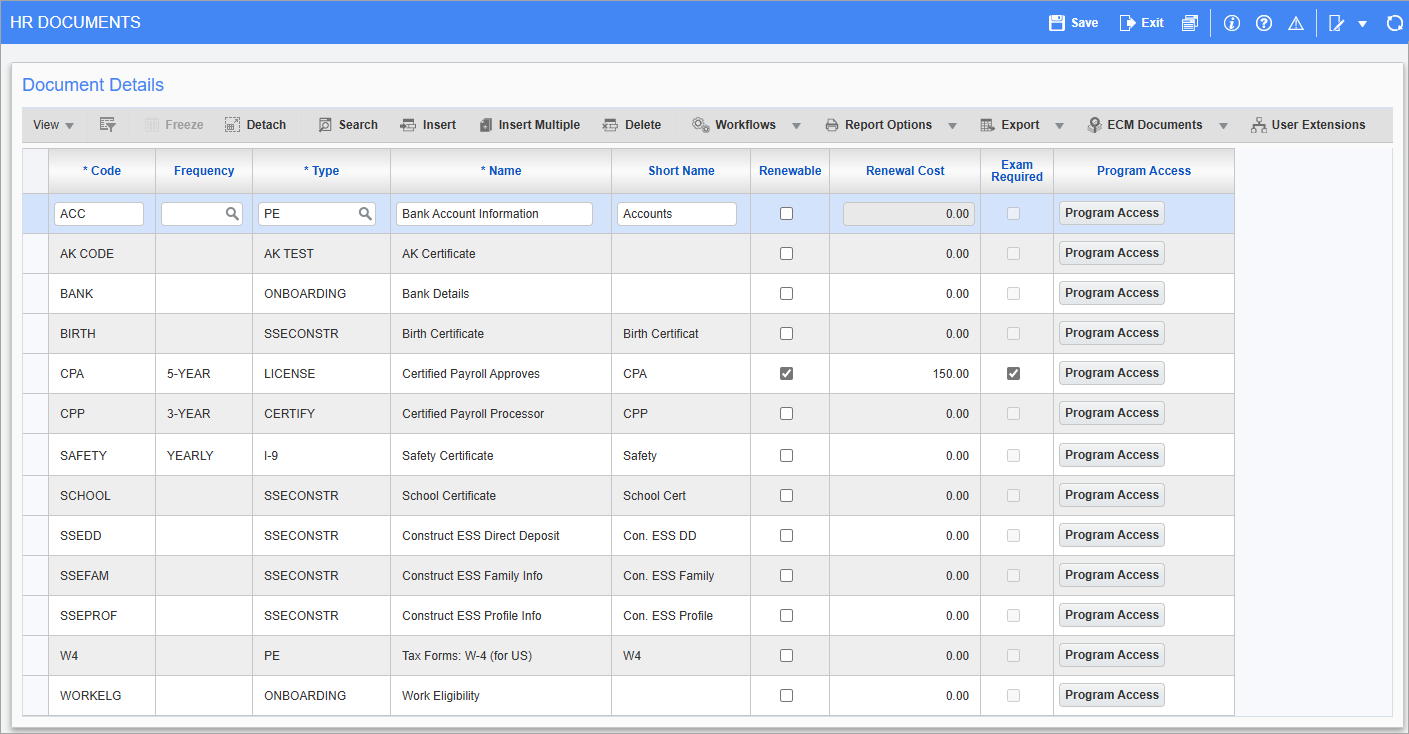
Pgm: HRDOCMNT – HR Documents; standard Treeview path: Human Resources > Setup > Local Tables > Documents > Documents
This screen is used to maintain a list of documents that may be needed for, or awarded to, employees and applicants.
Code
Enter the document code.
Frequency
Enter/select how frequently the document should be reissued. These codes can be set-up in the Frequency screen (standard Treeview path: Human Resources > Setup > Codes > Frequency).
Type
Enter/select the document type. These codes can be set-up in the Document Type screen.
Name, Short Name
Enter the full and short names for the document.
Renewable – Checkbox
Check this box if the document is renewable. Examples of renewable documents are licenses and memberships.
Renewal Cost
Enter the dollar cost of renewing the document.
Exam Required – Checkbox
Check this box if the process of renewing the document involves some form of exam.
[Program Access] – Button
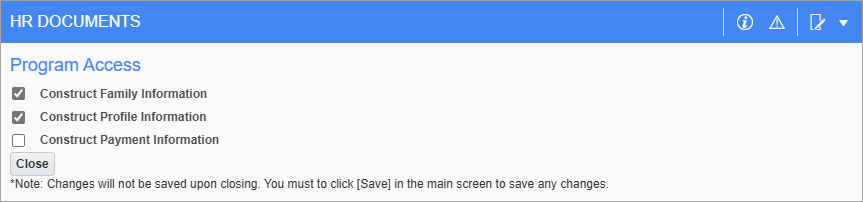
Press this button to launch the Program Access pop-up screen to grant access in the Construct Family Information, Construct Profile Information, and Construct Payment Information screens. Document codes with program access will be available in the document type LOV for the selected screen(s).