Search Tips
CMiC Feedback Portal - UserVoice
Overview
UserVoice is CMiC’s user feedback portal. It is a platform where you can share your feedback, suggest new features, and vote on other ideas. CMiC Product Management members review the UserVoice entries and provide feedback via notes and status changes.
Your input helps shape the product by showing us what’s most important to you.
NOTE: If you are having trouble accessing the forums, please submit a support case for further assistance.
Process
-
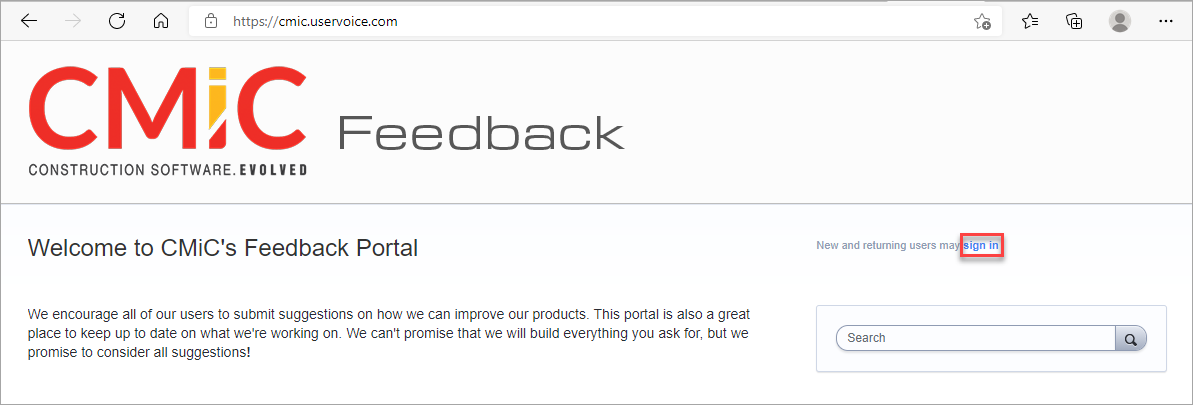
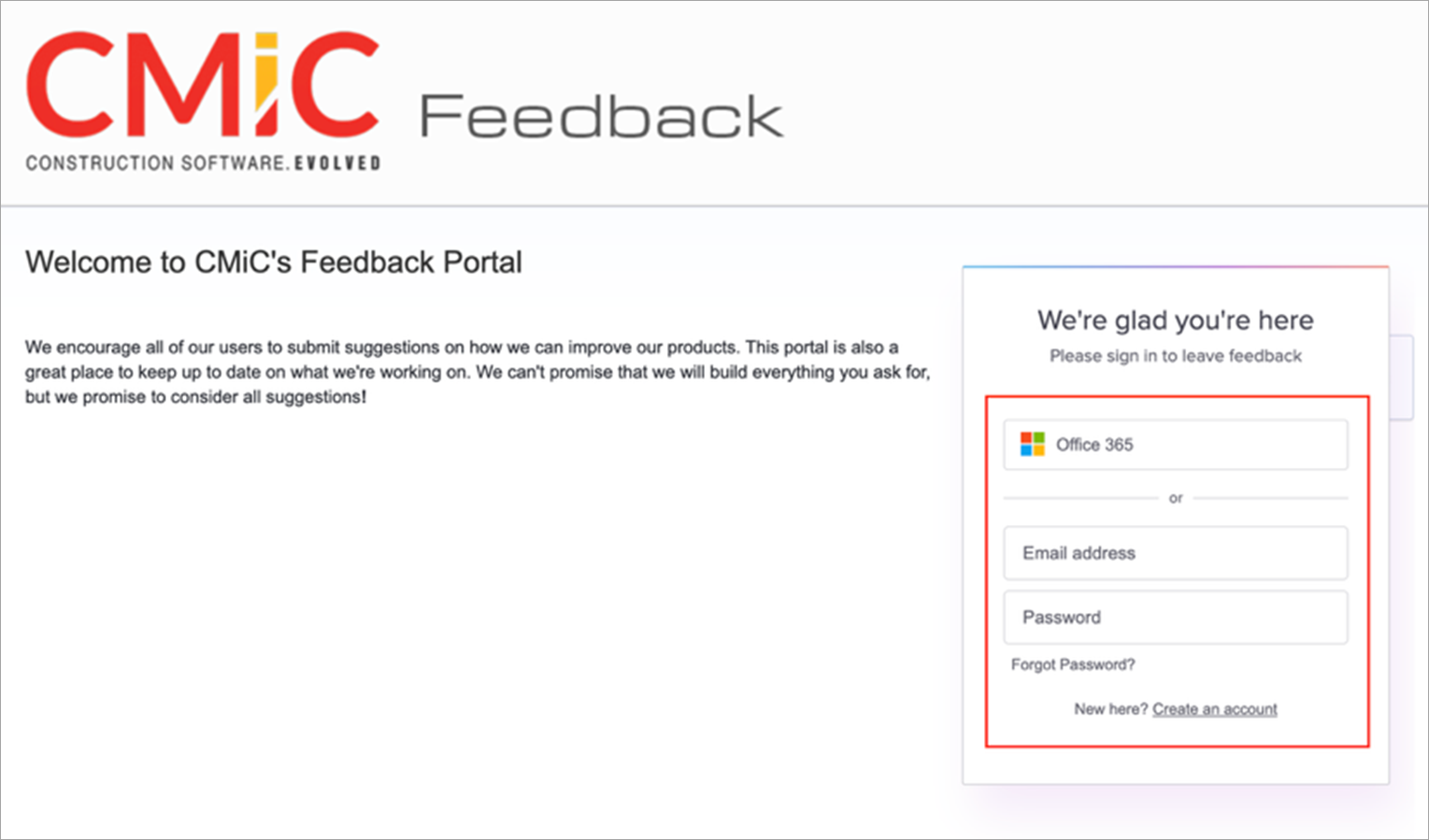
Users can create an account by going to https://cmic.uservoice.com/ and clicking the Sign In link. You can login through Microsoft Office 365 or your email and password.
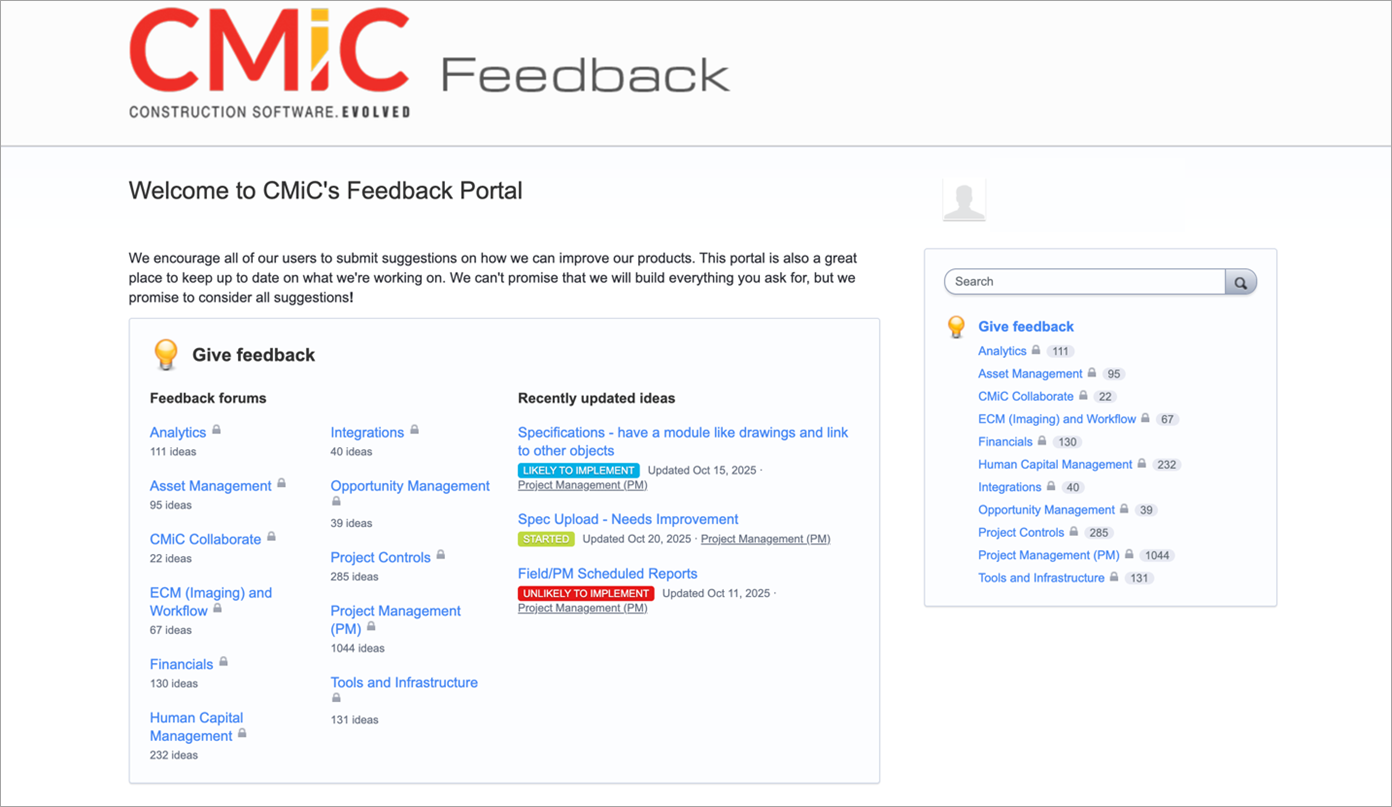
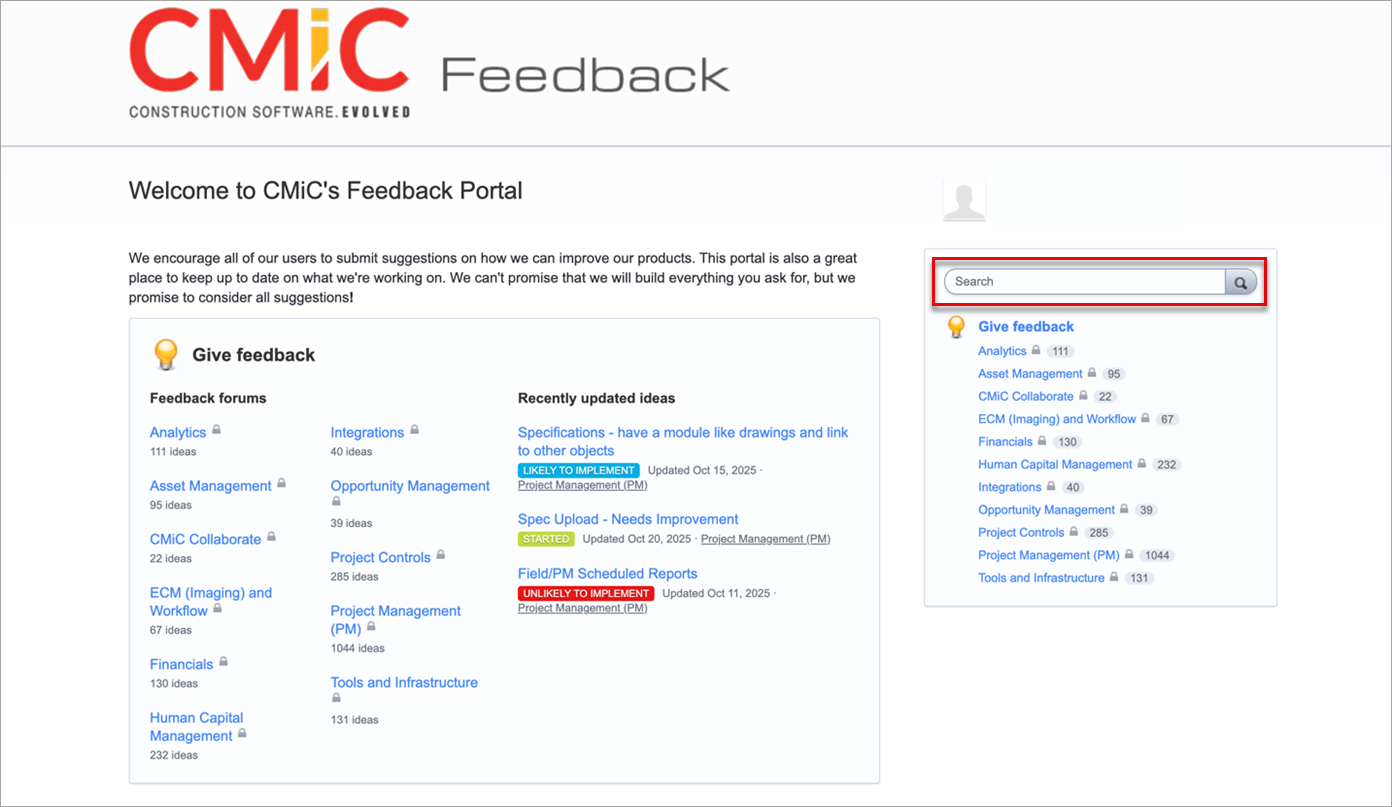
After logging in, the main page will display as shown in the screenshot below.
NOTE: If you are a new customer and see a blank screen, please reach out to your Account Manager.
-
To search for an idea, type a keyword or topic in the search bar on the right and click the magnifying glass icon to display your results.
-
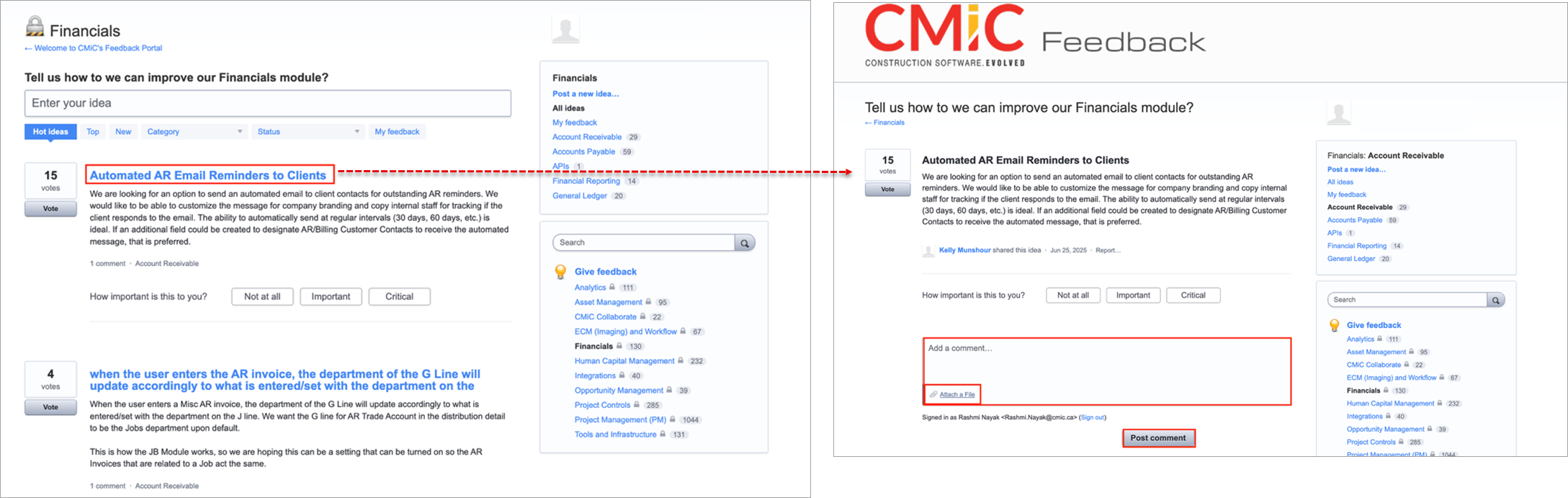
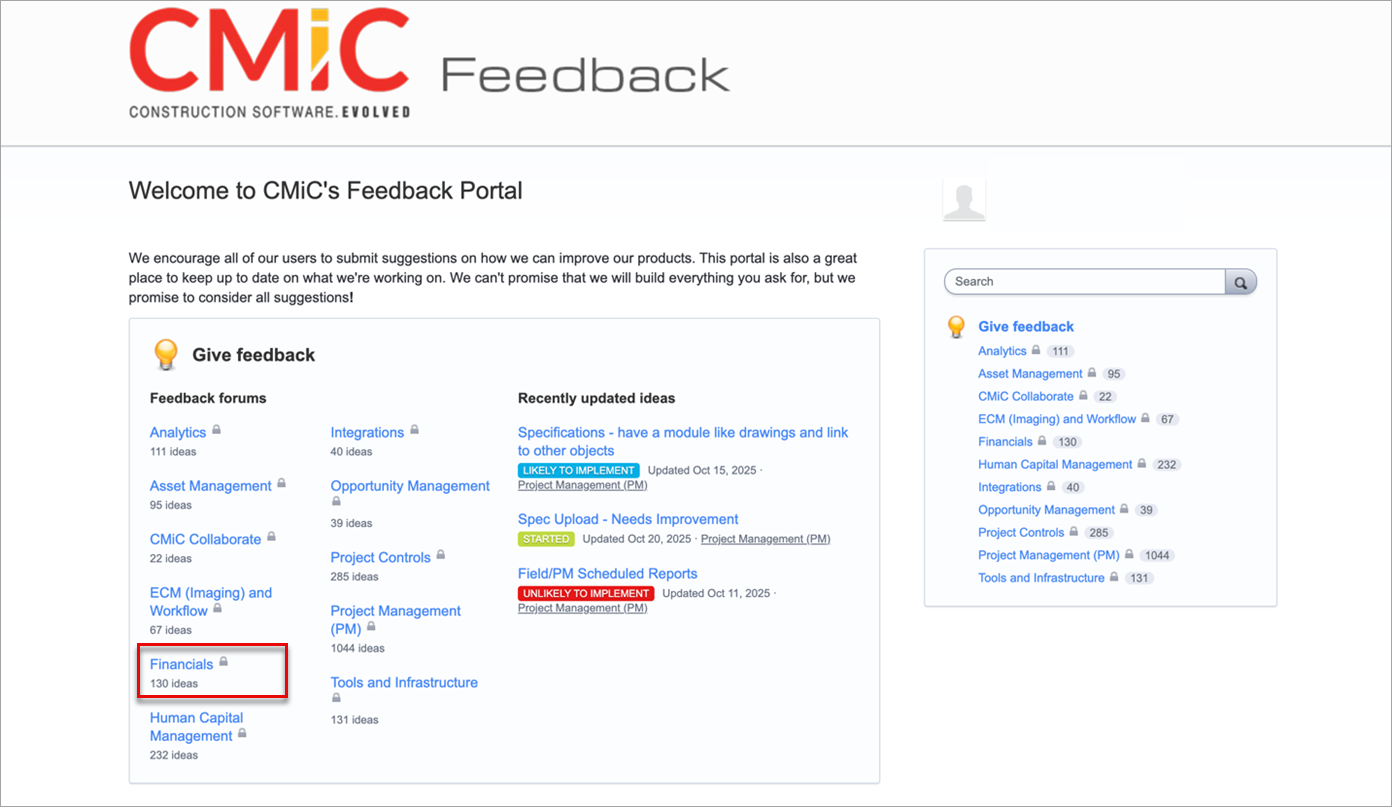
To submit a request or new idea, click on your preferred module. We will use Financials as an example, as shown in the screenshot below.
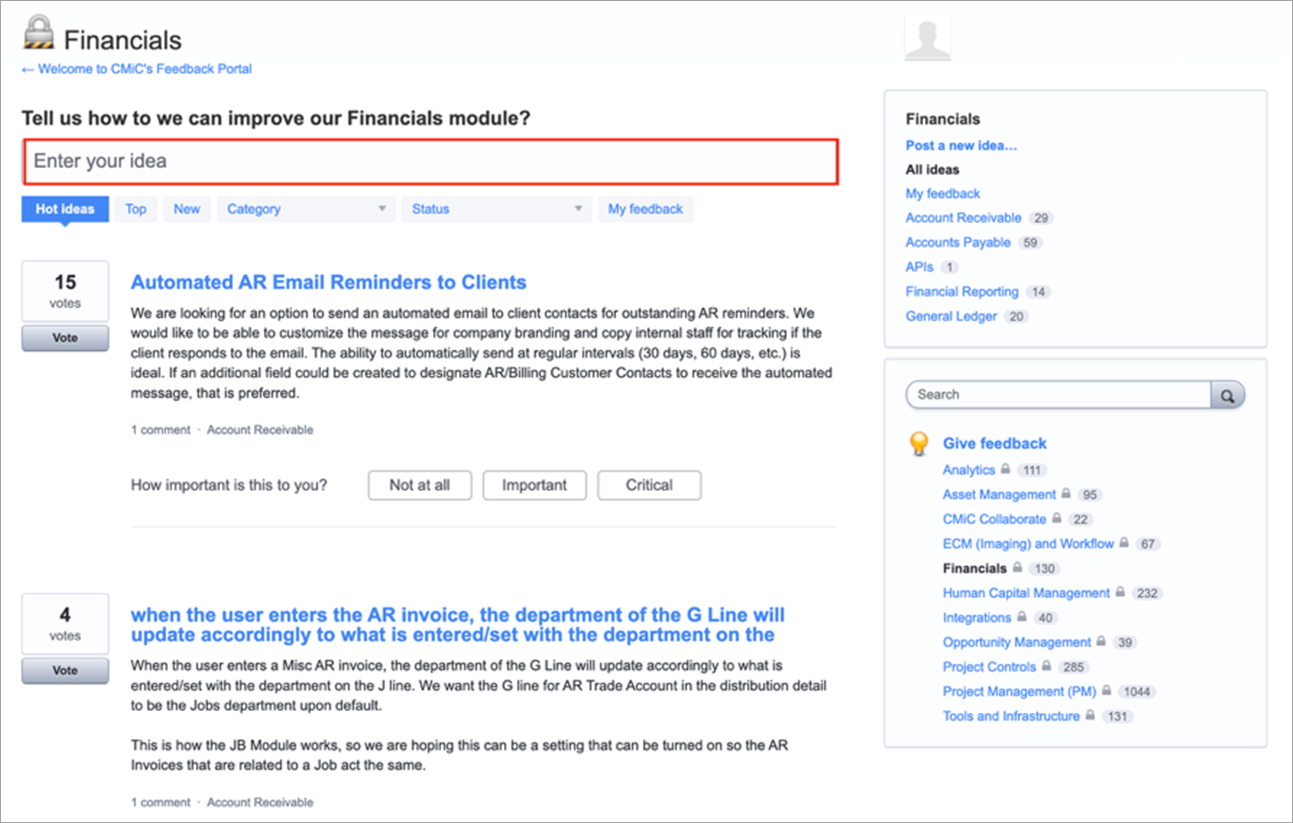
Then enter your idea in the text box shown below.
-
If you want to vote for an idea, click the [Vote] button. You can determine how important this idea is to you by selecting one of the [Not at all], [Important], or [Critical] buttons, as shown in the screenshot below.
![Screenshot of the [Vote] button for ideas in the Feedback Forum](../Resources/Images/Resources/UserVoice6.png)
-
To interact with an idea, click on an idea to view its details. Add a comment and/or attach a file, then post the comment, as shown in the screenshot below.