 Search Tips
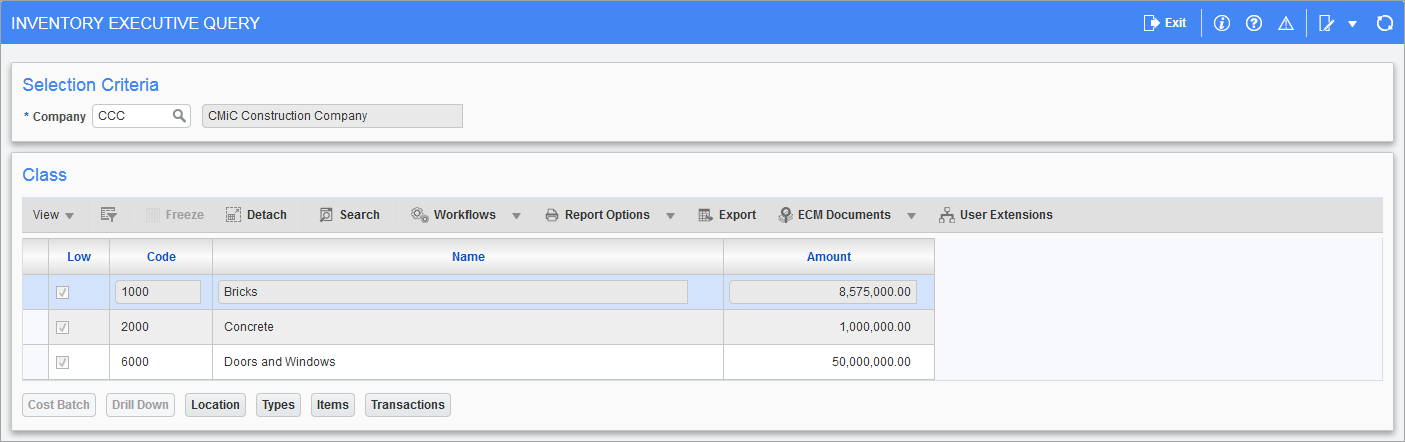
Pgm: CIEXQRY – Executive Query; standard Treeview path: Inventory > Queries > Executive Query
The Inventory Executive Query screen shows the inventory values in a variety of methods. The system returns inventory value based on the class total, which can then be broken down by location, inventory type, inventory items, and transactions, using the buttons along the bottom of the screen.
The 'Low' checkbox indicates if the query can be drilled down further or not. If it's checked, the inventory item is at the lowest level and there are no deeper levels in the inventory hierarchy. If it is unchecked, it indicates that this is not the lowest level of query and can be drilled down further in the inventory hierarchy. For example, this is applicable in the case of bin location which is controlled by a controlling location and also at class level for the Executive Query.