 Search Tips
Overview
This
NOTE: The KENDO version has a different look, but the functionality is the same.
Setup
The following checkboxes need to have the proper settings to allow the use of pending PCIs in the projected cost forecast.
-
In the Change Management Control File screen, check the 'Internal Change Orders Update Budget' box so that the budget will update upon internal PCI posting.
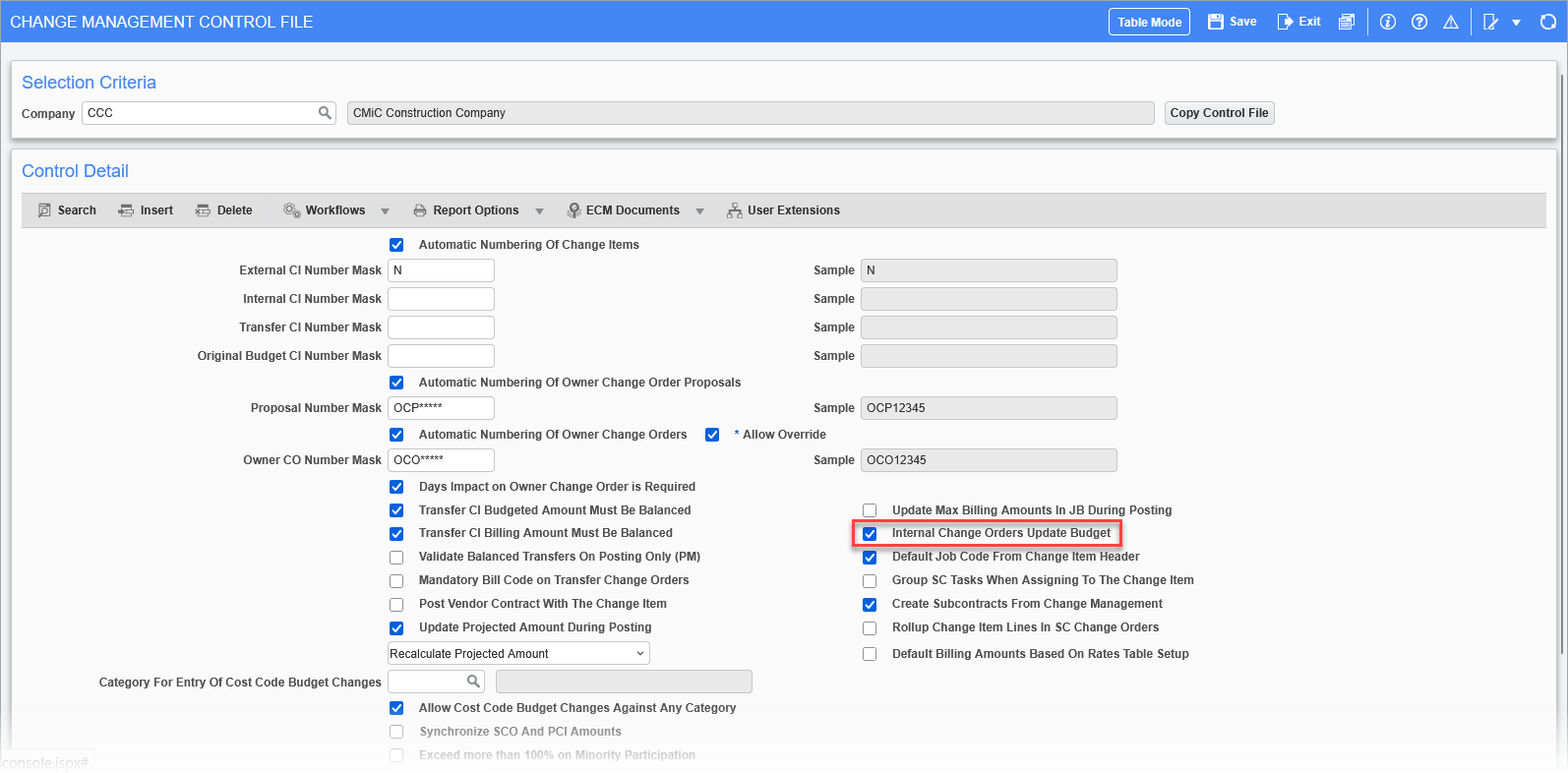
Pgm: CMCTRL – Change Management Control File; standard Treeview path: Change Management > Local Tables > Control
-
In the Job Costing Control File screen, uncheck the 'Pending Internal CO Will NOT Update Projected Cost Forecast' box. This applies to the base Projected Cost Forecast column only, which would leave the internal pending PCIs to apply fully to the Projected Cost Forecast incl. Pending CO column alongside the other PCI classes.
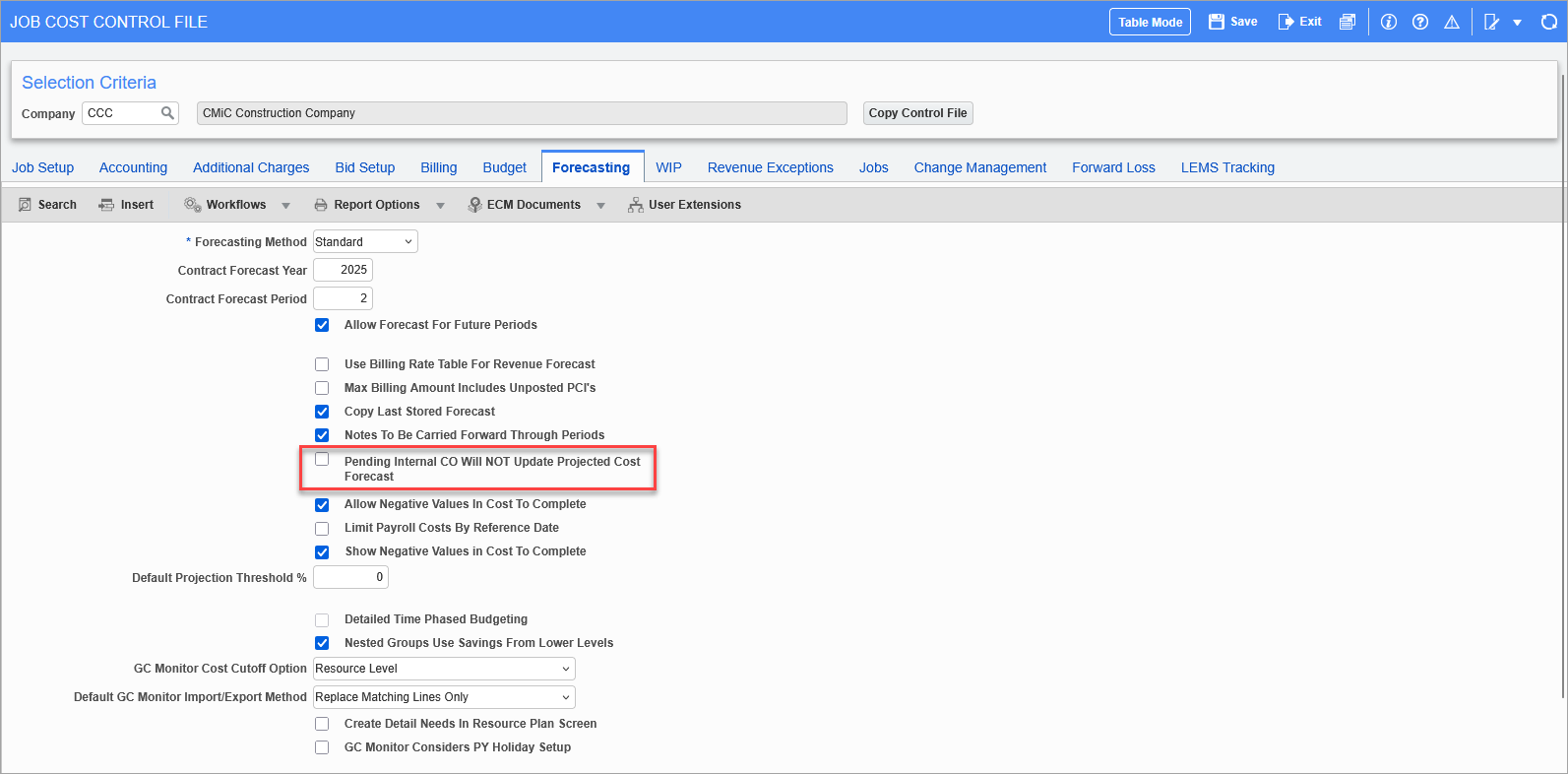
Pgm: JCCTRLFM – Job Cost Control File – Job Setup tab; standard Treeview path: Job Costing > Setup > Local Tables > Control File – Forecasting tab
-
In the Project System Options screen of CMiC Field, uncheck the 'Include Pending PCI to P/U Line' box. This will apply all types of pending PCI to the P/U lines for the Projected Cost Forecast column only, and not the Projected Cost Forecast incl. Pending CO column.
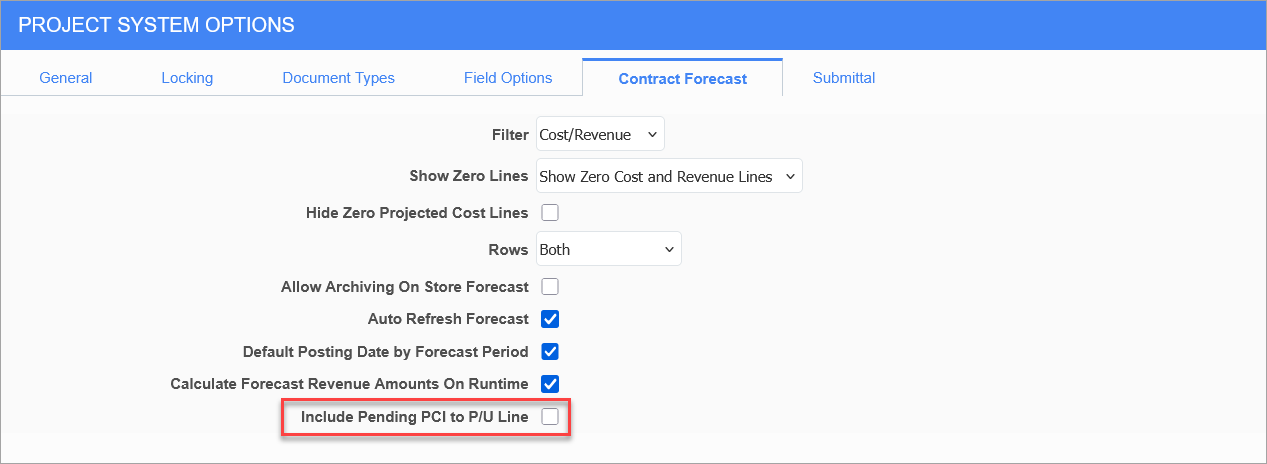
Standard Treeview path: CMiC Field > File Maintenance > Project System Options – Contract Forecast tab
Process by Example
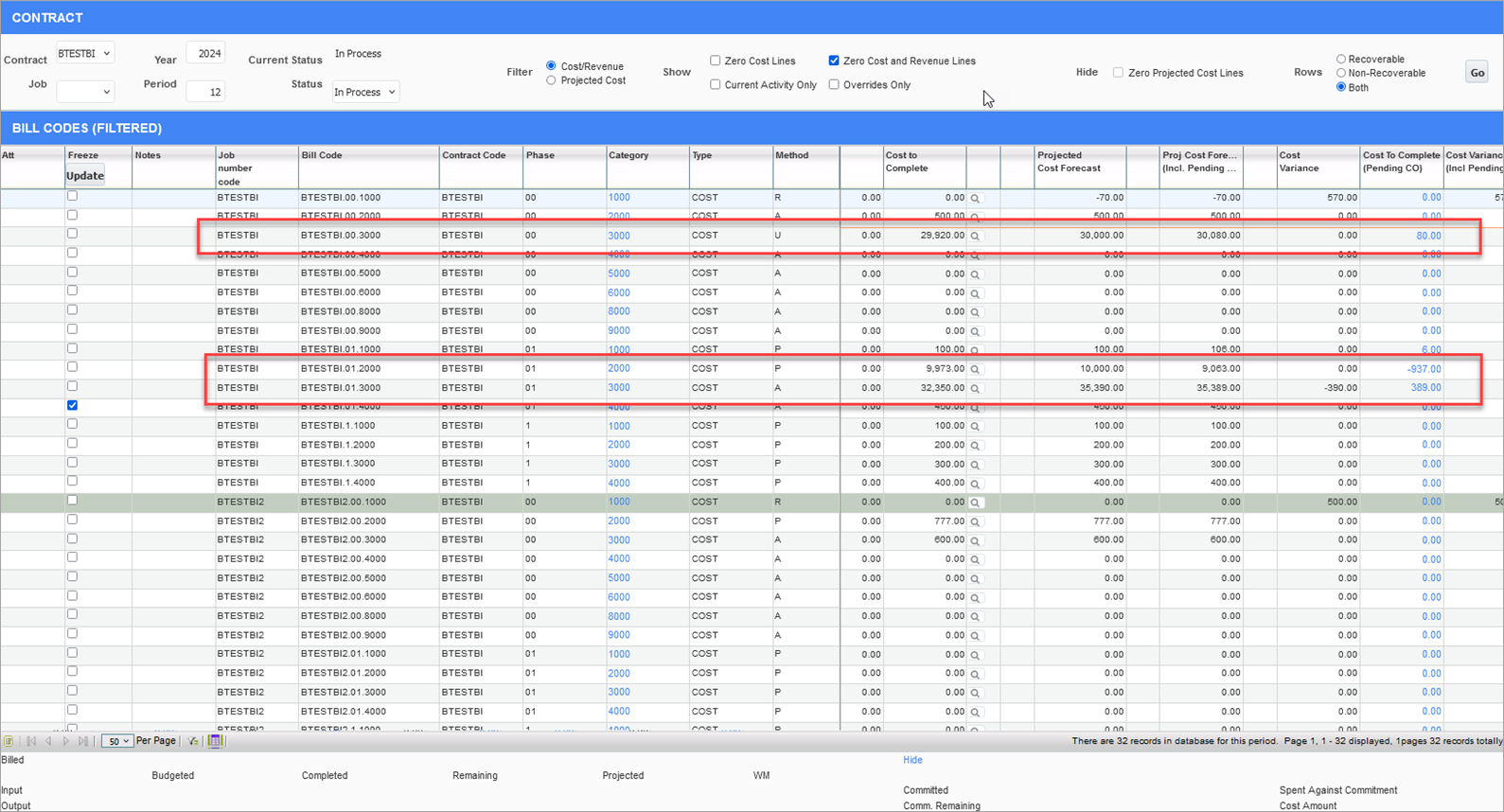
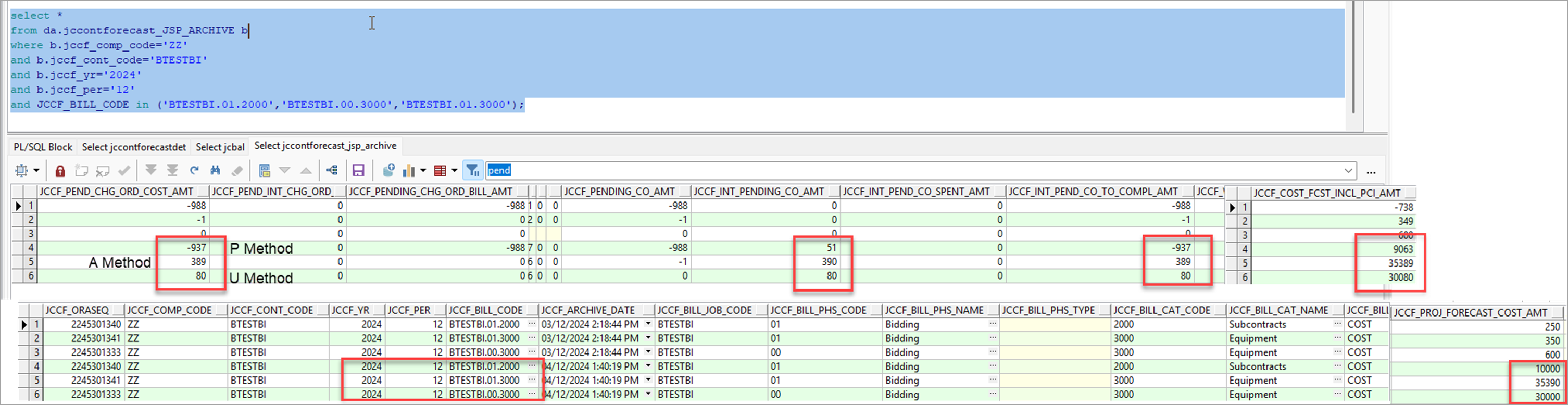
This example shows a forecast that is created following the "U", "P", and "A" forecast methods, as shown in the above screenshot.
The cost code/category combination "00/3000" is using the "U" forecast method, "01/2000" is the "P" forecast method, and "01/3000" is the "A" forecast method. For the "A" forecast method records, the internal pending PCI is updating the projected cost forecast amount as expected. For "P" and "U", these pending internal PCI amounts do not appear to be included in the Projected Cost Forecast column. This is due to the Include Pending PCI to P/U Line box in the the Project System Options screen set as unchecked. The Productivity/Units pop-up window that calculates the forecast are complicated and by default not updated by the internal pending PCI.
The archived forecast (found in the database as da.JCCONTFORECAST_JSP_ARCHIVE) shows the Projected Cost Forecast and the Projected Cost incl. Pending CO columns as we see on the main screen:
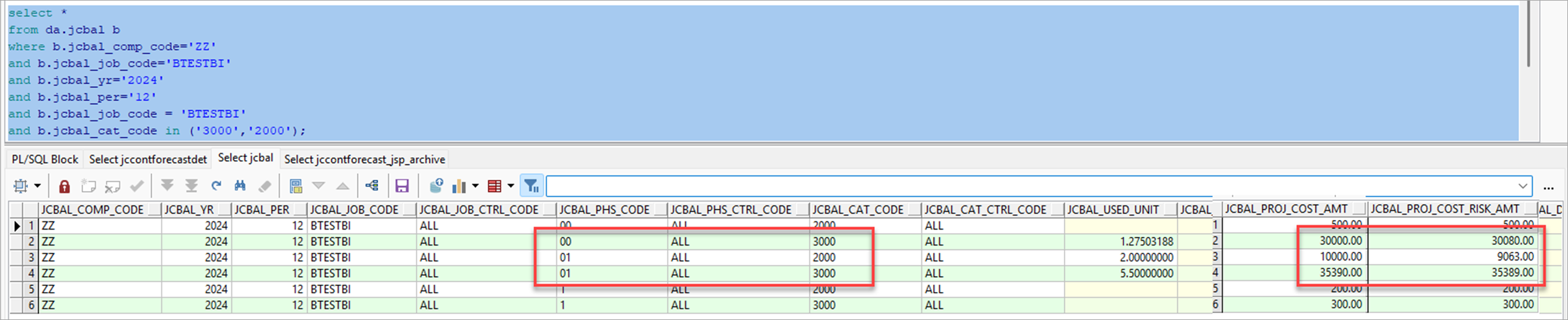
The Job Costing balances table (found in the database as da.JCBAL) shows the projected cost and projected cost including pending PCI (risk) amount as shown on the Contract Forecasting screen. The first is the base Projected Cost Forecast and the second matches the Projected Cost Forecast incl. Pending CO:
The internal pending PCI is set to be included in the forecast and proceeding based on the checkboxes tied to the status of the PCI. Two detail lines are made for each method: "A", "P", and "U". One of each pair is tied to a subcontract (and an RFP invoice) and the other is not tied to any commitment.
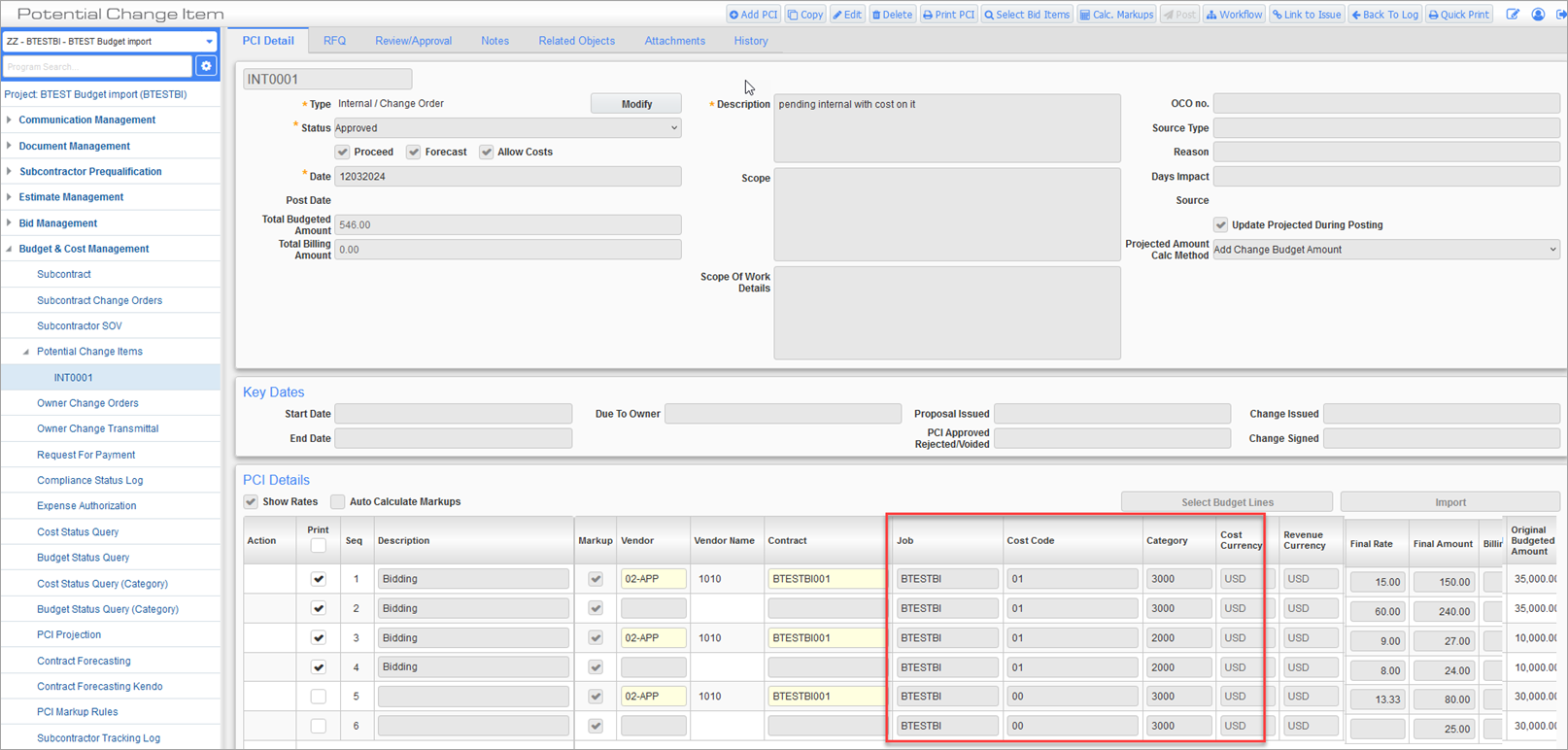
Potential Change Items; standard Treeview path: CMiC Field > Budget & Cost Management > Potential Change Items
For the status setup, the PCI Status Codes screen in the Change Management module is where the PCI can be included in the forecast by checking the 'Forecast' boxes shown in the screenshot below:
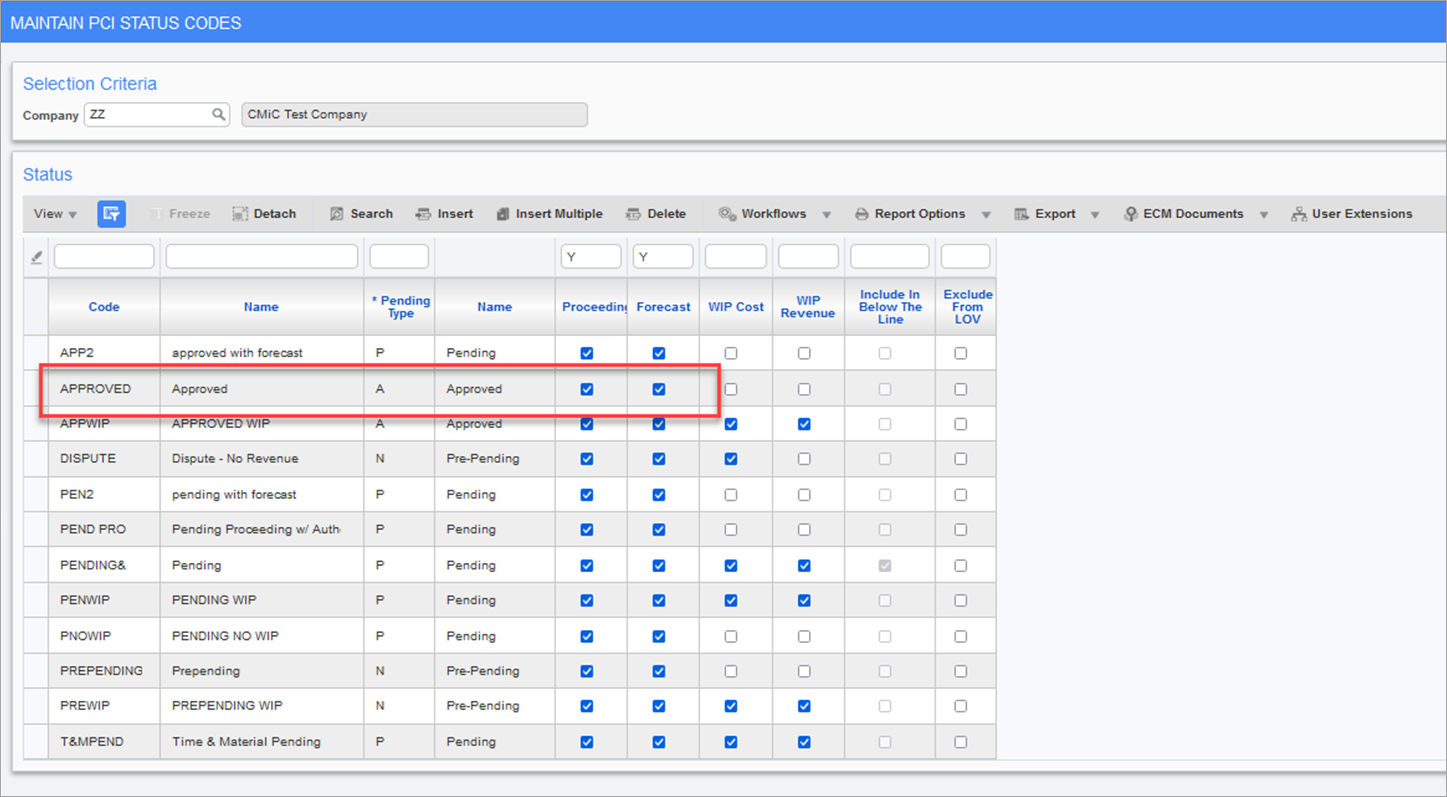
Pgm: CMSTATFM – Maintain PCI Status Codes; standard Treeview path: Change Management > Local Tables > PCI Status Codes
For the forecast method, these are assigned by default according to the Enter Category screen in the Job Costing module. The method is defaulted into the job, but can be edited on a job-by-job basis in the Assign Cost Codes or Enter Budget screen of the Job Costing module if the job has not started.
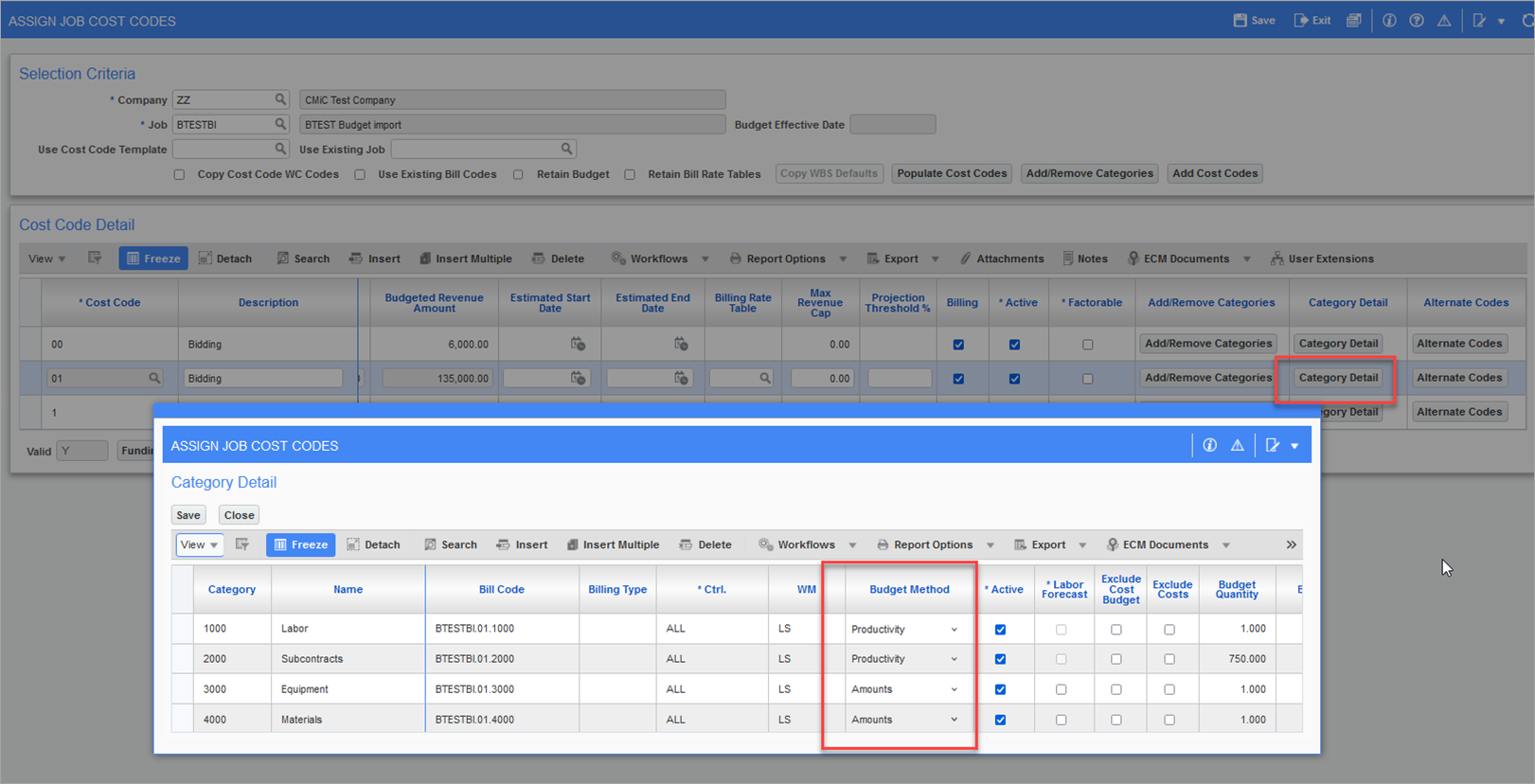
Pgm: JCPRODSU – Assign Job Cost Codes; standard Treeview path: Job Costing > Job > Assign Cost Codes
NOTE: If WBS mapping is used, some adjustments are made to the total cost to complete for the pending items. The above example does not use WBS mapping, but the idea is still the same between WBS and non-WBS. The WBS specific bill code would generate on the pending PCI (non-internal) if costs are applied to it. For internal PCIs (pending or internal), the cost data is tied to the base bill code.