 Search Tips
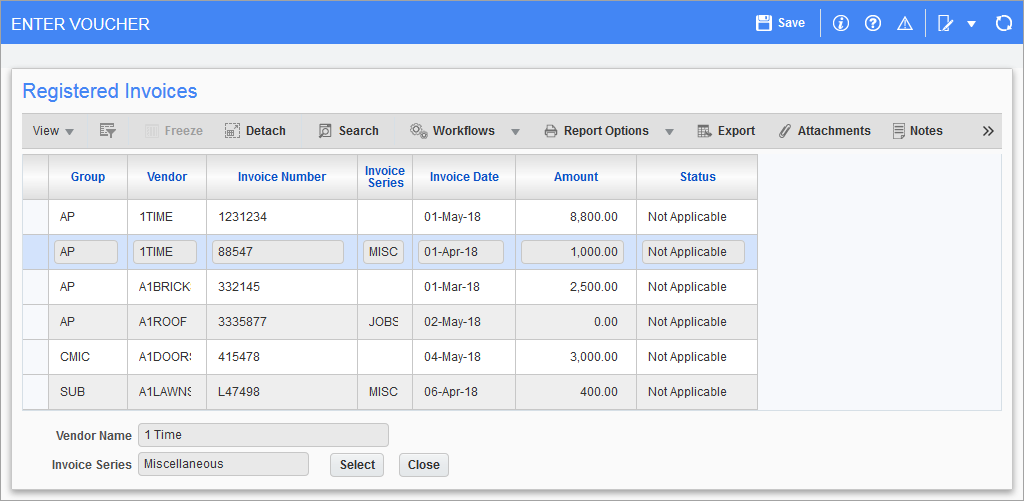
Pop-up window launched from [Registration] button on Enter Voucher screen (standard Treeview path: Accounts Payable > Voucher > Enter Voucher – Voucher Detail tab)
This button is used to convert a registered invoice to a voucher and to insert the voucher into the batch selected on the Enter Vouchers screen. The pop-up displays all registered invoices that require conversion. If the ‘Require Approval Of Registered Invoices’ box is checked on the Voucher tab of the AP Control File, only those that have been approved will be listed.
A registered invoice that does not balance or is marked as invalid in the Register Invoice screen can be ‘pulled’ into the Enter Vouchers screen versus ‘pushed’ (converted to a voucher), which only allows for balanced distribution and invoices marked as valid in the registry.
The [Registration] button can be used with or without a vendor code being entered. When the button is used, its pop-up displays a list of all registered invoices for the current vendor, if applicable, or for all vendors otherwise. Select the required registered invoice and click [Select] to convert it to a voucher, and to add the voucher to the selected batch on the Enter Voucher screen.