 Search Tips
- R12 (App)
Overview
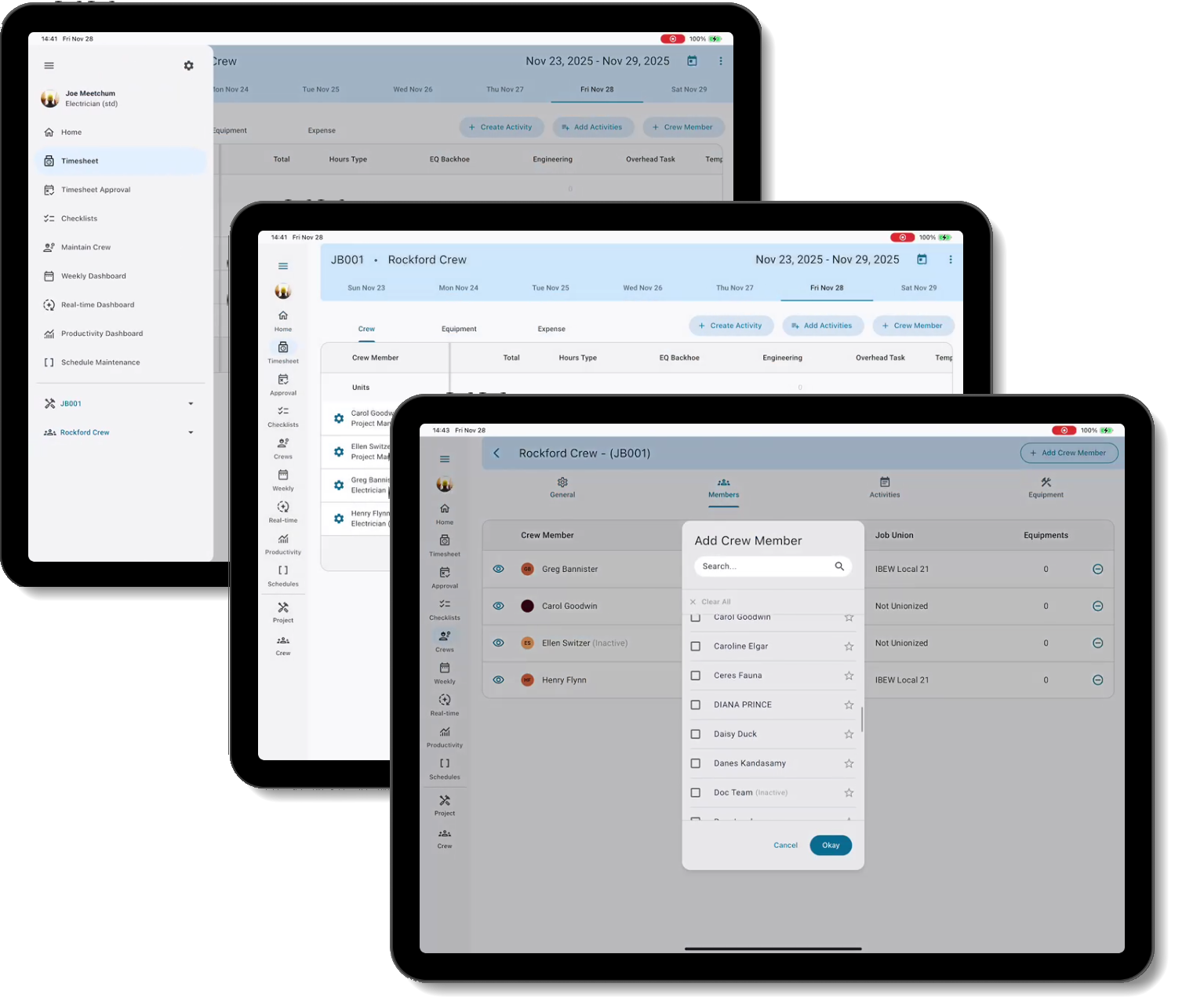
CMiC is excited to introduce our redesigned Construct CT app, specifically enhanced to improve user experience and increase performance with features like crew management, and a scheduling and approval process that allows users to record full cost-coded time accurately, anywhere, and anytime for job site crews. CMiC's adaptive mobile security gives foremen and superintendents the ability to track time against validated jobs with full cost codes and financial breakdowns, making it easy to control labor costs and maximize crew productivity. We've introduced enhancements to elevate and streamline performance, including a modern user interface and full offline capability. Construct CT includes streamlined dashboards and logs that provide real-time information with customizable data display options to deliver an intuitive user experience.
What Enhancements Have Been Made?
Modern Design
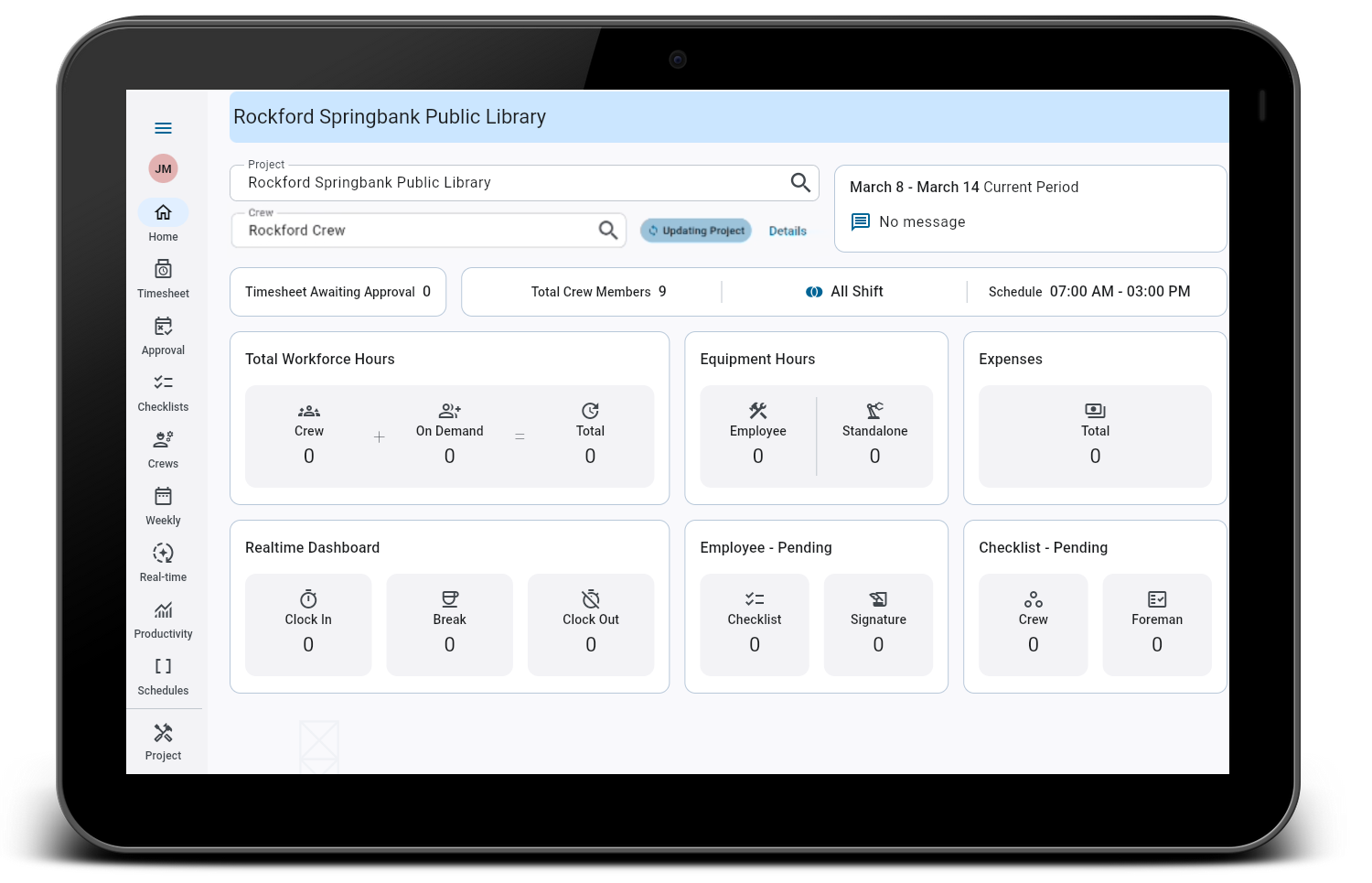
Our redesigned and enhanced screens offer a modern and intuitive layout that allows users to easily create, view, and modify project and crew records. The newly enhanced Home Dashboard provides a real-time snapshot of workforce, equipment, and expense metrics for the selected project and crew.
Enhanced Screen Flexibility
Adjustable column widths in the Timesheet Entry screen and column filter chips in the Timesheet Approval screen allow users to adjust their displays for improved visibility and a cleaner layout. These enhancements let users customize their view to focus on the most relevant details while maintaining a smooth scroll across activity and hour type sections.
Improved Hour Type Visibility
The Hour Type column in the Timesheet Entry screen provides a more intuitive and visually rich experience for users entering or reviewing time entries. Instead of requiring users to click into a cell to identify the hour type, this enhancement introduces instant visual cues that clearly indicate whether hours are regular, overtime, double time, or other types.
Hide Trade Description
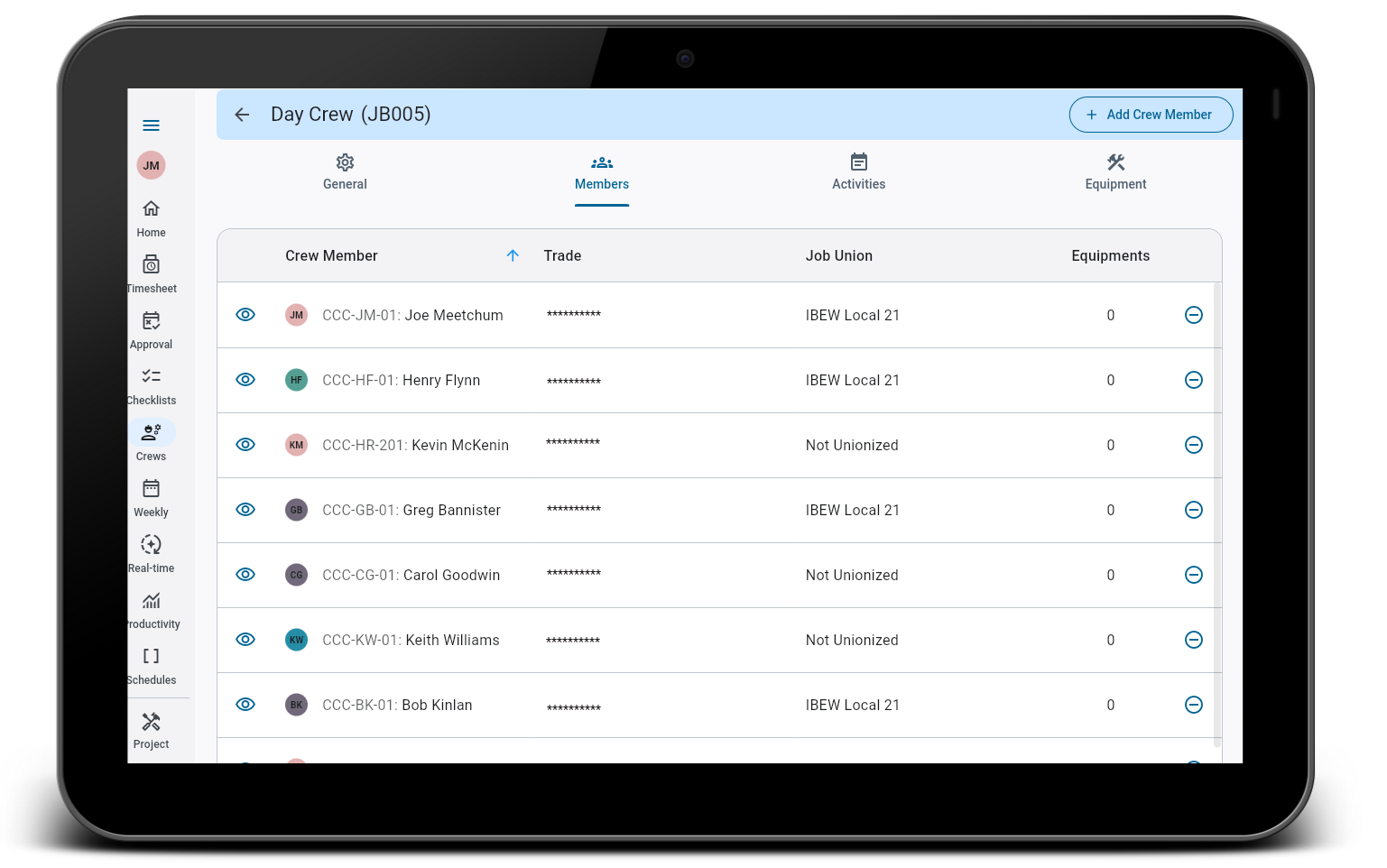
Administrators can easily control trade visibility to keep screens uncluttered and maintain consistent privacy settings across all Construct CT functions.
Updated Offline Capability
Construct CT offers full offline capability to allow users to create, update, and manage crews, members, activities, equipment, and timesheets even when offline.
Download the App Today

|
Download the Construct CT app today, available on the App Store and Google Play for all customers using iOS and Android devices. |