 Search Tips
Overview
This enhancement allows users to manage activities (cost codes) and time entries across multiple jobs within Crew Maintenance and Crew Time Entry screens. It introduces cross-job functionality while respecting union and non-union rules for each employee and job combination. The system dynamically enables or disables time entry cells based on union eligibility, ensuring accurate and compliant data entry.
Purpose
Previously, Crew Maintenance and Crew Time Entry restricted users to adding activities and entering time only for the header job. This enhancement enables cross-job cost code additions, real-time validation of union eligibility, and clear visual feedback when time entry is restricted due to union mismatches.
Key Features
-
Multi-Job Activity Selection: Add activities from multiple jobs in Crew Maintenance and Crew Time Entry.
-
Validation: System allows or restricts union/non-union entries.
-
Job Identification: Each task displays its associated job for easy recognition.
-
Message Prompts: Clear messages explain why an entry is restricted.
-
Cross-Device Compatibility: Fully functional on desktop, tablet, and mobile.
Access and Navigation
Use the [Create Activity] button on the Crew Maintenance and Timesheet Entry screen. The Job field allows users to add tasks from any job.
Functionality Details
Add Activities from Different Jobs in Crew Maintenance
Users can now add activities from any job within their company access. A Job filter appears in the Create Activity screen. Added activities display with a Job Code prefix (e.g., J102: 2010-Formwork). Duplicate activity checks prevent re-adding the same cost code. Each entry stores both activity ID and job ID for reporting accuracy.

Add Tasks from Different Jobs in Crew Time Entry
Users can now use the Create Activity screen to pick an activity from any job. The selected task appears with a label "JobCode: Activity Code – Description. Job ID".
Union-Aware Time Entry
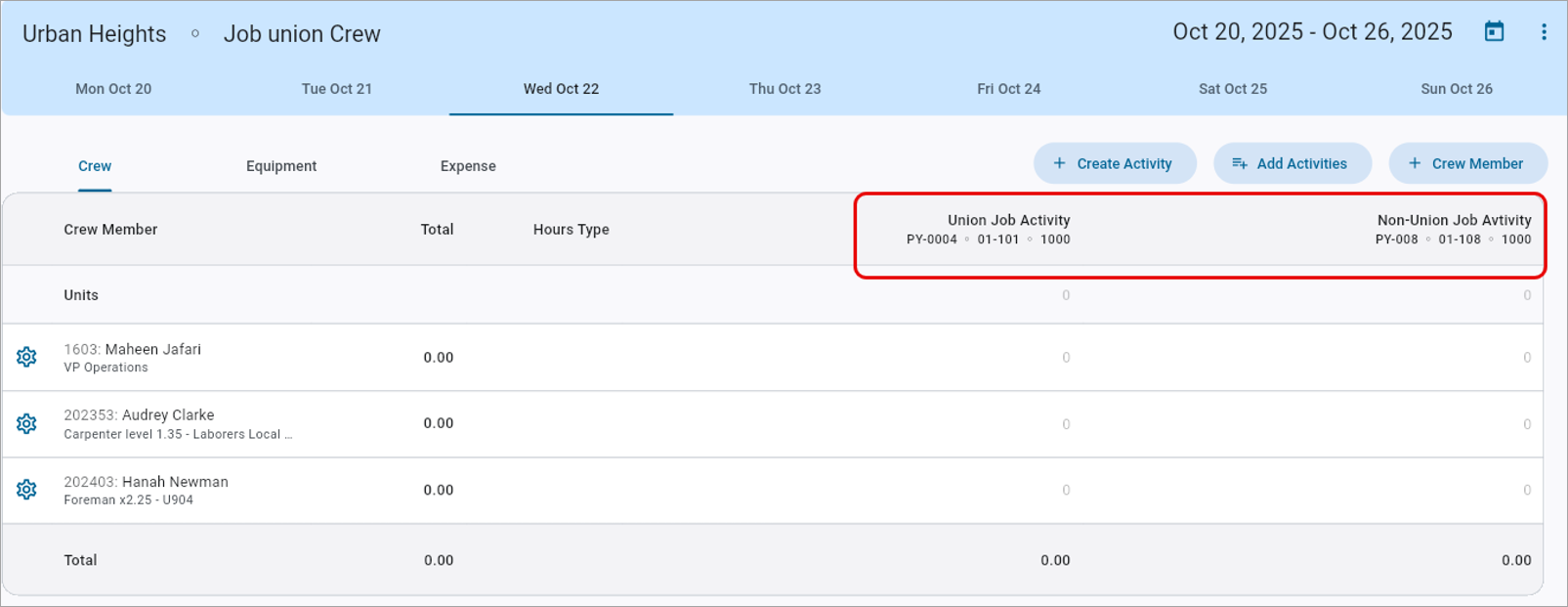
Time entry cells now dynamically enable or disable based on the employee’s union profile, job setup, and system override rules. Disabled cells appear grayed out with tool tips explaining the restriction.
Union Scenarios and Behaviors
| Scenario | Employee Trade | Employee Union | Job Union | Union Overridden? | Can Record Union Activities? | Can Record Non-Union Activities? |
|---|---|---|---|---|---|---|
| Matching Union with union location | CARP | 21 | 99 | Yes | Yes | Yes |
| Overridden to match the job union (99), allowing both union and non-union activities. | ||||||
| Non-Matching Union with Union Location | CARP1 | 22 | 99 | No | No | Yes |
| Does not match the job union (99) and is not overridden, so only non-union activities are allowed. | ||||||
| Non-Union Employee | CARP2 | None | 99 | N/A | Yes | Yes |
| So they can record both union and non-union activities. | ||||||
Messages and System Prompts
-
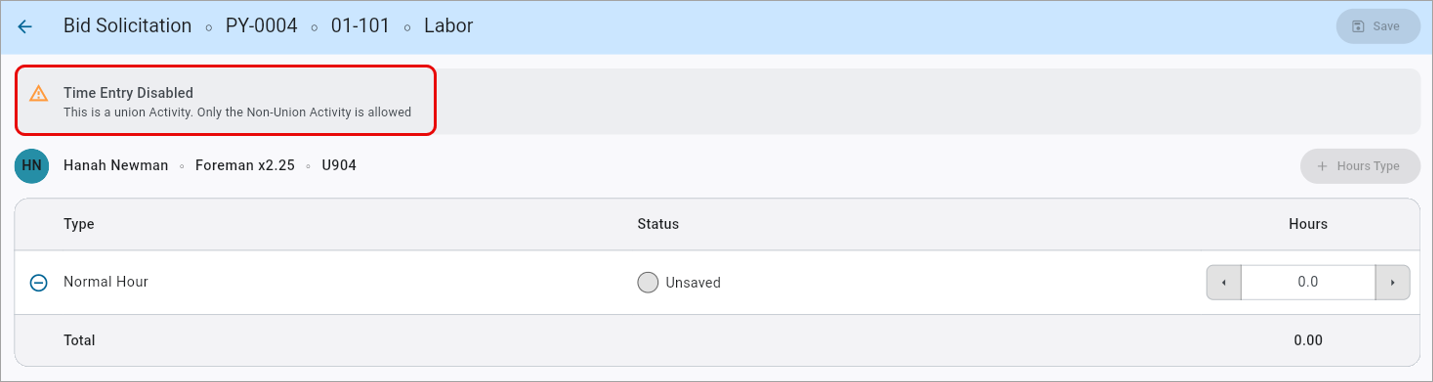
Union Activity Restricted: “Time Entry Disabled. This is a Union Activity. Only the Non-Union Activity is allowed.”
-
Non-Union Activity Restricted: “Time Entry Disabled. This is a Non-Union Activity. Only the Union Activity is allowed.”
Examples and Use Cases
-
Example 1: Union Override Active: Job Union = 99, Employee Union = 21 → Effective union becomes 99; both activities allowed.
-
Example 2: Non-Matching Union: Job Union = 99, Employee Union = 22 → Union cells disabled, non-union allowed.
-
Example 3: Non-Union Employee: All cells enabled.
Technical Notes
-
System Option: Allow Job-Driven Union Override – enables or disables automatic override logic.
-
Audit Trail: Each union override event logs previous and effective union values.
-
Export/Reporting: Job ID, activity ID, and effective union stored per time entry line.
-
Security: Activity searches respect company/job access controls.
Summary
This enhancement streamlines multi-job operations and ensures compliance with union policies. Supervisors and payroll administrators can now manage multiple jobs under one crew sheet, reliably distinguish eligible time entry cells, and maintain accurate, auditable records for both union and non-union work.