 Search Tips
Overview
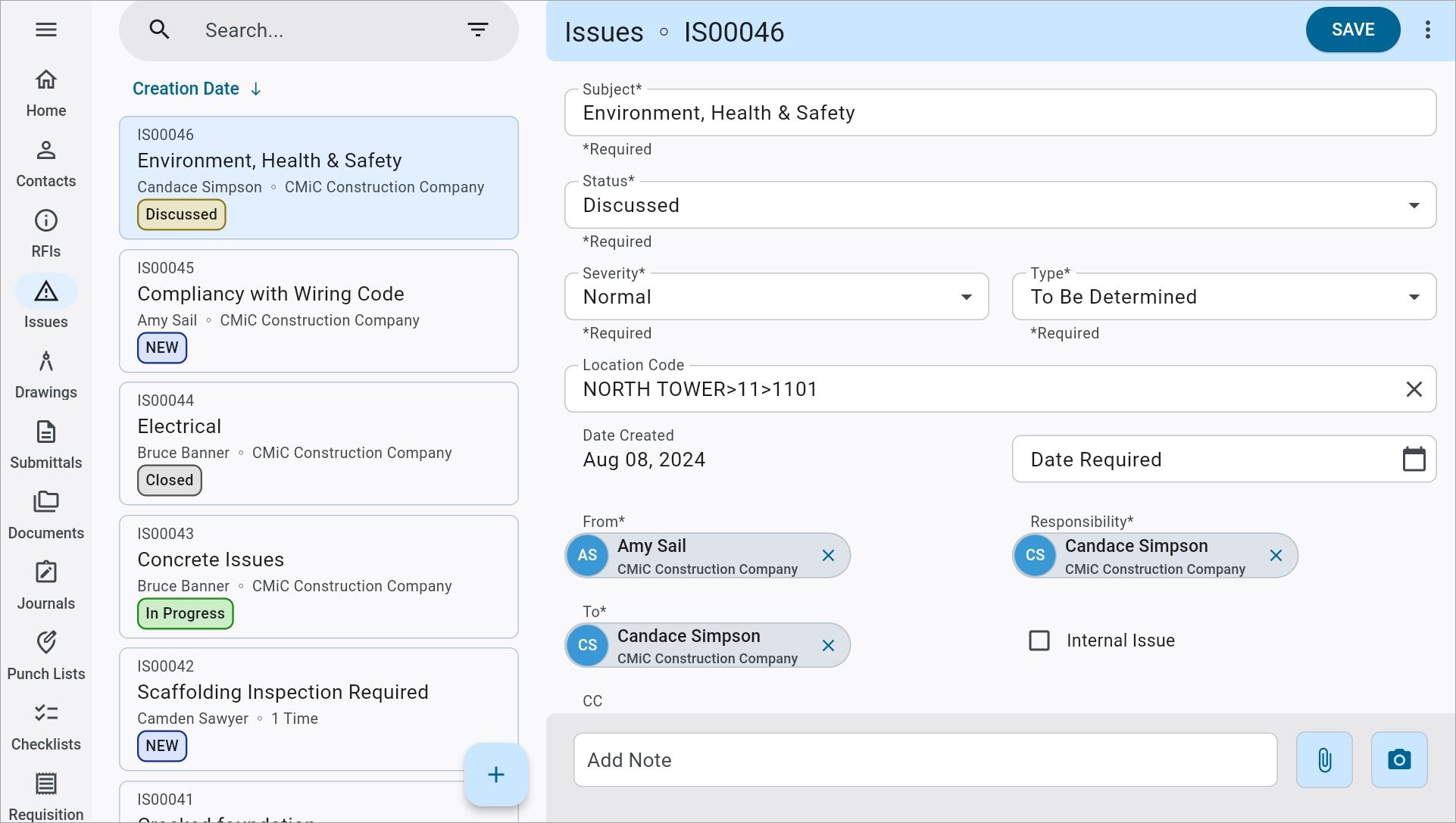
Construct PM Issues with status color chips
The Status Color Chip Mapping feature allows users to quickly sort and navigate the status of their records based on the existing color formats for those statuses. Status color chips are available in both List and Grid view (where available).
This feature is available for the following modules and is described in detail below:
RFIs
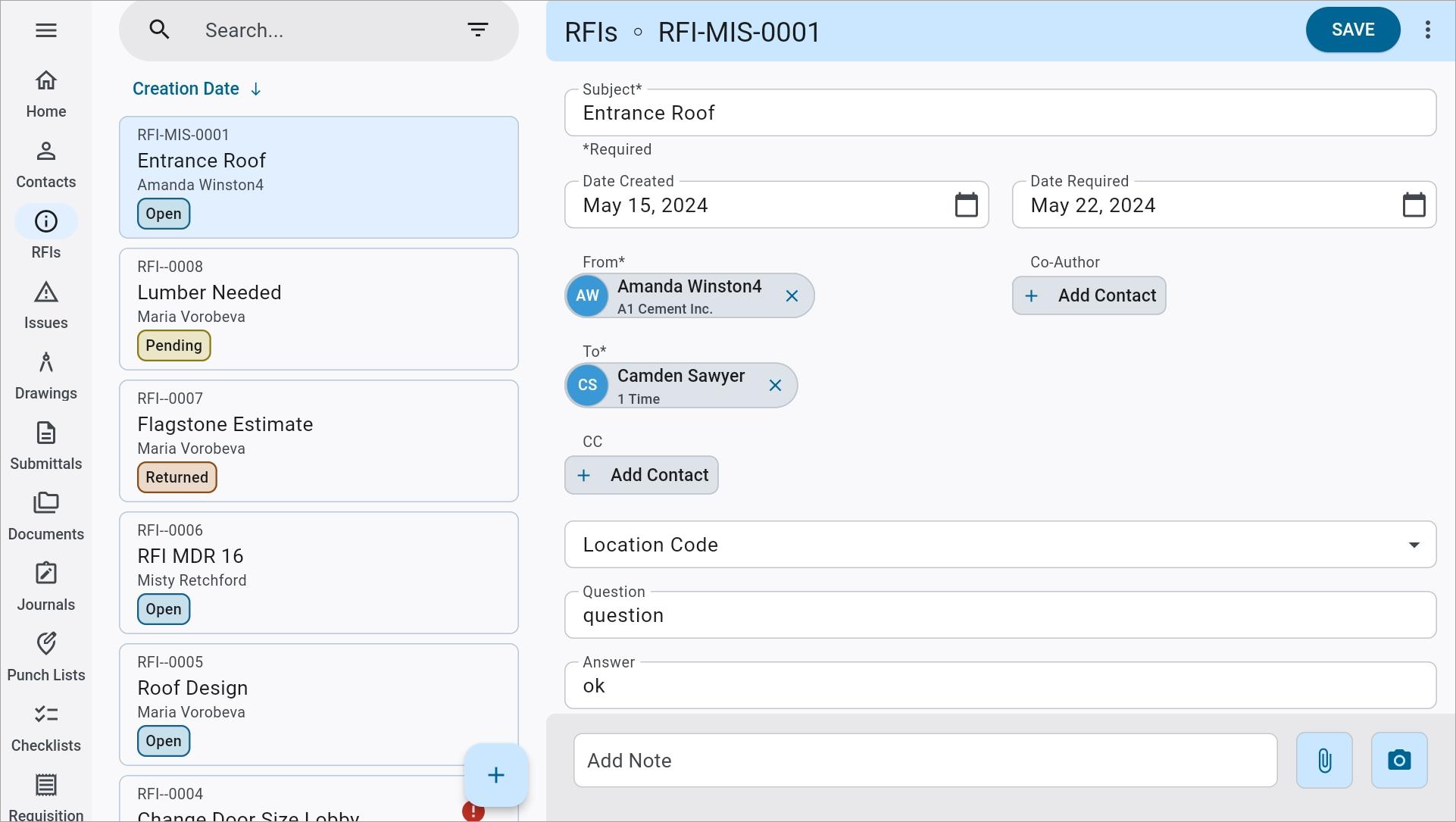
Construct PM RFIs with status color
The color and description of the status chip for an RFI record are based on its status class and description as entered in the Class and Description fields of the RFI Status node in the Maintain Data Process screen. For more information about how these codes are set up and maintained, please refer to RFI Status.
| RFI Status Class | Status Chip Color |
|---|---|
| Accepted |

|
| Approved |
|
| Closed |

|
| Pending |

|
| Open |

|
| Rejected |

|
| Returned |

|
Issues
Construct PM Issues with status color chips
The color and description of the status chip for an Issue record are based on its status and description as entered in the Code and Description fields on the Issue Status node in the Maintain Data Process screen. Custom statuses created by system admins will map to a standard gray color. For more information about how these codes are set up and maintained, please refer to Issue Status.
| Issue Status | Status Chip Color |
|---|---|
| New |

|
| Open |
|
| Discussed |
|
| In Progress |
|
| Closed |
|
| Custom |
|
Checklists
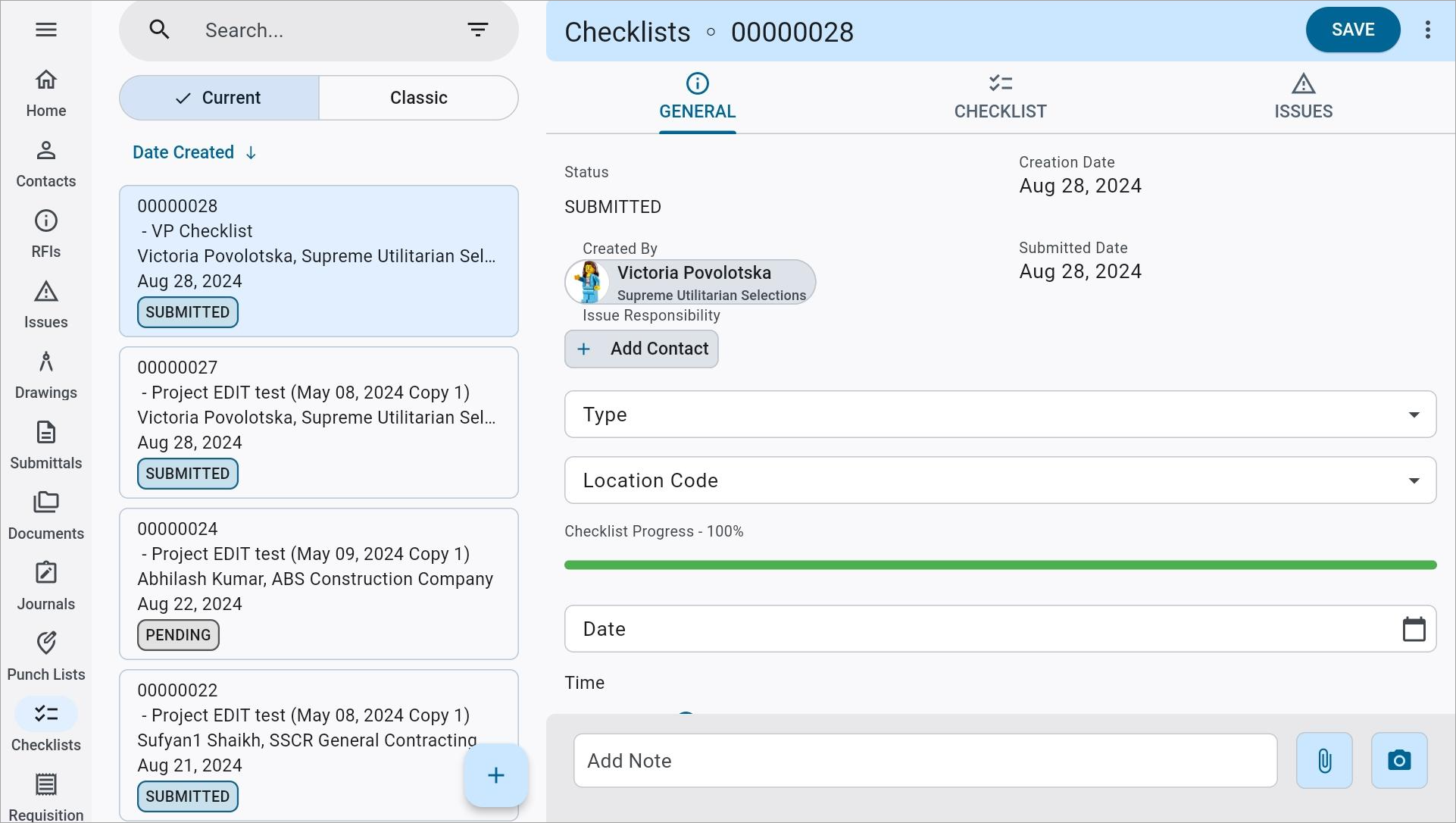
Construct PM Checklists
The color of the status chip for a Checklist record is based on its status (either "Submitted" or "Pending").
| Checklist Status | Status Chip Color |
|---|---|
| Submitted |
|
| Pending |
|
Daily Journals
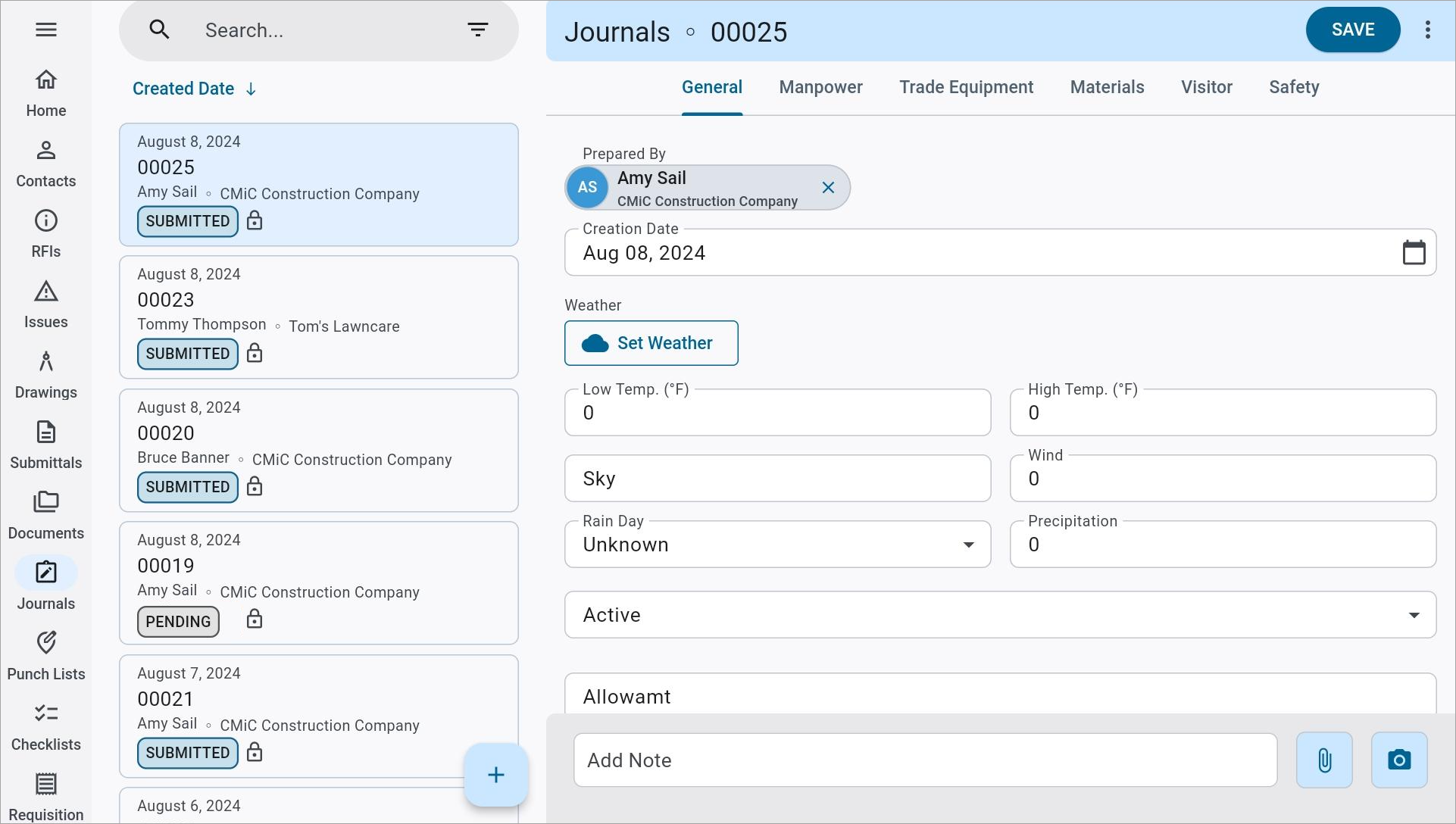
Construct PM Journals with status color chips
The color of the status chip for a Daily Journal record is based on its status (either "Submitted" or "Pending").
| Daily Journal Status | Status Chip Color |
|---|---|
| Submitted |
|
| Pending |
|
Punch Lists
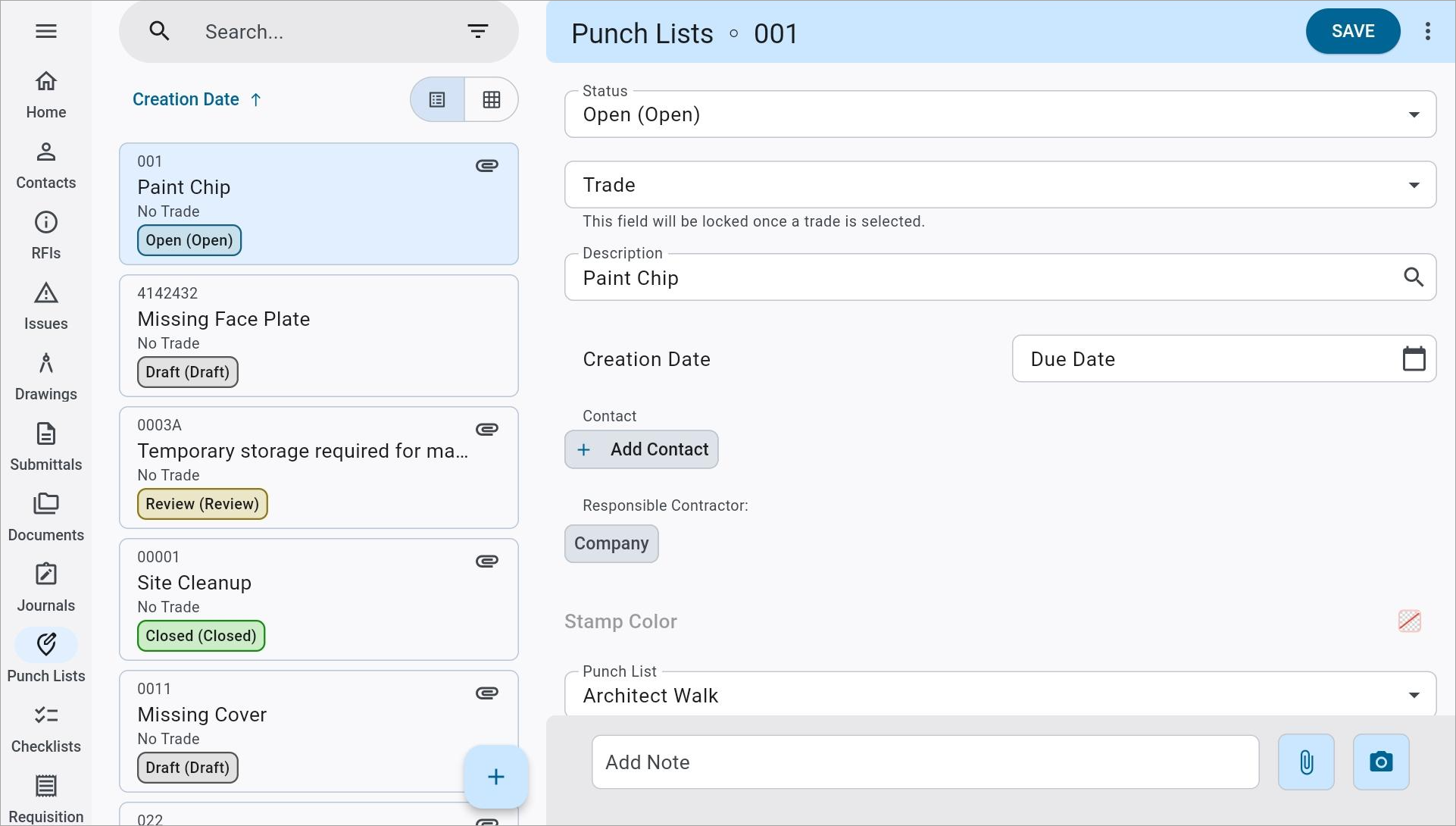
Construct PM Punch Lists with status color chips
The color and description of the status chip for a Punch List Item record are based on its status class and description as entered in the Class and Name fields of the Punch List Item Status Maintenance screen. For more information about how these codes are set up and maintained, please refer to CMiC Field - Punch List Item Status Maintenance.
| Punch List Item Status Class | Status Chip Color |
|---|---|
| Draft |
|
| Open |
|
| Closed |
|
| Contested |
|
| Review |
|