 Search Tips
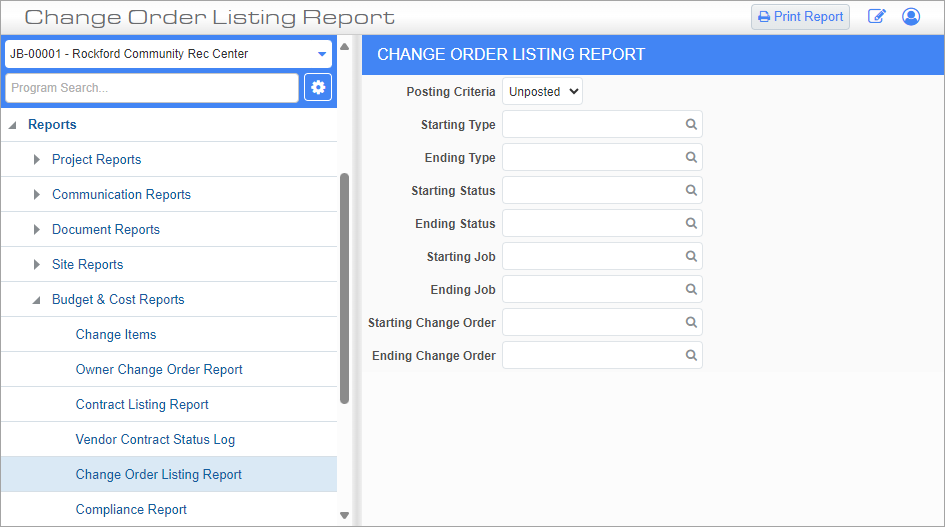
Pgm: CM1001– Change Order Listing Report; standard Treeview path: CMiC Field > Reports > Budget & Cost Reports > Change Order Listing Report
This screen is used to generate a change order (CO) listing report.
Posting Criteria
Select whether to include unposted change orders, posted change orders, or both in the report.
Starting Type, Ending Type
Enter/select a range of change order types to include in the report or leave these fields blank to include all types. Change order types are maintained in the Type field on the PCI Detail tab of the CMiC Field - Potential Change Items screen.
Starting Status, Ending Status
Enter/select a range of change order statuses to include in the report or leave these fields blank to include all statuses. Status codes are maintained in the Status field on the PCI Detail tab of the CMiC Field - Potential Change Items screen.
Starting Job, Ending Job
Enter/select a range of jobs to include in the report or leave these fields blank to include all jobs.
Starting Change Order, Ending Change Order
Enter/select a range of change orders to include in the report or leave these fields blank to include all change orders.
Print Report
Press this button to launch the Report Config pop-up. Use this pop-up to select the server from which to print the report, along with the format and destination. For more information on the fields on this pop-up screen, please refer to CMiC Field - Printing a Report.
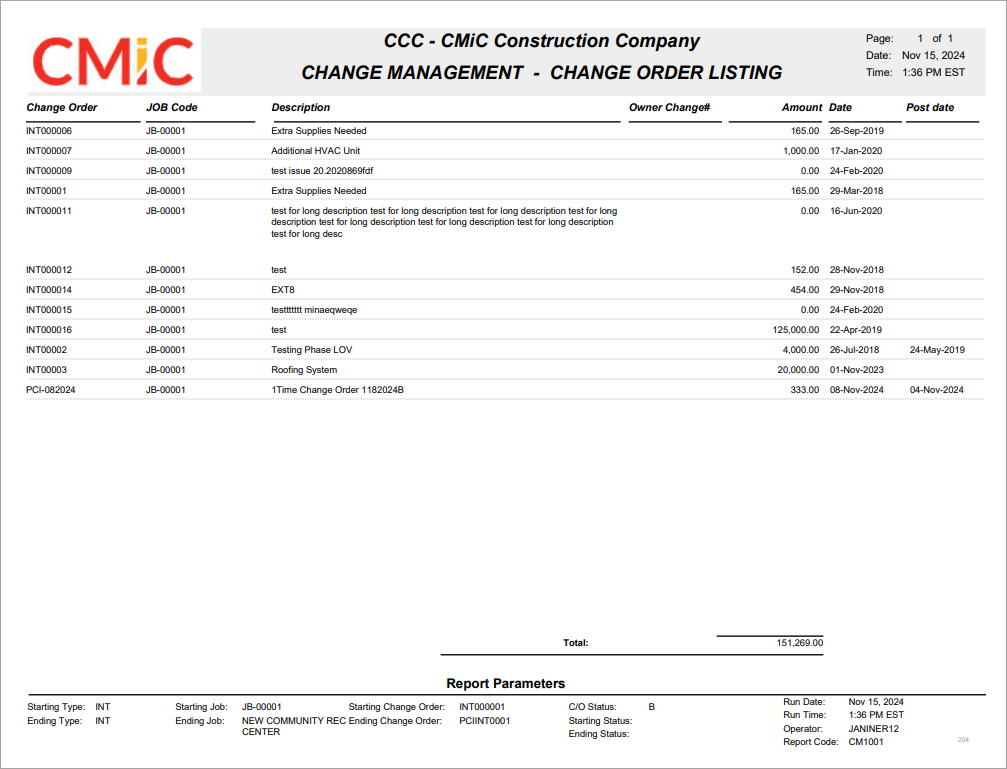
Sample Change Order Listing Report (CM1001)